
本页为译文。技术支持和视频教程主要使用英语,内容以英文页面为准。 英文版

 CircleLayout
UIToolbox 中的 CircleLayout 是一个布局容器,把子元素放在圆或圆弧上:径向菜单、技能槽的环、由按钮组成的表盘。它用 C# 布局,所以在每个 Unity 6 版本中都能用,第一次布局之后不产生垃圾。
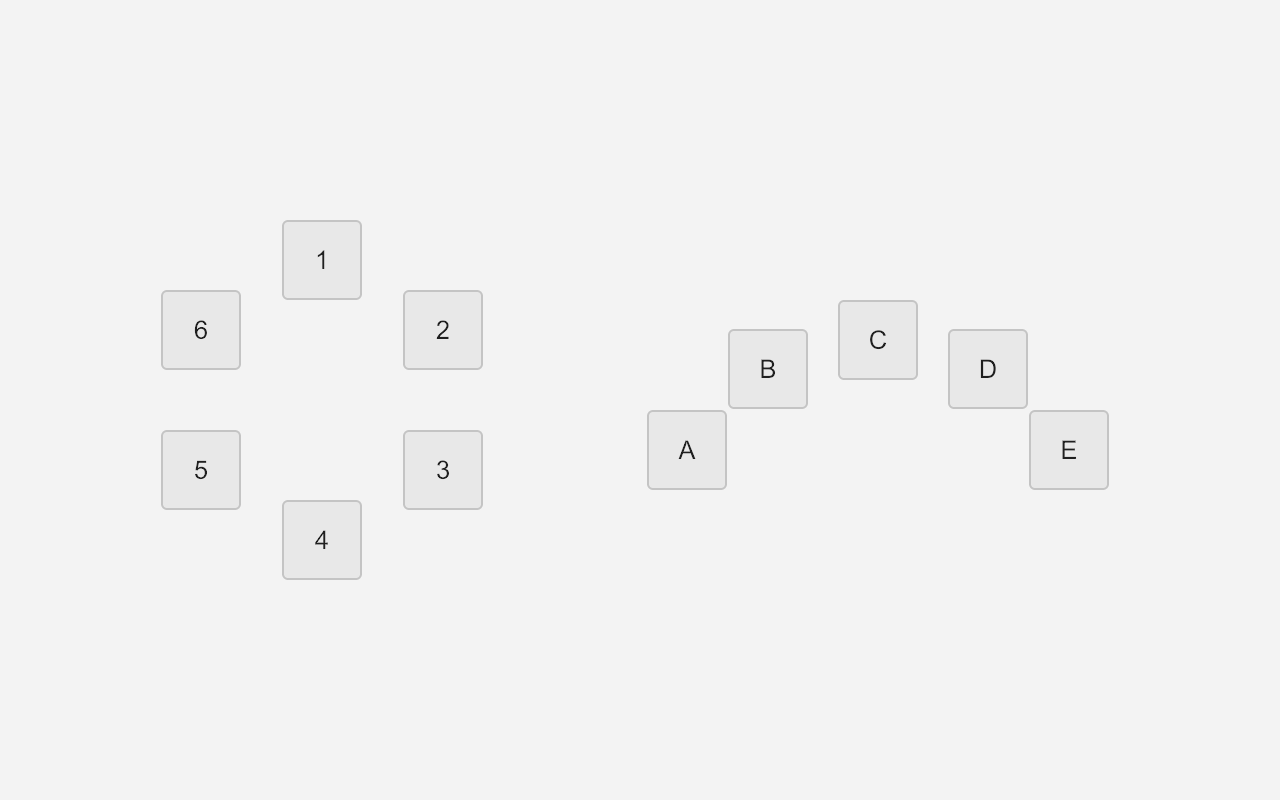
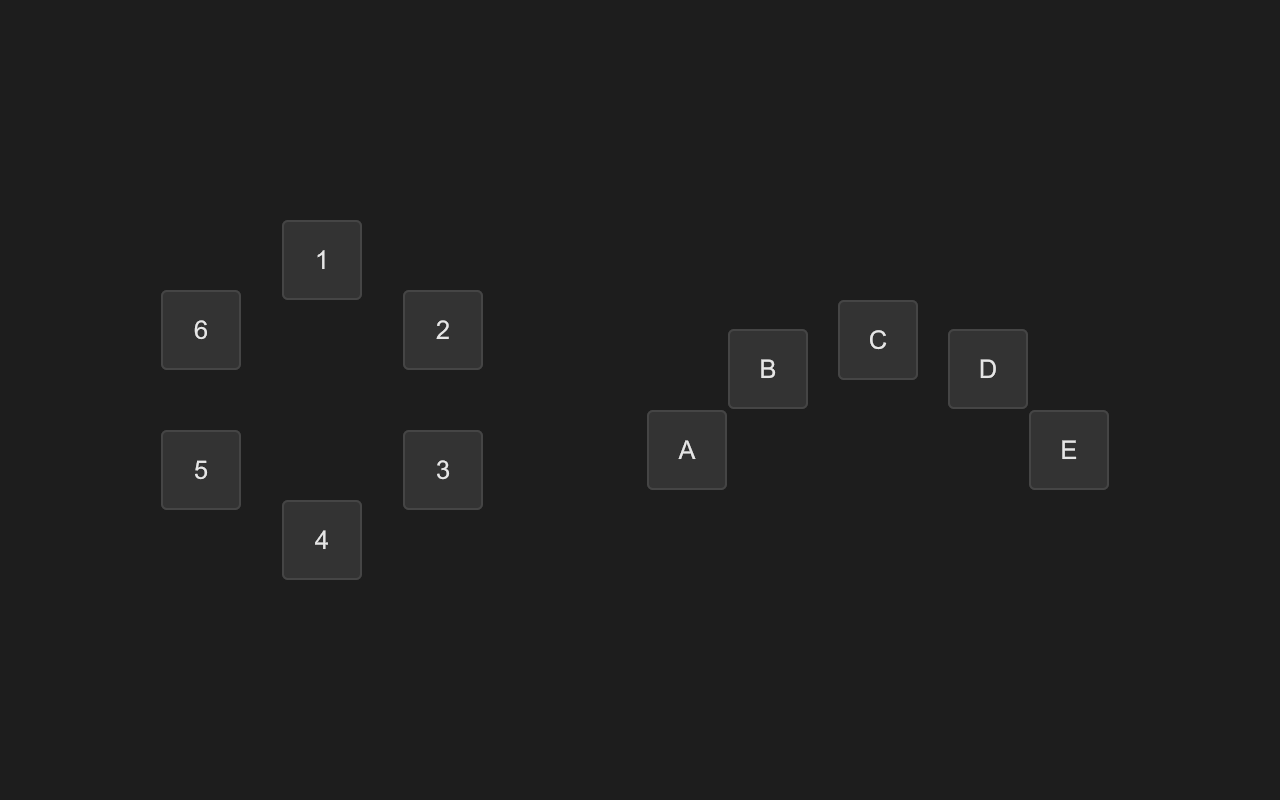
<tb:CircleLayout radius="90" style="width: 260px; height: 260px;">
    <ui:Button text="1" />
    <ui:Button text="2" />
    <ui:Button text="3" />
    <ui:Button text="4" />
</tb:CircleLayout>

<tb:CircleLayout mode="Sequence" align="Center" spacing="32"
                 start-angle="-90" rotate-items="true" animate="true"
                 style="width: 260px; height: 260px;" />
var ring = new CircleLayout { Radius = 80, StartAngle = -90 };
ring.style.width = ring.style.height = 240;
ring.Add(new Button { text = "Attack" });
ring.Add(new Button { text = "Defend" });

// 子元素的位置,单位为度
if (ring.TryGetAngle(button, out var degrees))
    Debug.Log(degrees);
角度的单位是度。0 是顶部(12 点钟),角度按顺时针增加,所以 90 是右边。
| 成员 | 说明 |
|---|---|
Radius (radius) |
圆的半径,单位为像素。0(默认)让圆适应布局的框,并减去最大子元素的一半。 |
StartAngle (start-angle) |
第一个子元素的角度,单位为度。默认为 0。 |
Direction (direction) |
Clockwise(默认)或 CounterClockwise。 |
Mode (mode) |
Spread(默认)把子元素均匀分布在 Sweep 上。Sequence 把它们按 Spacing 度间隔放置。 |
Sweep (sweep) |
Spread 覆盖的角度,从 0 到 360。为 360(默认)时,子元素绕满一圈,最后一个不会落在第一个上。小于 360 时,第一个子元素在起始角度,最后一个在弧的末端。 |
Spacing (spacing) |
Sequence 模式下两个子元素之间的角度。默认为 30。 |
Align (align) |
Sequence 相对起始角度的位置:Start(第一个子元素在起始角度)、Center(中间的子元素在那里)或 End(最后一个子元素在那里)。 |
RotateItems (rotate-items) |
把每个子元素按它的角度旋转,使它的顶部背向中心。 |
Animate (animate) |
添加 USS 类 tb-circle-layout--animate,让子元素平滑移动到新位置。第一次布局不做动画。 |
VisibleCount、EffectiveRadius |
有位置的子元素的数量,和正在使用的半径。 |
AngleOfSpot(index, count)、TryGetAngle(child, out degrees) |
一个位置的角度,和一个子元素的角度。对于隐藏的或不在布局中的子元素,TryGetAngle 为 false。 |
PointOnCircle(radius, degrees) |
静态方法:某个角度相对于中心的偏移。 |
Refresh() |
立即布局。当布局的尺寸、设置或子元素改变时,布局会自己运行。 |
- 子元素用绝对定位,中心在圆上。请给布局设置宽度和高度。
display: none的子元素不占位置。再次显示它,其他子元素会给它让出位置。- 布局每秒十次检查被添加、移除、隐藏和改变尺寸的子元素。这是对子元素的哈希,不产生垃圾。
- 使用手柄或方向键时,方向键沿着圆移动焦点:如果下一个或上一个子元素在按键的方向上,一次按键就移到它。在圆弧上,第一个和最后一个子元素是两端。如果该方向上没有相邻元素,一次按键会离开这个圆,所以焦点永远不会卡在里面。
样式
| 类 | 元素 |
|---|---|
tb-circle-layout |
布局。它本身没有外观。 |
tb-circle-layout--animate |
Animate 开启时的布局。它为子元素的 left、top 和 rotate 设置过渡,使用主题的动画时长和缓动令牌。 |