
本页为译文。技术支持和视频教程主要使用英语,内容以英文页面为准。 英文版

 ToolBarMenu
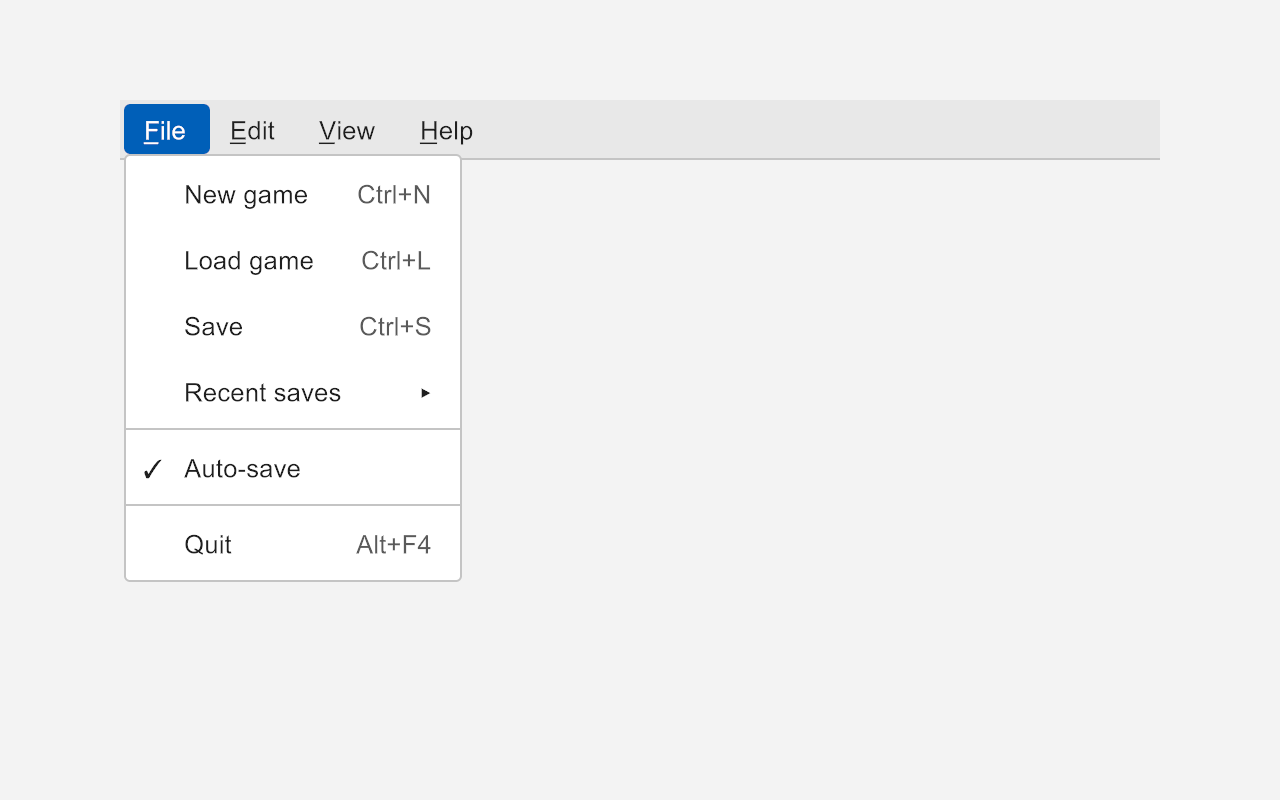
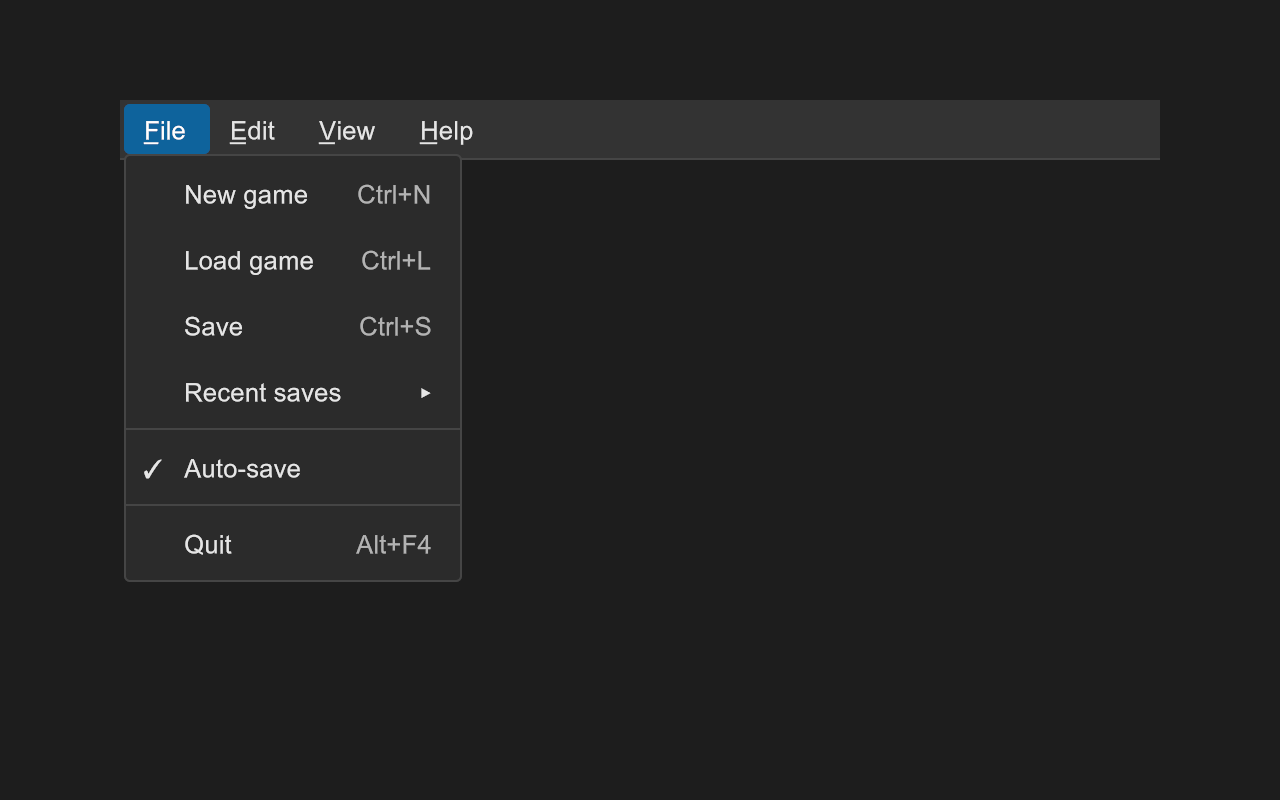
UIToolbox 中的 ToolBarMenu 是应用程序的菜单栏。每个 ToolBarMenuItem 是一个标题,带有一个下拉的 ContextMenuComponent。标题的子元素放在它的菜单里,在 UXML 和代码中都是如此。
<ui:UXML xmlns:tb="UIToolbox" xmlns:cm="UIToolbox.Core.ContextMenu">
<tb:ToolBarMenu name="menuBar">
<tb:ToolBarMenuItem text="&File">
<cm:MenuItem
text="&New"
action="new"
shortcut="Ctrl+N" />
<cm:MenuItem
text="Save"
action="save"
shortcut="Ctrl+S"
enabled="false" />
<cm:MenuSeparator />
<cm:MenuItem text="Recent">
<cm:MenuItem
text="notes.txt"
action="recent notes.txt" />
</cm:MenuItem>
</tb:ToolBarMenuItem>
<tb:ToolBarMenuItem text="View">
<cm:MenuItem
text="Word Wrap"
action="wrap"
checkable="true"
checked="true" />
<cm:MenuSeparator />
<cm:MenuLabel text="Zoom" />
<cm:MenuItem
text="100%"
action="zoom 100"
radio-group="zoom"
checked="true" />
<cm:MenuItem
text="200%"
action="zoom 200"
radio-group="zoom" />
</tb:ToolBarMenuItem>
<tb:ToolBarMenuItem text="Edit">
<cm:MenuItem
text="Delete All"
action="delete all"
destructive="true" />
</tb:ToolBarMenuItem>
</tb:ToolBarMenu>
</ui:UXML>
var bar = new ToolBarMenu();
var file = bar.AddMenu("File");
file.AddItem("New", () => NewDocument(), "Ctrl+N");
file.AddSubmenu("Recent").AddItem("notes.txt", () => Open("notes.txt"));
bar.AddMenu("View")
    .AddCheckableItem("Word Wrap", on => SetWrap(on), isChecked: true);

// Items with an action, as UXML declares them
foreach (var title in bar.Menus)
    title.Menu.ActionTriggered += (action, _) =>
        Debug.Log($"{title.Text} > {action}");
| 成员 | 说明 |
|---|---|
AddMenu(text) |
追加一个标题并返回它的菜单。 |
Menus, GetMenu(text) |
各个标题。ToolBarMenuItem 有 Text、AccessKey 和 Menu。GetMenu 比较文字时带着其中的 &。 |
OpenByAccessKey(key) |
打开第一个具有此访问键的标题的菜单,并高亮它的第一个可用项,与 Alt 加该键的效果相同。 |
OverflowItem, OverflowMenus |
“≡”标题,以及放不下、位于它菜单中的标题。 |
Open(item), Close(), OpenItem |
在标题下方显示它的菜单、隐藏菜单,以及菜单已打开的标题。 |
RunShortcut(key, modifiers) |
运行第一个 Shortcut 匹配的可用项,在任何菜单或子菜单中皆可。没有匹配时返回 false。 |
HandleShortcuts (handle-shortcuts) |
在面板中任何位置按键时运行各项的快捷键。默认开启。 |
- 点击标题会打开它的菜单。再点击一次会关闭。菜单打开时,指针移到另一个标题上会打开那个菜单。
- 已打开的标题会获得
--open类和强调色。 - 菜单接受上下文菜单的每一种项:单选项(
radio-group,组中只有一项被选中)、标题(MenuLabel)和以危险色显示的destructive项。参见上下文菜单。 - 在菜单中,上下键移动高亮,Enter 运行该项,右键打开子菜单,左键关闭它。在没有子菜单的项上按右键,以及在顶层菜单中按左键,会打开下一个或上一个标题。Escape 关闭菜单。
- 文本字段有焦点时不运行快捷键,这样 Ctrl+Z、Ctrl+A 和 Delete 就能编辑文字。
- 菜单放在最近的
Workspace中。窗口里的菜单栏也能用:点击使窗口获得焦点时,菜单仍在窗口前面。 - 标题或
MenuItem的Text中的&标记访问键:“&File”显示为带下划线 F 的“File”。“&&”显示一个&。在 XML 中,请写&。下划线始终显示,不只是在按住 Alt 时。 - Alt 加标题的访问键会打开它的菜单,文本字段有焦点时也是如此。在已打开的菜单中,按项的访问键即可运行它,不需要修饰键。两个项共用一个键时,运行第一个。
- 标题放不下时,最后几个会隐藏,末尾显示一个“≡”标题。它的菜单列出隐藏的标题;选一个,就在“≡”标题下打开它的菜单。左右键在显示的标题和“≡”标题之间移动。菜单栏的宽度来自它的父元素,因此请给它一个宽度,或把它放在一列中。隐藏的标题保持它上次显示时的宽度。添加、重命名或移除标题后,菜单栏会重新适配,移除的标题会关闭它的菜单。
ToolBarMenuDemo 场景展示了一个关卡编辑器的菜单栏:子菜单、快捷键和访问键,Grid 复选项以及缩放和画笔的单选项,在运行时添加并移入溢出菜单的标题,以及菜单栏及其菜单的各种外观。