
本页为译文。技术支持和视频教程主要使用英语,内容以英文页面为准。 英文版

 Timeline
UIToolbox 中的 Timeline 在时间标尺上显示由 TimelineItem 区间和标记组成的 TimelineTrack 行,并带有播放头。
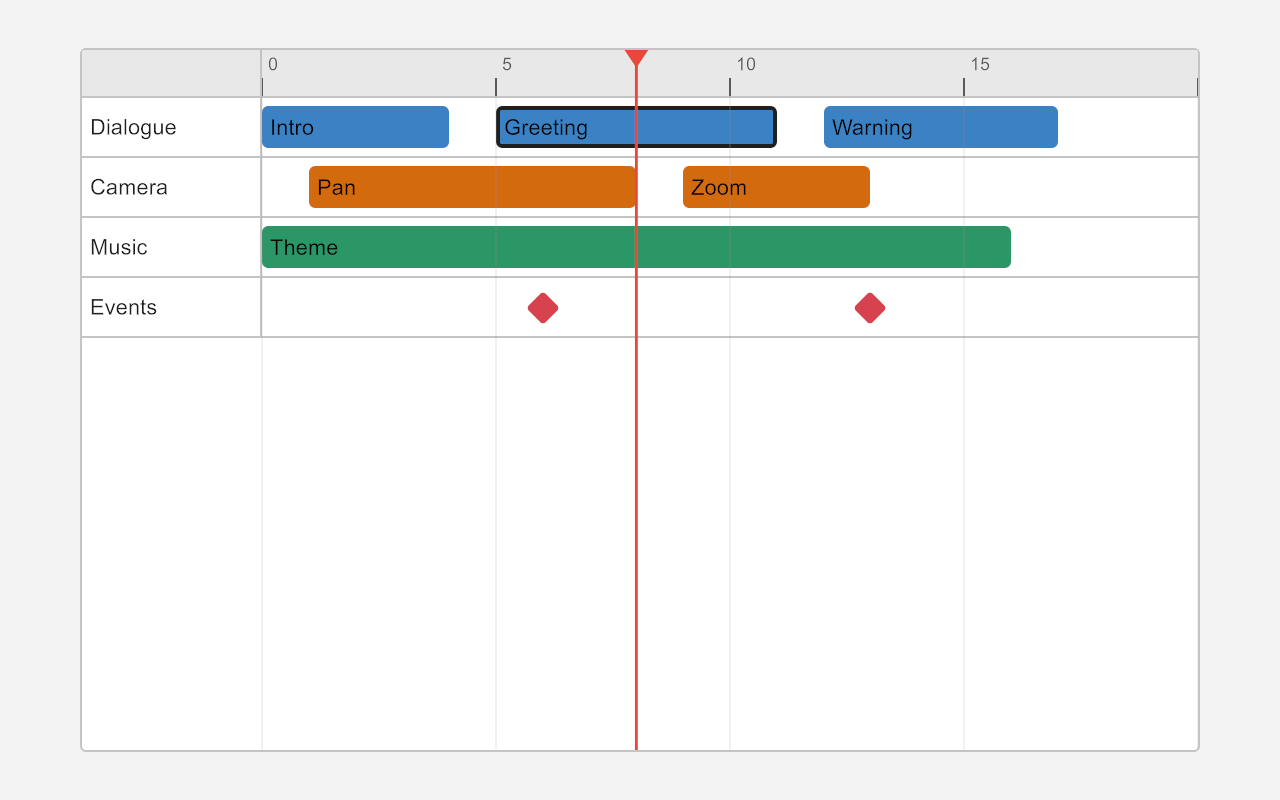
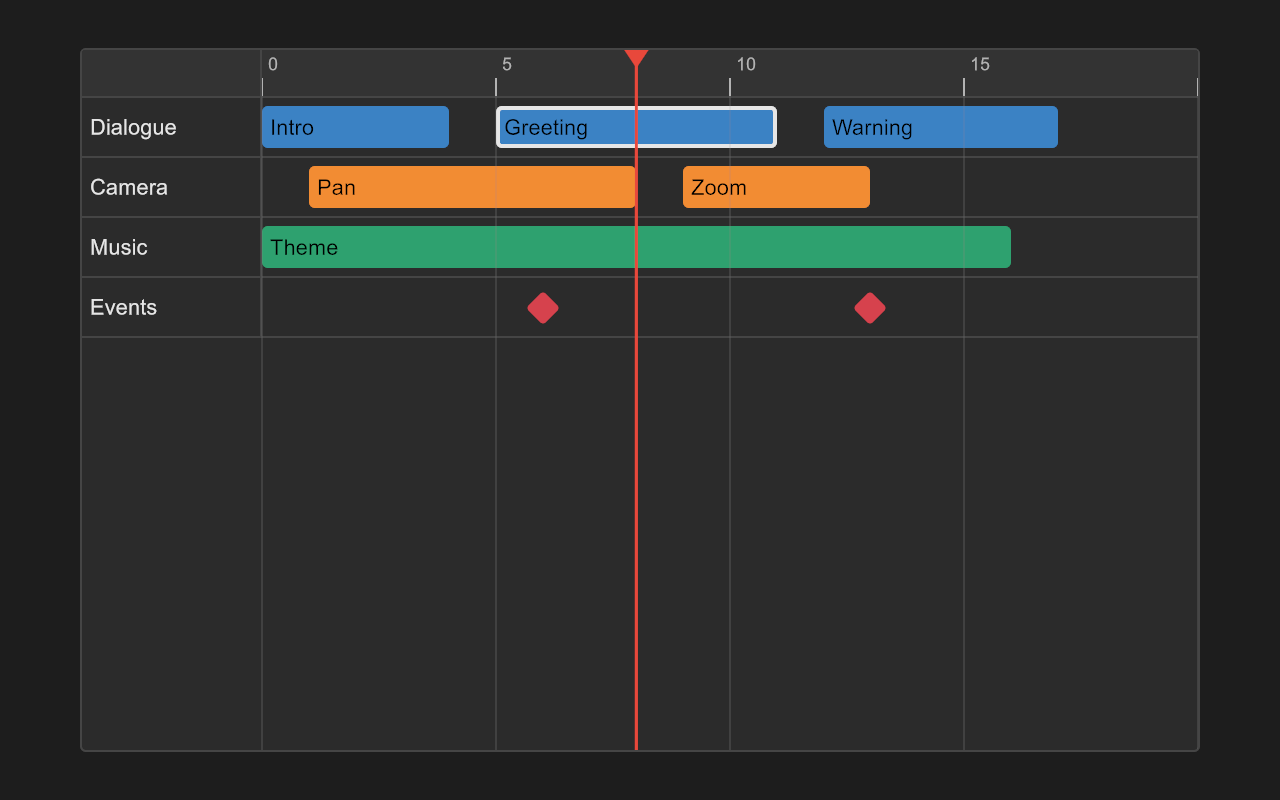
<tb:Timeline
    name="edit"
    duration="60"
    time-format="0.#'s'"
    style="height: 150px;">
    <tb:TimelineTrack text="Video">
        <tb:TimelineItem text="Intro" start="0" duration="8" />
        <tb:TimelineItem
            text="Scene A"
            start="8"
            duration="17"
            color="#3CB371" />
    </tb:TimelineTrack>
    <tb:TimelineTrack text="Events">
        <!-- no duration: a marker -->
        <tb:TimelineItem text="Cut" start="8" />
    </tb:TimelineTrack>
</tb:Timeline>
var timeline = root.Q<Timeline>("edit");
timeline.GetTrack("Events").AddMarker("Fade", 25);
timeline.ItemReached += item =>
    Debug.Log($"{item.Text} at {item.Start}");
timeline.SelectionChanged += range => Debug.Log(range);
timeline.Play();
| 成员 | 说明 |
|---|---|
TimelineItem.Text (text), Start (start), Duration (duration), Color (color) |
名称、起始时间、长度(0 表示标记)和填充色(透明则采用轨道颜色)。改变它们会移动该条目。 |
--tb-item-color |
在条目的样式中:Color 为透明的条目的填充色,例如 .tb-timeline__item.build { --tb-item-color: var(--tb-color-success); }。顺序是 Color,然后 --tb-item-color,然后是轨道的颜色。 |
TimelineItem.End, IsMarker, DisplayColor, Track, Timeline |
结束时间、是否为标记的判断、绘制的颜色,以及父级。 |
TimelineTrack.Text (text), Color (color), Items, AddItem, AddMarker |
标题文字、条目颜色(透明时按位置采用主题图表颜色 --tb-chart-1 到 --tb-chart-8),以及各条目。 |
Tracks, Items, AddTrack, GetTrack, Refresh |
各轨道及它们的所有条目。用 Add 或 Remove 添加或移除轨道或条目之后,请调用 Refresh()。 |
ScrollToTrack |
滚动轨道使该轨道显示出来。放不下高度的轨道在标尺下方上下滚动。 |
Duration (duration, 60), TimeFormat (time-format, "0.##"), FormatTime |
标尺的长度,以及标尺和工具提示的数字格式。 |
TimeFormatter, TickFormatter |
生成时间文字的函数。TimeFormatter 用于工具提示、FormatTime 和标尺;TickFormatter 只用于标尺。Null(默认)使用 TimeFormat。参见天和小时。 |
TickSteps (tick-steps), MajorStep (major-step, 0) |
标尺在两个刻度之间可以使用的步长,以及主刻度的步长。没有 TickSteps 时,标尺使用整齐的十进制步长(1、2、5、10)。 |
Playhead (playhead), PlayheadMoved |
播放头的时间,从 0 到 Duration。 |
Play, Pause, IsPlaying, PlayingChanged, PlaybackSpeed (playback-speed, 1), Loop (loop) |
播放以真实时间移动播放头。到达末尾时停止,有 Loop 时回到 0。在末尾调用 Play 会重新开始。放大的视图在播放头跑出视图时会翻页。 |
ItemReached |
播放期间,播放头到达某个条目的起点时发出。 |
Selection, SetSelection, ClearSelection, SelectionChanged |
选中的范围,以(起点,终点)表示,或为 null。 |
SelectedItem, SelectItem, ItemSelected |
选中的条目,或为 null。 |
ViewStart, ViewEnd, IsZoomed, SetView, ResetView, ViewChanged |
显示的范围。它保持在 0 到 Duration 之内。 |
TickTimes, TimeAt(worldPosition), TrackAt(worldPosition) |
当前显示的标尺刻度时间、面板位置处的时间,以及该处的轨道(在显示的轨道之外为 null)。在轨道通道上放置或双击时,用它们在指针所在的位置添加条目。 |
Interactive, ZoomPan (zoom-pan) |
点击、拖动和按键;滚轮和平移。默认开启。 |
EditItems (edit-items), ItemChanged |
拖动可移动条目和调整其大小。默认关闭。在改变了起点、长度或轨道的拖动之后,ItemChanged 发出一次;由代码做出的改变不会发出它。 |
ItemEdited, TimelineEdit, TimelineEditKind |
用户每次编辑之后发出:移动(Move)、调整大小(Resize)或移除(Remove)。TimelineEdit 保存 Timeline、Item 和 Kind,以及编辑前(OldTrack、OldIndex、OldStart、OldDuration)和编辑后(NewTrack、NewIndex、NewStart、NewDuration;移除时 NewTrack 为 null,NewIndex 为 -1)的轨道、在轨道中的位置、起点和时长。Undo() 和 Redo() 把条目放到任一位置,所以编辑器可以保留这些编辑作为撤销历史。 |
DeleteSelectedItem |
移除选中的条目,与有 EditItems 时的 Delete 和 Backspace 相同,并发出 ItemEdited。没有选中条目时返回 false。 |
Snap (snap, 0), SnapToItems (snap-to-items, true) |
被拖动的边缘会对齐到 Snap 的倍数(0 关闭步长)。有 SnapToItems 时,距离播放头或另一个条目边缘 8 像素以内的边缘会先对齐到它。 |
- 在标尺中拖动可移动播放头。在通道中拖动可选择一个范围。点击空的通道会清除两种选择。
- 点击条目会选中它。工具提示显示 “Label: start to end”,标记则显示 “Label: time”。
- 在 UI Builder 中,没有轨道的时间线会在虚线轮廓中显示两个示例轨道。该示例不会在 Play 模式或构建中显示,UI Builder 也不会把它保存到 UXML 文件。
- 有
EditItems时,拖动条目主体会移动它,也可以移到指针下方的轨道。拖动区间 6 像素的边缘会移动那条边;区间至少保留一个对齐步长。标记没有边缘。拖动期间按 Escape 会把条目放回原处。Delete 和 Backspace 会移除选中的条目。条目可以重叠。 - 有
EditItems时,指针位于区间的边缘上会显示左右箭头光标。运行时面板只显示纹理光标,所以时间线会绘制一个 32 像素的箭头(Timeline.ResizeCursor)。光标在拖动期间保持不变。 - 时间线可以获得焦点。Left 和 Right(方向键或手柄)把播放头移动一个标尺刻度。Home 和 End 跳到两端。Space 播放和暂停。Escape 清除选择。Submit(Enter 或手柄上的 A)选中播放头处的条目;有
EditItems且已选中条目时,Submit 会抓取它。抓取期间,Left 和 Right 把它移动一个标尺刻度(或对齐步长),Up 和 Down 把它移到上一条或下一条轨道,Submit 放下它并发出ItemEdited,Escape 或 B 把它放回原处。 - 有焦点时,标尺或通道上方的滚轮会围绕指针缩放。Shift+滚轮和水平滚轮用于平移。中键拖动用于平移。在标尺中双击会重置视图。
- 没有焦点时,以及在轨道名称上方时,滚轮会滚动轨道。标尺通道在垂直滚动条之前结束,所以它保持与轨道通道相同的宽度。
- 在
.tb-timeline上设置--tb-timeline-playhead、--tb-timeline-selection、--tb-timeline-grid和--tb-timeline-grid-major,可以更改播放头、范围填充、网格线和主刻度的网格线。
天和小时
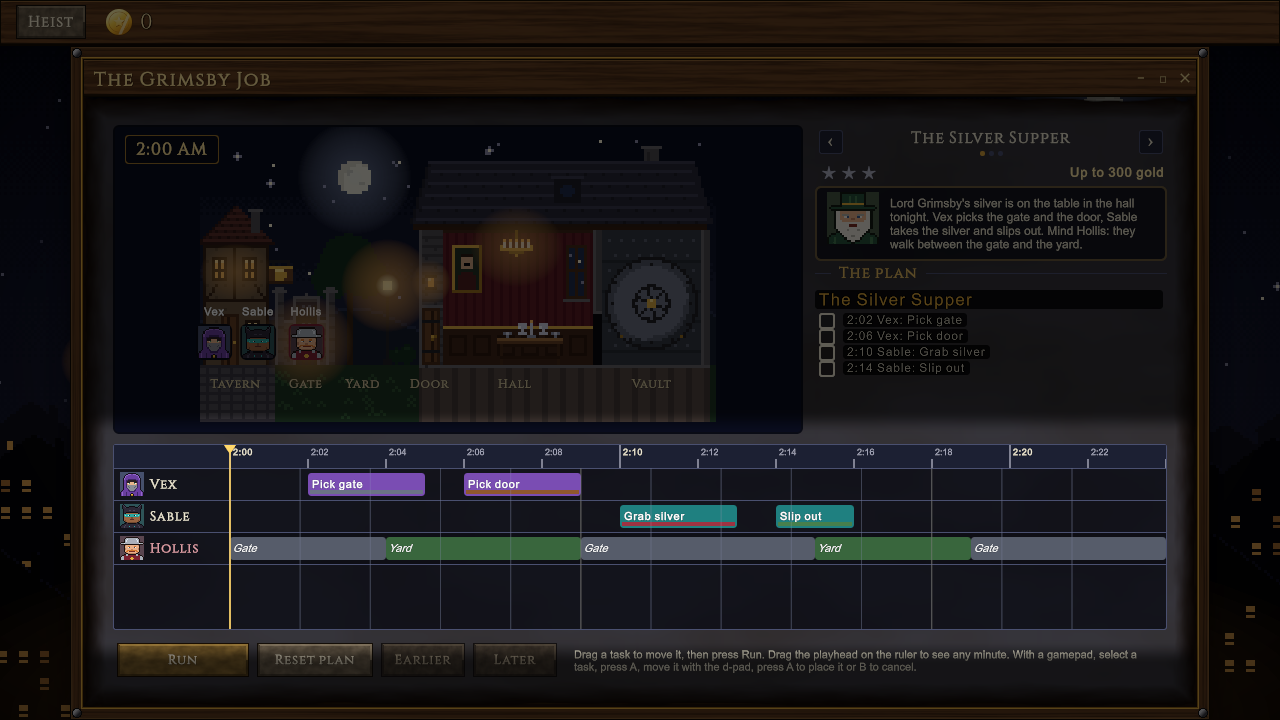
时间线的时间是一个数字。要显示日程,可以让一个单位代表一小时,并给标尺以时钟的步长。
<tb:Timeline
    name="week"
    duration="168"
    tick-steps="0.5,1,2,3,6,12,24"
    major-step="24"
    snap="0.5"
    edit-items="true" />
string[] days = { "Mon", "Tue", "Wed", "Thu", "Fri", "Sat", "Sun" };
string day(float hours) => days[(int)(hours / 24) % 7];
string clock(float hours) =>
    $"{(int)hours % 24:00}:{(int)(hours * 60) % 60:00}";

// tooltips: "Tue 14:30"
week.TimeFormatter = hours => $"{day(hours)} {clock(hours)}";
// ruler: "Tue", "06:00", "12:00"
week.TickFormatter = hours =>
    hours % 24 == 0 ? day(hours) : clock(hours);
week.SetView(24, 48);   // show Tuesday
tick-steps让刻度保持在时钟时间上。标尺采用能给刻度留出空间的最小步长:整周用一天,一天用 3 小时,缩放之后更小。对最大步长来说太长的范围,会采用它的倍数。major-step="24"让每个午夜成为主刻度:粗体标签、整个标尺高度的刻度线和更强的网格线。snap="0.5"让被拖动的班次对齐到半小时。- 示例中的 Timeline 演示(
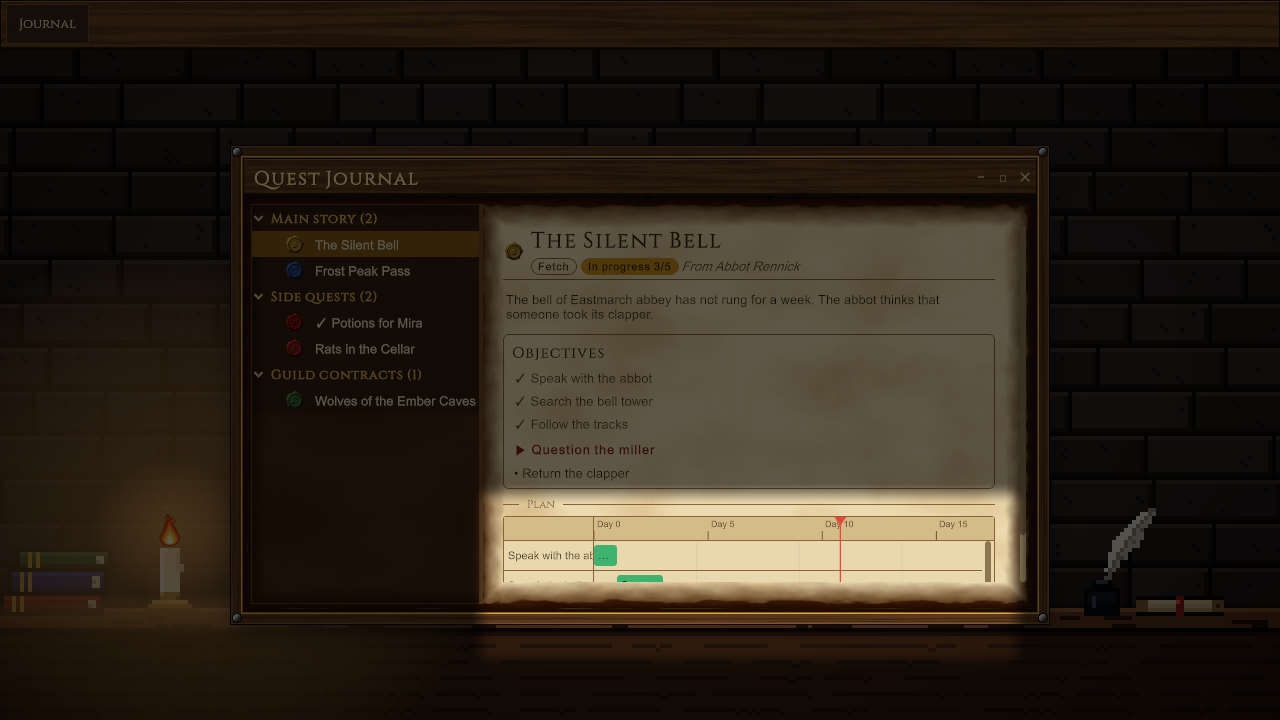
TimelineDemo.unity)展示了以这种方式制作的船员日程。
在示例中
样式
| 类 | 元素 |
|---|---|
tb-timeline |
时间线(纵向,可伸展;有焦点时带强调色边框)。--tb-timeline-playhead、--tb-timeline-selection、--tb-timeline-grid 和 --tb-timeline-grid-major 设置叠加层的颜色。播放期间会添加 tb-timeline--playing。 |
tb-timeline__ruler |
标尺行(surface-alt 背景)。 |
tb-timeline__header |
标尺的角和每个轨道的标题。它们共用一个宽度(90 px),所以通道与标尺对齐。 |
tb-timeline__ruler-lane |
标尺的刻度区。它的文字颜色决定刻度线。 |
tb-timeline__tick-label, --major |
标尺上的时间(小号暗淡文字);主刻度(粗体,文字颜色)。 |
tb-timeline__tracks |
轨道列:一个垂直的 ScrollView。Toolbox 的滚动条规则适用于它。 |
tb-timeline__track |
一个轨道行(30 px)。 |
tb-timeline__lane |
轨道的条目区。它会裁剪条目。 |
tb-timeline__item, --marker, --selected, --dragging |
区间(由脚本设置其位置和颜色);标记(其时间上的菱形,名称在工具提示中);选中的条目(文字颜色边框);拖动期间的条目(不透明度 0.8)。 |
tb-timeline__item-label |
区间上的名称(--tb-chart-text,默认为白色,省略号)。 |
tb-timeline__overlay |
标尺和通道之上的网格线、范围填充和播放头。 |
DirectorDemo 场景把带 edit-items 的时间线用作视频的脚本,共六条轨道:播放头跟随 VideoView,在标尺上拖动会让视频跳转。调色板通过点击或放置(TimeAt)添加条目,在空通道上双击会在该处添加一个(TrackAt),PropertyGrid 编辑选中的条目,ItemEdited 为撤销历史提供数据。参见 视频导演。