
本页为译文。技术支持和视频教程主要使用英语,内容以英文页面为准。 英文版

 UnitFrame
 是游戏 HUD 中单位的框:玩家、目标、队友或敌人的名牌。没有任何设置时,它显示头像、名称、等级、生命条、资源条和一行状态效果。你从代码中设置名称、生命和效果;单位死亡时框会淡化,并且有选中单位的边框和目标的边框。
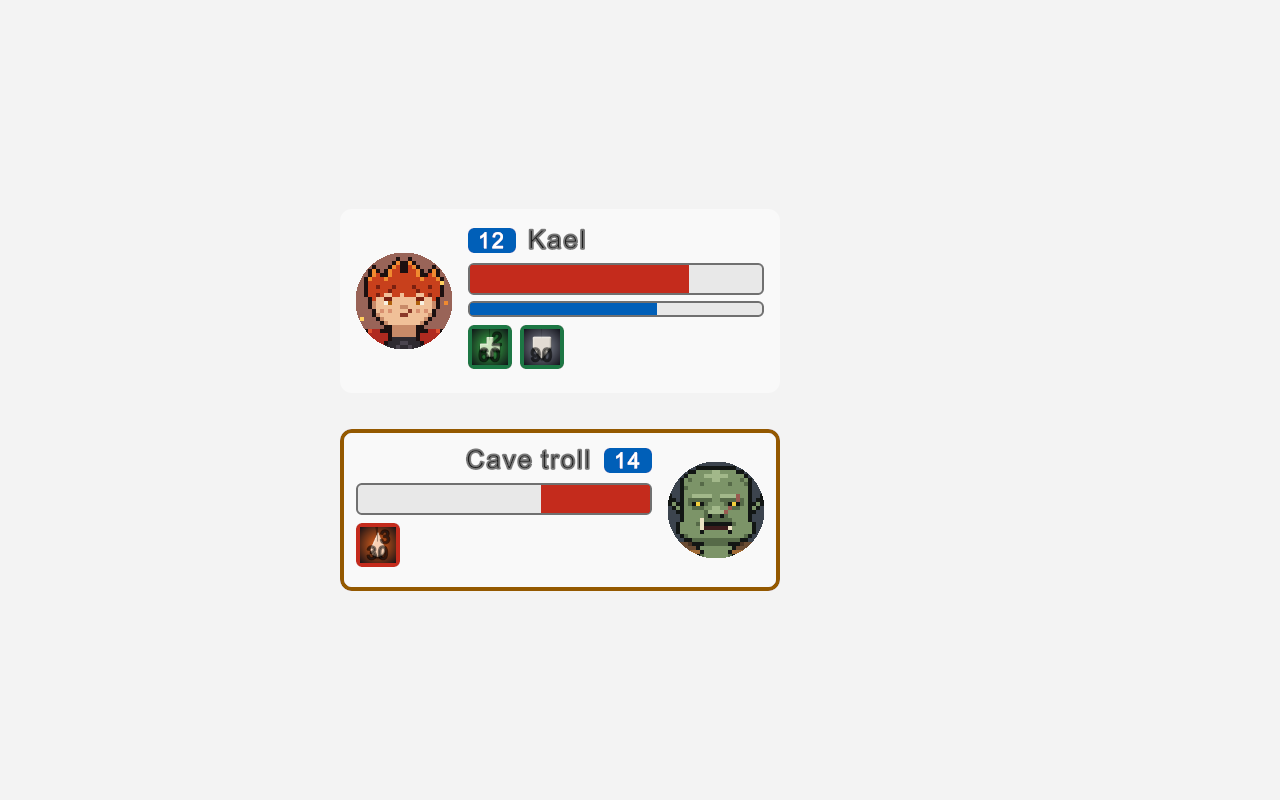
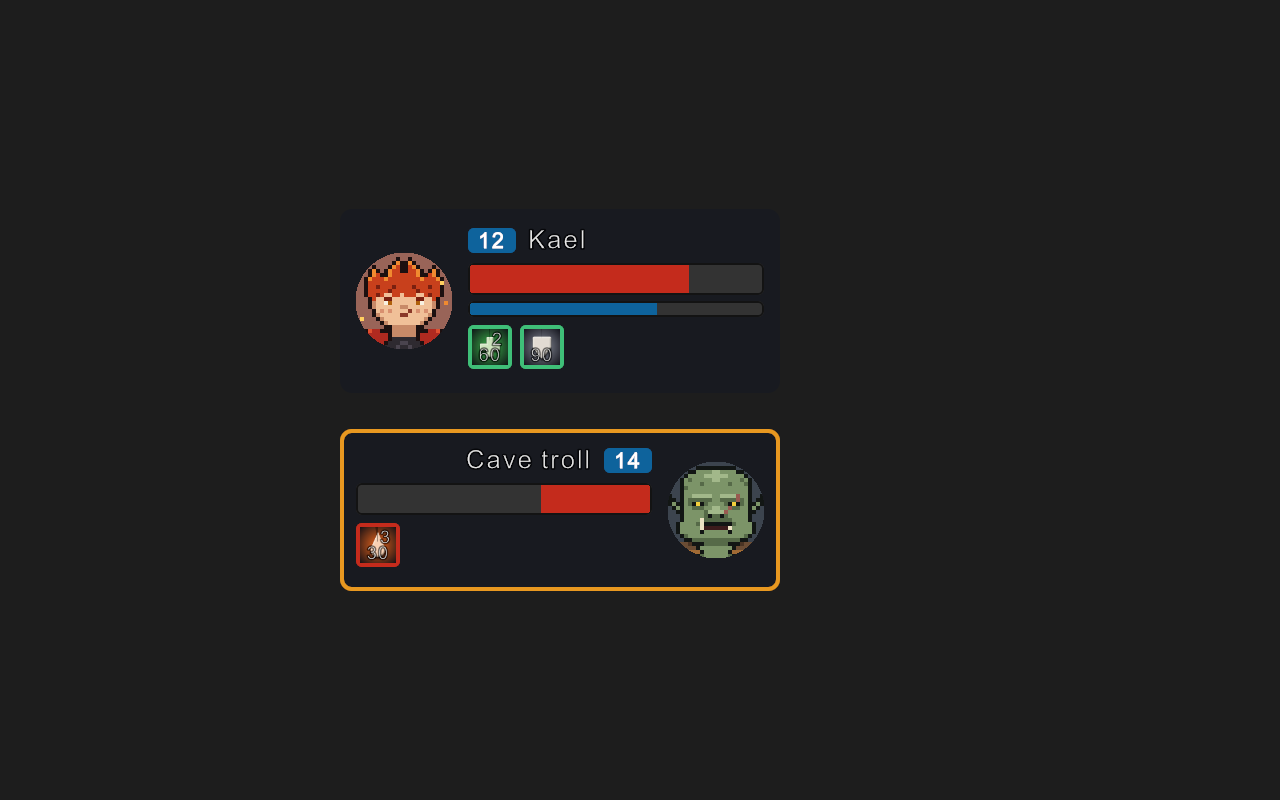
视频教程:UnitFrame。所有视频:视频教程。演示场景:UnitFrameDemo.unity。示例:Outpost。
如何添加框:
<tb:UnitFrame
    name="player"
    display-name="Mira Voss"
    level="12"
    max-health="240"
    health="240"
    max-resource="120"
    resource="120" />
如何从代码驱动它:
var player = root.Q<UnitFrame>("player");

// a drop leaves a trail on the health bar
player.Health = 150;
// a respawn or a load: no trail
player.SetHealth(240, trail: false);
// the value and the maximum together
player.SetResource(60, 120);

// the row shows while the unit has an effect
player.Effects.Apply("shield", shieldIcon, 12);
// the border of a target
player.Targeted = true;
Effects 是 StatusEffectBar,HealthBar 和 ResourceBar 是 StatBar 控件,Avatar 是 UserAvatar,所以它们能做的一切都可以使用。设置 HealthBar.PreviewValue 可以显示即将到来的治疗。
死亡状态跟随生命。生命为 0 会自动设置 Dead,框随之淡化;生命回升则使它恢复。自己设置 Dead 可以让该状态与生命无关,例如离开了比赛的单位。此时生命不会改变它,直到你把 Dead 设为 false。
如何构建队伍列表:
<ui:VisualElement name="party">
    <tb:UnitFrame
        display-name="Kaz"
        level="11"
        compact="true"
        interactive="true" />
    <tb:UnitFrame
        display-name="Lio"
        level="12"
        compact="true"
        interactive="true" />
    <tb:UnitFrame
        display-name="Odd"
        level="10"
        compact="true"
        interactive="true" />
    <tb:UnitFrame
        display-name="Wren"
        level="12"
        compact="true"
        interactive="true" />
</ui:VisualElement>
foreach (
    var frame in root.Query<UnitFrame>(className: "party-member")
        .ToList())
    // Select sets Selected on one frame and clears the others
    frame.Clicked += () => Select(frame);
如何构建与玩家框相对的目标框:
<tb:UnitFrame
    name="target"
    display-name="Cave Troll"
    level="14"
    mirrored="true"
    show-resource="false" />
镜像会把头像放在右侧,并从右侧填充条。
如何构建世界中单位头顶的名牌:
名牌是没有头像的紧凑框。把它放进 WorldMarkerLayer 为该单位的 HudTarget 显示的标记中:
var layer = root.Q<WorldMarkerLayer>();
layer.MarkerShown += (target, marker) =>
{
    if (!target.TryGetComponent<Enemy>(out var enemy)) return;
    var plate = new UnitFrame { Compact = true, ShowPortrait = false,
        DisplayName = enemy.Name, Level = enemy.Level,
        MaxHealth = enemy.MaxHealth, Health = enemy.Health };
    plate.style.width = 96;
    marker.Q(className: WorldMarkerLayer.BODY_CLASS).Add(plate);
};
// The layer pools its markers, so the plate leaves with the marker
layer.MarkerHidden += (target, marker) =>
    marker.Q<UnitFrame>()?.RemoveFromHierarchy();
如果敌人的生命在标记显示期间变化,请把敌人的 UnitFrame 保存在敌人脚本的字段中,并在它上面设置 Health。
| 成员 | 说明 |
|---|---|
DisplayName (display-name) |
名称。没有图片时,它也是头像上的首字母。为空则隐藏名称。 |
Level (level) |
等级,显示在名称之前的小徽章中。0 则隐藏。默认 0。 |
Portrait (portrait) |
图片。无则显示首字母。 |
PortraitAnimation (portrait-animation), PortraitAnimationClip (portrait-animation-clip) |
在头像中播放的 SpriteSheet,例如待机的骑士,以及循环的片段。它盖住 Portrait 和首字母,并由形状裁剪。死亡的单位会暂停它。无(默认)保持静止头像;空片段播放每一帧。PortraitAnimationElement 是它的 AnimatedImage。 |
PortraitHurtClip (portrait-hurt-clip) |
PortraitAnimation 中在生命下降时播放一次的片段,之后循环继续。只有当动画表有它且设置了 PortraitAnimationClip 时才播放。默认 hurt;为空则不播放。 |
PortraitShape (portrait-shape) |
头像的轮廓:Circle(默认)、RoundedSquare、Hexagon 或 Texture。 |
MaxHealth (max-health), Health (health) |
最大生命和生命。默认 100 和 100。先设置最大值。 |
MaxResource (max-resource), Resource (resource) |
资源(法力、能量、怒气)的最大值和资源。默认 100 和 100。 |
ShowPortrait (show-portrait) |
显示头像。默认开启。 |
ShowResource (show-resource) |
显示资源条。默认开启。 |
ShowEffects (show-effects) |
单位有效果时显示状态效果行。默认开启。 |
ShowHealthText (show-health-text) |
在条中以文字显示生命。默认关闭。 |
Compact (compact) |
队伍列表的小框:小头像和细的生命条。它隐藏资源条、效果和生命文字。默认关闭。 |
Mirrored (mirrored) |
头像在右侧,条从右侧填充。默认关闭。 |
Selected (selected) |
选中单位的边框,使用强调色。 |
Targeted (targeted) |
目标的边框,使用警告色。它优先于 Selected。 |
Dead (dead) |
使框淡化。生命为 0 会自动设置它。 |
Interactive (interactive) |
框接收指针和键盘焦点,并触发 Clicked。默认关闭:指针会穿过框。 |
Clicked |
Interactive 开启时,玩家点击框,或在其上按下 Submit。 |
SetHealth(value, trail) |
设置生命。trail 为 false 时,下降不留拖尾。 |
SetResource(value, max) |
同时设置资源及其最大值。 |
Avatar, HealthBar, ResourceBar, Effects, NameLabel, LevelLabel |
框的各个部分。 |
Interactive 开启时的鼠标和键盘:
| 输入 | 结果 |
|---|---|
| 点击 | 触发 Clicked。 |
| 悬停 | 背景变亮。 |
| Tab、方向键 | 把焦点移到框上;它获得强调色边框。 |
| Submit | 触发 Clicked。 |
| 指针移到效果图标上 | 显示该效果的工具提示。Interactive 关闭时也是如此。 |
- 不可交互的框让指针穿过,所以不会阻挡对其下方游戏的点击。
- 资源条没有拖尾,也不闪动。给
ResourceBar添加tb-stat-bar--stamina或tb-stat-bar--xp可得到另一种颜色。 - 单位没有效果时,效果行不占空间。
提示:
- 玩家用一个
UnitFrame,目标用一个,每个队友用一个紧凑的,并从你的单位脚本把数据送入它们。 - 只在玩家有目标时显示目标框:设置它的
style.display。 - 在玩家所瞄准单位的队伍框上设置
Targeted,在玩家所控制单位的框上设置Selected。
样式
| 类 | 元素 |
|---|---|
tb-unit-frame |
框。 |
tb-unit-frame--compact |
紧凑的框。 |
tb-unit-frame--mirrored |
镜像的框。 |
tb-unit-frame--selected |
选中的框。 |
tb-unit-frame--targeted |
被瞄准的框。 |
tb-unit-frame--dead |
死亡的框。 |
tb-unit-frame--interactive |
Interactive 开启的框。 |
tb-unit-frame__portrait |
头像,一个 tb-avatar。 |
tb-unit-frame__body |
头像旁边的列。 |
tb-unit-frame__title |
等级和名称所在的行。 |
tb-unit-frame__level |
等级徽章。 |
tb-unit-frame__name |
名称。 |
tb-unit-frame__health |
生命条,一个 tb-stat-bar--health。 |
tb-unit-frame__resource |
资源条,一个 tb-stat-bar--mana。 |
tb-unit-frame__effects |
状态效果行。 |
| 变量 | 说明 |
|---|---|
--tb-unit-frame-selected-color |
选中框的边框。默认 --tb-color-accent。 |
--tb-unit-frame-target-color |
被瞄准框的边框。默认 --tb-color-warning。 |
/* A flat frame with a red target border and a larger portrait */
.my-hud .tb-unit-frame {
    --tb-unit-frame-target-color: rgb(220, 60, 60);
    background-color: rgba(10, 12, 18, 0.85);
}

.my-hud .tb-unit-frame__portrait {
    width: 64px;
    height: 64px;
}
性能
- 静止的框不分配内存,自己也不运行调度项。条和效果行只在拖尾消退、条在闪动或效果在计时期间运行一个项。
- 每个设置器在值不变时立即返回,所以脚本可以每帧设置生命。
- 状态是框上的一个类,外观来自 USS,带有短暂的过渡。
UnitFrameDemo 场景展示了:无需设置、会受击、治疗和施法的框;在可打断的施法条上施法的镜像目标;可点击的四人队伍;三个敌人头顶的名牌;以及两种自己的外观。