
本页为译文。技术支持和视频教程主要使用英语,内容以英文页面为准。 英文版

 FloatingTextLayer
 显示从 3D 场景中某一点升起并淡出的文字:伤害数字、治疗、暴击,以及 "Stunned" 之类的状态文字。短时间内对同一个目标的多次命中会累加成一个数字。
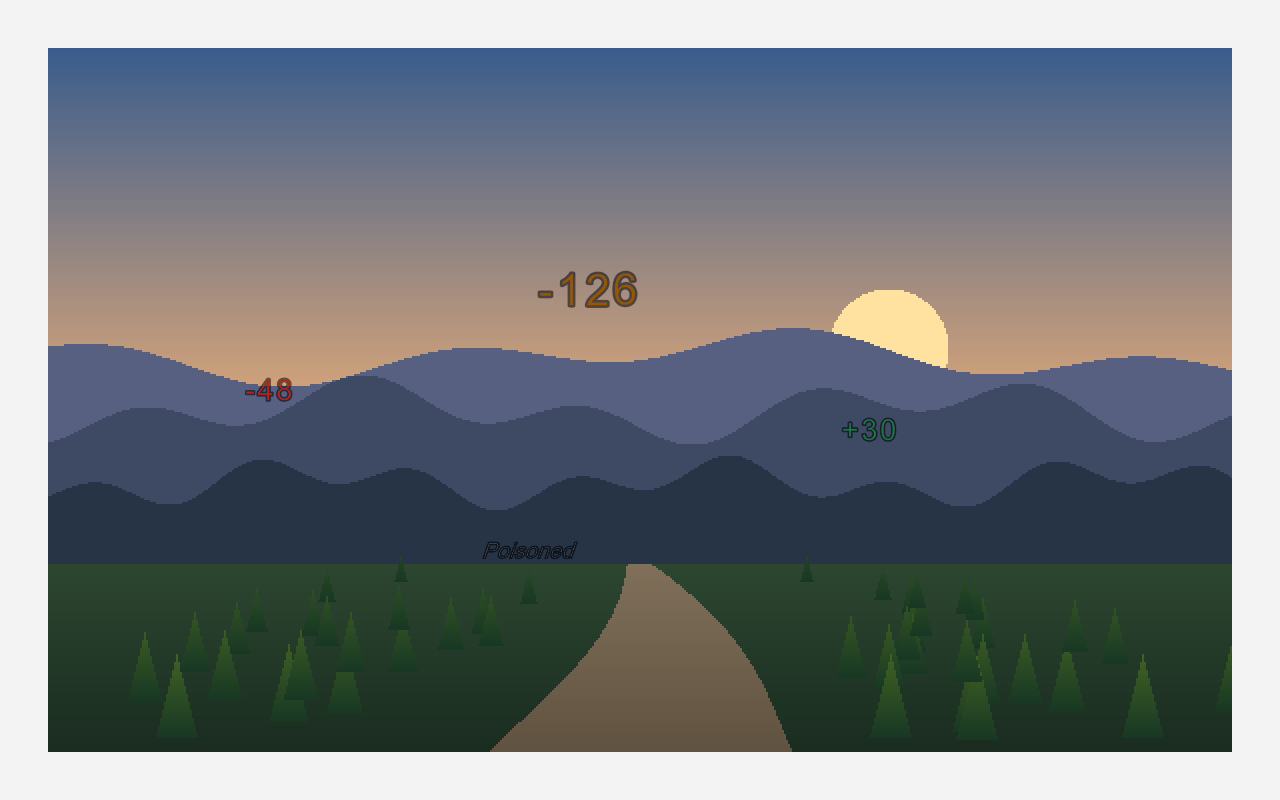
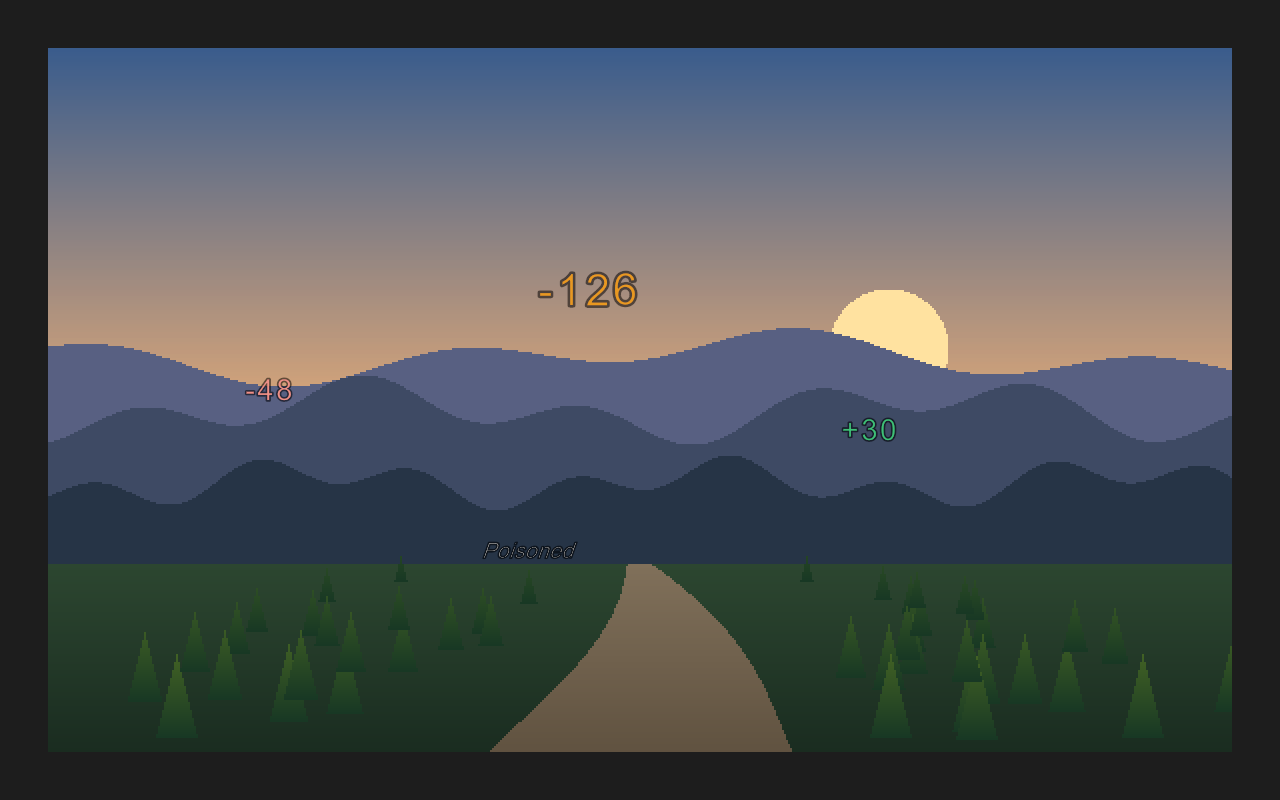
视频教程:World-space HUD。所有视频:视频教程。演示场景:FloatingTextLayerDemo.unity。
如何在 UXML 中添加该图层:
<ui:VisualElement class="hud-root">
    <tb:FloatingTextLayer name="floatingText" class="gold-layer" />
</ui:VisualElement>
如何显示伤害和治疗:
var texts = root.Q<FloatingTextLayer>("floatingText");

// On a transform: the text follows the enemy
texts.Show(enemy.transform, "12");
texts.Show(enemy.transform, "48", FloatingTextKind.Critical);
texts.Show(player.transform, "+25", FloatingTextKind.Heal);
texts.Show(enemy.transform, "Stunned", FloatingTextKind.Status);

// At a point: the text stays where the hit was
texts.Show(hit.point, "7");

// Over an element of the UI, with no camera: the text rises from the
// wood counter
texts.Show(woodCounter, "+1 Wood", FloatingTextKind.Status);
如何让文字升得更高、停留更久:
<tb:FloatingTextLayer rise="100" duration="1600" spread="40" />
| 成员 | 说明 |
|---|---|
Camera |
游戏视图的相机。Null(默认)使用 Camera.main。 |
Viewport |
显示 Camera 的渲染纹理的元素;相机直接绘制到屏幕上时为 null。 |
Rise (rise) |
文字在其存续期间上升的像素数。默认 60。 |
Spread (spread) |
新文字随机侧向偏移的宽度,单位为像素,使同一点上的文字互不覆盖,最小为 0。默认 20。 |
Duration (duration) |
文字显示的毫秒数,最小为 50。默认 1000。 |
StackTime (stack-time) |
目标上的数字,如果在这么多毫秒之内出现,就累加到该目标上最后一个数字中。默认 300。0 表示关闭。 |
MaxActive (max-active) |
同一时间最多显示的文字数量。之后的新文字会复用最旧的那一个。默认 32。 |
Show(position, text, kind) |
显示从场景中一个固定点升起的文字。kind 默认为 Damage。 |
Show(transform, text, kind) |
显示从某个 transform 升起的文字。文字跟随该 transform。 |
Show(element, text, kind) |
显示从该图层所在面板中某个元素的中心升起的文字,例如格子、按钮或计数器。它不需要相机。文字跟随该元素。 |
Clear() |
移除所有文字。 |
FloatingTextLayer.KindClass(kind) |
某个类型的类,例如 tb-floating-text--heal。 |
- 文字以缓出(ease out)方式上升,并在其时间的最后 40% 淡出。
- 文字最多上升到图层顶部,所以靠近上边缘的文字能完整显示。
Critical文字从 1.5 倍大小开始,在其时间的前一部分缩小到原大小,并且会抖动。- 累加:在
StackTime之内,同一个 transform 上同一类型的第二个数字,会累加到第一个文字中并重新开始计时。"12" 和 "8" 显示为 "20"。不是数字的文字不会累加,在某个点显示的文字也不会。 - transform 被销毁时,其上的文字结束。
- 元素上的文字在元素不显示时隐藏,例如在已关闭的窗口或隐藏的标签页中,并在元素离开面板时结束。元素上的文字不会累加。
- 图层的代码每帧不分配内存。它保留一个文字池,这些文字留在图层中,处于隐藏状态,直到再次显示。对于从 -999 到 9999 的整数,累加在数字曾经显示过之后不产生垃圾;小数或更大的数字会产生一个很短的字符串。UI Toolkit 会为每个文字发生变化的标签(例如变化的累加数字)产生几十字节的垃圾;这些垃圾不是控件造成的。
- 图层使用真实时间,所以游戏暂停时文字也会移动。没有文字显示时,它不做任何工作。图层离开面板时,它的文字随之消失。
提示:
- 对移动的敌人受到的攻击使用
Show(transform, ...),对地面上的命中使用Show(position, ...)。 - 在由 UI 构成的游戏中使用
Show(element, ...),例如卡牌对战或商店:"+100" 从奖励按钮升起,"CRIT!" 从敌人的肖像升起。 - 对于快速武器,把
StackTime设短一点,这样玩家看到的是一个原地增长的数字,而不是一列小数字。 - 对新的类型使用
Custom,例如金币或经验。所有Custom文字共用类tb-floating-text--custom,而且Show不返回任何内容,所以 API 为每个图层提供的是一种Custom外观。要获得第二种外观,请使用第二个图层,并在你的 USS 中给它自己的类:
texts.Show(chest.transform, "+50 gold", FloatingTextKind.Custom);
样式
| 类 | 元素 |
|---|---|
tb-floating-text-layer |
图层:绝对定位,填满其父元素。 |
tb-floating-text__root |
文字的容器:一个随文字移动的点。 |
tb-floating-text |
一段文字:粗体,--tb-font-size-lg,以它的点为中心,带描边。 |
tb-floating-text--damage |
伤害文字:--tb-color-text-danger。 |
tb-floating-text--critical |
暴击:--tb-color-warning。 |
tb-floating-text--heal |
治疗:--tb-color-success。 |
tb-floating-text--status |
状态文字:--tb-color-text-muted,--tb-font-size-sm,斜体。 |
tb-floating-text--custom |
Custom 类型的文字。它没有规则;请自己添加。 |
| 变量 | 说明 |
|---|---|
--tb-color-hud-outline |
文字描边的颜色。默认为 rgba(0, 0, 0, 0.8)。 |
/* Gold texts of kind Custom in the layer with the class gold-layer */
.gold-layer .tb-floating-text--custom {
    color: rgb(255, 210, 60);
    font-size: 20px;
}

/* Larger damage numbers */
.hud-root .tb-floating-text--damage {
    font-size: 24px;
}
FloatingTextLayerDemo 场景展示了:一场战斗中的伤害数字、暴击、治疗和状态词,在某一点或玩家身上的拾取文字,文字的运动,以及三种外观。