

 UnitFrame
 is the frame of a unit in a game HUD: the player, a target, a party member or an enemy nameplate. With no settings, it shows a portrait, the name, the level, a health bar, a resource bar and a row of status effects. You set the name, the health and the effects from code; the frame fades when the unit is dead, and it has a border for the selected unit and one for the target.
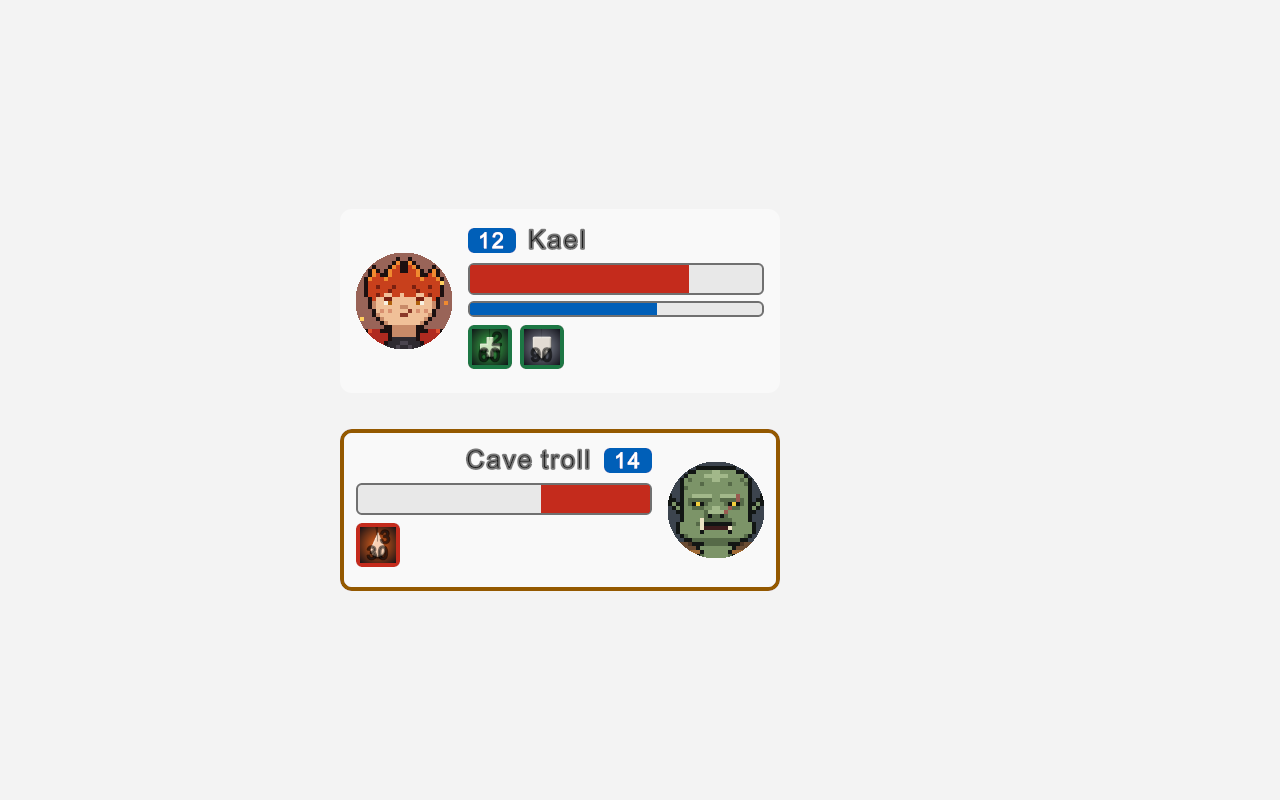
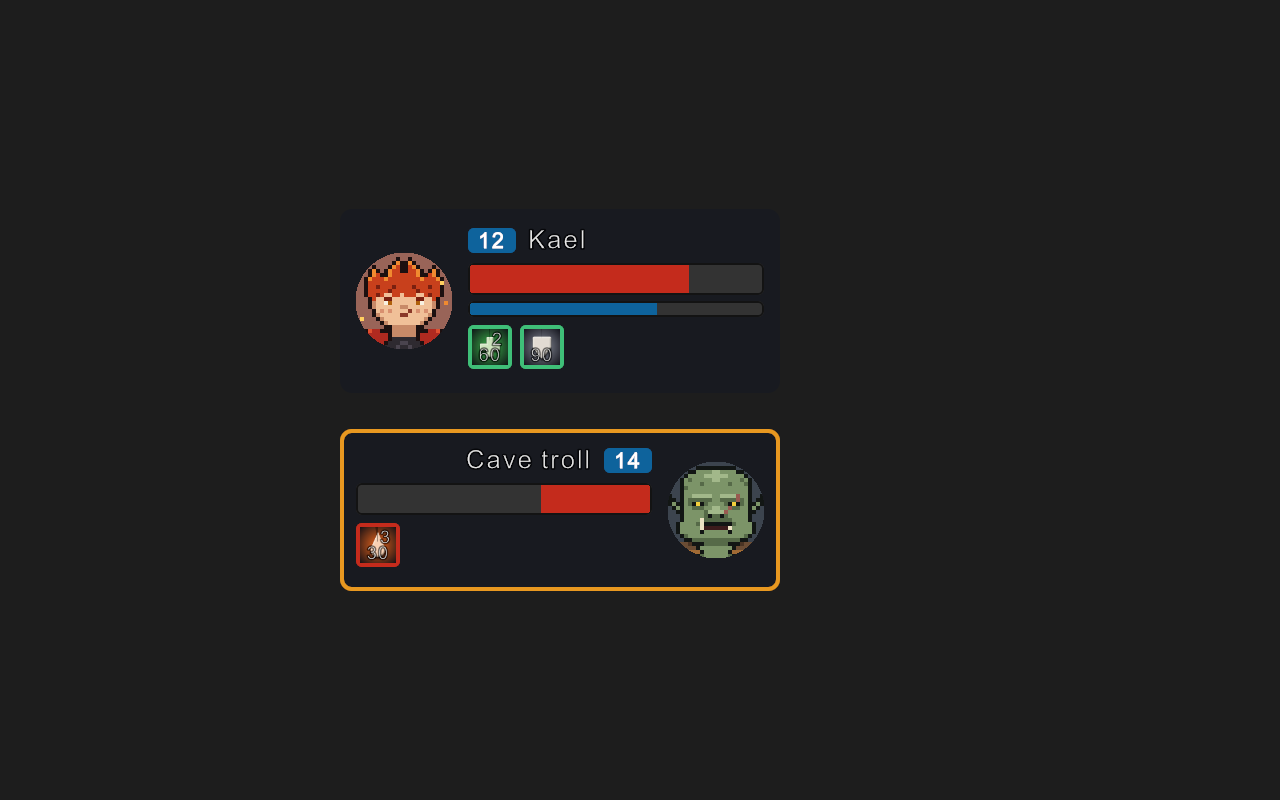
Video tutorial: UnitFrame. All videos: Video tutorials. Demo scene: UnitFrameDemo.unity. Sample: Outpost.
How to add a frame:
<tb:UnitFrame
    name="player"
    display-name="Mira Voss"
    level="12"
    max-health="240"
    health="240"
    max-resource="120"
    resource="120" />
How to drive it from code:
var player = root.Q<UnitFrame>("player");

// a drop leaves a trail on the health bar
player.Health = 150;
// a respawn or a load: no trail
player.SetHealth(240, trail: false);
// the value and the maximum together
player.SetResource(60, 120);

// the row shows while the unit has an effect
player.Effects.Apply("shield", shieldIcon, 12);
// the border of a target
player.Targeted = true;
Effects is a StatusEffectBar, HealthBar and ResourceBar are StatBar controls and Avatar is a UserAvatar, so everything they can do is available. Set HealthBar.PreviewValue to show an incoming heal.
The dead state follows the health. A health of 0 sets Dead by itself and the frame fades; a rise of the health lifts it again. Set Dead yourself to keep the state apart from the health, such as a unit that left the match. Then the health does not change it, until you set Dead to false.
How to build a party list:
<ui:VisualElement name="party">
    <tb:UnitFrame
        display-name="Kaz"
        level="11"
        compact="true"
        interactive="true" />
    <tb:UnitFrame
        display-name="Lio"
        level="12"
        compact="true"
        interactive="true" />
    <tb:UnitFrame
        display-name="Odd"
        level="10"
        compact="true"
        interactive="true" />
    <tb:UnitFrame
        display-name="Wren"
        level="12"
        compact="true"
        interactive="true" />
</ui:VisualElement>
foreach (
    var frame in root.Query<UnitFrame>(className: "party-member")
        .ToList())
    // Select sets Selected on one frame and clears the others
    frame.Clicked += () => Select(frame);
How to build a target frame across from the player frame:
<tb:UnitFrame
    name="target"
    display-name="Cave Troll"
    level="14"
    mirrored="true"
    show-resource="false" />
Mirrored puts the portrait on the right and fills the bars from the right.
How to build a nameplate over a unit in the world:
A nameplate is a compact frame without a portrait. Put it in the marker that a WorldMarkerLayer shows for the HudTarget of the unit:
var layer = root.Q<WorldMarkerLayer>();
layer.MarkerShown += (target, marker) =>
{
    if (!target.TryGetComponent<Enemy>(out var enemy)) return;
    var plate = new UnitFrame { Compact = true, ShowPortrait = false,
        DisplayName = enemy.Name, Level = enemy.Level,
        MaxHealth = enemy.MaxHealth, Health = enemy.Health };
    plate.style.width = 96;
    marker.Q(className: WorldMarkerLayer.BODY_CLASS).Add(plate);
};
// The layer pools its markers, so the plate leaves with the marker
layer.MarkerHidden += (target, marker) =>
    marker.Q<UnitFrame>()?.RemoveFromHierarchy();
Keep the UnitFrame of an enemy in a field of your enemy script when its health changes while the marker shows, and set Health on it.
| Member | Description |
|---|---|
DisplayName (display-name) |
The name. It is also the initials on the portrait while there is no picture. Empty hides the name. |
Level (level) |
The level, shown in a small badge before the name. 0 hides it. Default 0. |
Portrait (portrait) |
The picture. None shows the initials. |
PortraitAnimation (portrait-animation), PortraitAnimationClip (portrait-animation-clip) |
A SpriteSheet that plays in the portrait, such as a knight that idles, and the clip that loops. It covers Portrait and the initials, and the shape clips it. A dead unit pauses it. None (the default) keeps the still portrait; an empty clip plays every frame. PortraitAnimationElement is its AnimatedImage. |
PortraitHurtClip (portrait-hurt-clip) |
The clip of PortraitAnimation that plays once on a drop of the health, then the loop goes on. It plays only when the sheet has it and PortraitAnimationClip is set. Default hurt; empty plays none. |
PortraitShape (portrait-shape) |
The outline of the portrait: Circle (default), RoundedSquare, Hexagon or Texture. |
MaxHealth (max-health), Health (health) |
The most health and the health. Default 100 and 100. Set the maximum first. |
MaxResource (max-resource), Resource (resource) |
The most of the resource (mana, energy, rage) and the resource. Default 100 and 100. |
ShowPortrait (show-portrait) |
Shows the portrait. On by default. |
ShowResource (show-resource) |
Shows the resource bar. On by default. |
ShowEffects (show-effects) |
Shows the row of status effects while the unit has an effect. On by default. |
ShowHealthText (show-health-text) |
Shows the health as text in the bar. Off by default. |
Compact (compact) |
The small frame of a party list: a small portrait and a thin health bar. It hides the resource bar, the effects and the health text. Off by default. |
Mirrored (mirrored) |
The portrait on the right and the bars filling from the right. Off by default. |
Selected (selected) |
The border of the selected unit, in the accent color. |
Targeted (targeted) |
The border of a target, in the warning color. It wins over Selected. |
Dead (dead) |
Fades the frame. A health of 0 sets it by itself. |
Interactive (interactive) |
The frame takes the pointer and the keyboard focus and raises Clicked. Off by default: the pointer passes through the frame. |
Clicked |
The player clicked the frame, or pressed Submit on it, while Interactive is on. |
SetHealth(value, trail) |
Sets the health. With trail false, a drop leaves no trail. |
SetResource(value, max) |
Sets the resource and its maximum together. |
Avatar, HealthBar, ResourceBar, Effects, NameLabel, LevelLabel |
The parts of the frame. |
Mouse and keyboard, while Interactive is on:
| Input | Result |
|---|---|
| Click | Raises Clicked. |
| Hover | The background lightens. |
| Tab, arrow keys | Move the focus to the frame; it gets the accent border. |
| Submit | Raises Clicked. |
| Pointer over an effect icon | The tooltip of the effect shows. This works also while Interactive is off. |
- A frame that is not interactive lets the pointer pass, so it does not block clicks on the game under it.
- The resource bar has no trail and does not pulse. Add
tb-stat-bar--staminaortb-stat-bar--xptoResourceBarfor another color. - The effects row takes no room while the unit has no effect.
Tips:
- Use one
UnitFramefor the player, one for the target and a compact one for each party member, and move the data into them from your unit scripts. - Show the target frame only while the player has a target: set its
style.display. - Set
Targetedon the party frame of the unit that the player targets, andSelectedon the frame of the unit that the player controls.
Styling
| Class | Element |
|---|---|
tb-unit-frame |
The frame. |
tb-unit-frame--compact |
A compact frame. |
tb-unit-frame--mirrored |
A mirrored frame. |
tb-unit-frame--selected |
A selected frame. |
tb-unit-frame--targeted |
A targeted frame. |
tb-unit-frame--dead |
A dead frame. |
tb-unit-frame--interactive |
A frame with Interactive on. |
tb-unit-frame__portrait |
The portrait, a tb-avatar. |
tb-unit-frame__body |
The column at the side of the portrait. |
tb-unit-frame__title |
The row of the level and the name. |
tb-unit-frame__level |
The level badge. |
tb-unit-frame__name |
The name. |
tb-unit-frame__health |
The health bar, a tb-stat-bar--health. |
tb-unit-frame__resource |
The resource bar, a tb-stat-bar--mana. |
tb-unit-frame__effects |
The row of status effects. |
| Variable | Description |
|---|---|
--tb-unit-frame-selected-color |
The border of a selected frame. --tb-color-accent by default. |
--tb-unit-frame-target-color |
The border of a targeted frame. --tb-color-warning by default. |
/* A flat frame with a red target border and a larger portrait */
.my-hud .tb-unit-frame {
    --tb-unit-frame-target-color: rgb(220, 60, 60);
    background-color: rgba(10, 12, 18, 0.85);
}

.my-hud .tb-unit-frame__portrait {
    width: 64px;
    height: 64px;
}
Performance
- A frame at rest allocates no memory and runs no scheduled item of its own. The bars and the effect row run an item only while a trail drains, a bar pulses or an effect is timed.
- Every setter returns at once when the value does not change, so a script may set the health on each frame.
- The state is a class on the frame and the look comes from USS, with a short transition.
The UnitFrameDemo scene shows a frame with no setup that takes hits, heals and casts spells, a mirrored target that casts on a cast bar you can interrupt, a party of four to click, nameplates over three enemies and two looks of its own.