
Save and load
Save and load is the save screen of a game, with Save and Load in one screen. The painted place of the party fills the screen. On the left, the World card shows the place, the party, the level, the gold and the play time. On the right, the journal holds five slots: an autosave, two saved games and two empty slots, each with a picture of the world, the place, the level and gold, the date and the play time. The slots are a SaveSlotList, which handles the empty and autosave looks, the modes and the questions. The picture of a save comes from ElementImage, which captures the world as a texture. A MessageBox asks before a save overwrites a game and before a delete. A PromptBar at the bottom shows the keys and the gamepad buttons.
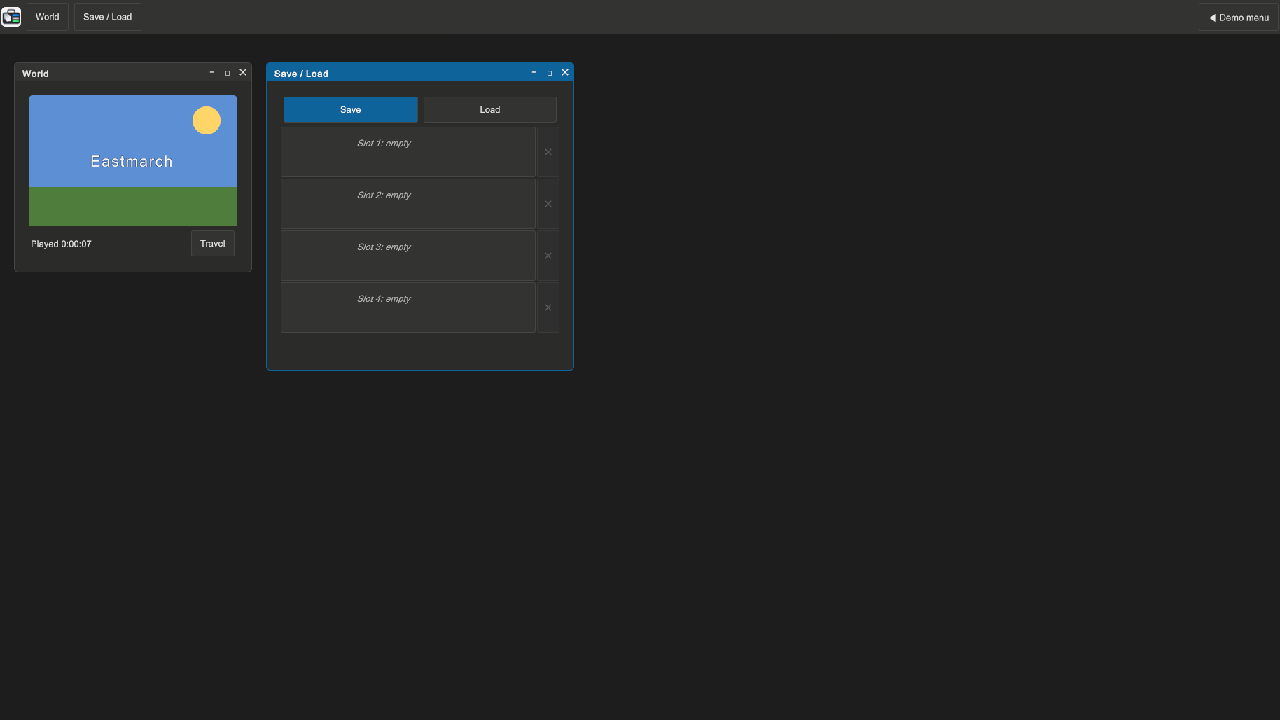
Scene: Assets/UIToolbox/Examples/Scenes/SaveLoad.unity. Folder: Assets/UIToolbox/Examples/SaveLoad.
Try it
- Open the scene. The party is at Frost Peak, where the autosave left it, and the play time counts up. The journal is in Save mode, and the first empty slot (Slot 4) is selected and has the focus.
- Press Travel on, R or the gamepad North button. The screen fades, and the party reaches the next place with one more level and some gold.
- Click the empty slot. The example captures the world and fills the slot with the picture, the place, the level and gold, the date and the play time. The status line says "Saved to slot 4.", and the cloud badge syncs.
- Click the same slot again. A question asks "Overwrite slot 4?" and names that game. Cancel has the focus. Choose Overwrite to save, or Cancel (or Escape) to keep the old game.
- Press E or the right shoulder button for Load mode. The empty slots fade and do not respond.
- Click a saved slot. The party goes back to the saved place, level, gold and play time. The status line says "Loaded slot 2.", for example.
- Click the ✕ button of a slot, select a slot and press Delete, or press the gamepad West button. A question asks "Delete slot 2?". Choose Delete, and the slot is empty again. The autosave has no ✕ button: the player does not delete it.
- Use the keyboard or a gamepad: the arrow keys or the D-pad move between the slots, and Enter or the gamepad South button picks the selected slot. Q and E, or the shoulder buttons, switch between Save and Load.
What it shows
The screen
The painted place of the party is the backdrop, blurred and darkened under the cards. Four places exist: Eastmarch, Old Mill, Frost Peak and Ember Caves. Their pictures come from Tools/skins/regions.mjs, and the SaveSlotListDemo example shows the same pictures. A black veil fades in and out when the party travels or a game loads a new place.
World card
A Card in the carved frame of the Kingdom sample: the picture of the place, the place name and its line, a Separator, the party as an AvatarGroup of pixel portraits, the level as a Badge, the gold as a ResourceCounter with a spinning coin, and the play time. Travel on carries a GamepadGlyph of its key.
Journal
Another Card. The heading says "Save game" or "Load game". Save and Load are the two buttons of one Unity ToggleButtonGroup between the glyphs of their keys. The SaveSlotList shows a row for each slot: the thumbnail, the caption, the place as the title, the level and gold, and the date with "Played h:mm:ss". The autosave caption is a gold pill, and an empty slot shows a dashed ring with a plus that invites a new save. Under the slots, a line counts the used slots, a Badge shows the cloud state, and a status line tells the result of the last save, load or delete.
How it is built
| File | Does |
|---|---|
SaveLoadController.cs |
Finds the elements, makes the first games, answers the events of the list and the keys, and saves, loads and deletes. |
Shared/SaveSlot.cs |
One saved game: a SaveSlotData that also knows the place as an index, the level and the gold. The SaveSlotListDemo example uses it too. |
Shared/SampleSaves.cs |
The places, their lines and their pictures. |
SaveLoad.uxml |
The backdrop, the workspace, the two cards, the prompt bar and the tour. The slots are a SaveSlotList. |
SaveLoad.uss |
The look: the palette, the Cinzel font, the frames and the slots. |
The UXML declares the list. The controller gives it the games and listens to its events.
_list = _root.Q<SaveSlotList>("slotList");
_list.Slots = _slots;
_list.SaveRequested += index =>
    AsyncRunner.Run(() => Save(index), "SaveLoad save");
_list.LoadRequested += Load;
_list.DeleteRequested += delete;
AsyncRunner.Run runs the task and logs an error instead of losing it.
A game in the journal is a SaveSlot. The place is the title, and the level and the gold are the line under it. A first game shows the shared picture of its place; a save has its own capture.
new SaveSlot(location, savedAt, playTime, thumbnail)
{
    Title = SampleSaves.PLACES[location],
    Place = $"Level {level} · {gold:N0} gold",
    Level = level,
    Gold = gold,
};
The autosave is a slot with Kind = SaveSlotKind.Autosave. The list does not let the player overwrite or delete it.
ElementImage.Capture takes a callback. The controller turns it into a task, so Save can await the picture. The texture is null when the capture fails.
private static Task<Texture2D> capture(VisualElement element)
{
    var done = new TaskCompletionSource<Texture2D>();
    ElementImage.Capture(element,
        texture => done.SetResult(texture));
    return done.Task;
}
Save waits for the end of a trip, so the veil is not in the picture. It captures before it asks, so the dimmed screen under the box does not show either. The list has ConfirmOverwrite off, and the controller asks with the same question that the list uses. It asks only when the slot has a game.
_list.ConfirmOverwrite = false;
// ...
await _trip;
var thumbnail = await capture(_scene);
var keep = await _list.ConfirmOverwriteAsync(index);
After a save or a delete the controller changes the entry in its array and calls Refresh(). A captured picture belongs to its slot: the controller destroys it when the slot is overwritten or deleted, and in OnDestroy. The shared pictures of the places stay.
The prompt bar changes its first hint between Save and Load. SetMode gives it one of two arrays that the controller makes once.
_prompts.Hints = save ? SAVE_HINTS : LOAD_HINTS;
The look
SaveLoad.uss sets the theme tokens to midnight blue and old gold, so the list, the badges and the MessageBox follow. The cards use the frame and the stone button of the Kingdom sample, and the names use the Cinzel font. Every rule starts with .saveload, so it does not reach other screens. The SaveSlotList has no hook for a control in a slot, so the autosave pill and the "new save" mark of an empty slot are USS on the state classes tb-save-slot--autosave and tb-save-slot--empty.
Use it in your game
- Replace
SaveSlotwith your save data. Write it to disk inSave, for example underApplication.persistentDataPath, and write the picture withElementImage.SavePng. The example keeps the games in memory only. - Capture your game view in place of the
_scenepicture.ElementImage.Captureworks on a UI element. The caller owns the texture and destroys it. - Change
SLOT_COUNTfor more or fewer slots, and the height of.saveload-slots. The list scrolls when the slots do not fit. Setlayout="Grid"for cards. - Add a
SaveSlotKind.Corruptslot for a file that cannot be read. - Leave
ConfirmOverwriteon when your game needs no picture first: the list asks by itself. - The places, the party, the gold, the cloud badge and the travel button are sample-only.