

 InteractionLayer and Interactable
An InteractionLayer shows what the player can use in a 3D world. You add an Interactable component to each object that the player can use, such as a door, a chest or a person. When the player comes near, the object gets a hint: a small dot on the HUD. When the player can use the object, the hint changes into an InteractionPrompt with the button, the verb and the object, such as "[E] Open Door". A tap of the button, or a full hold, uses the object. The layer needs no code and no settings.
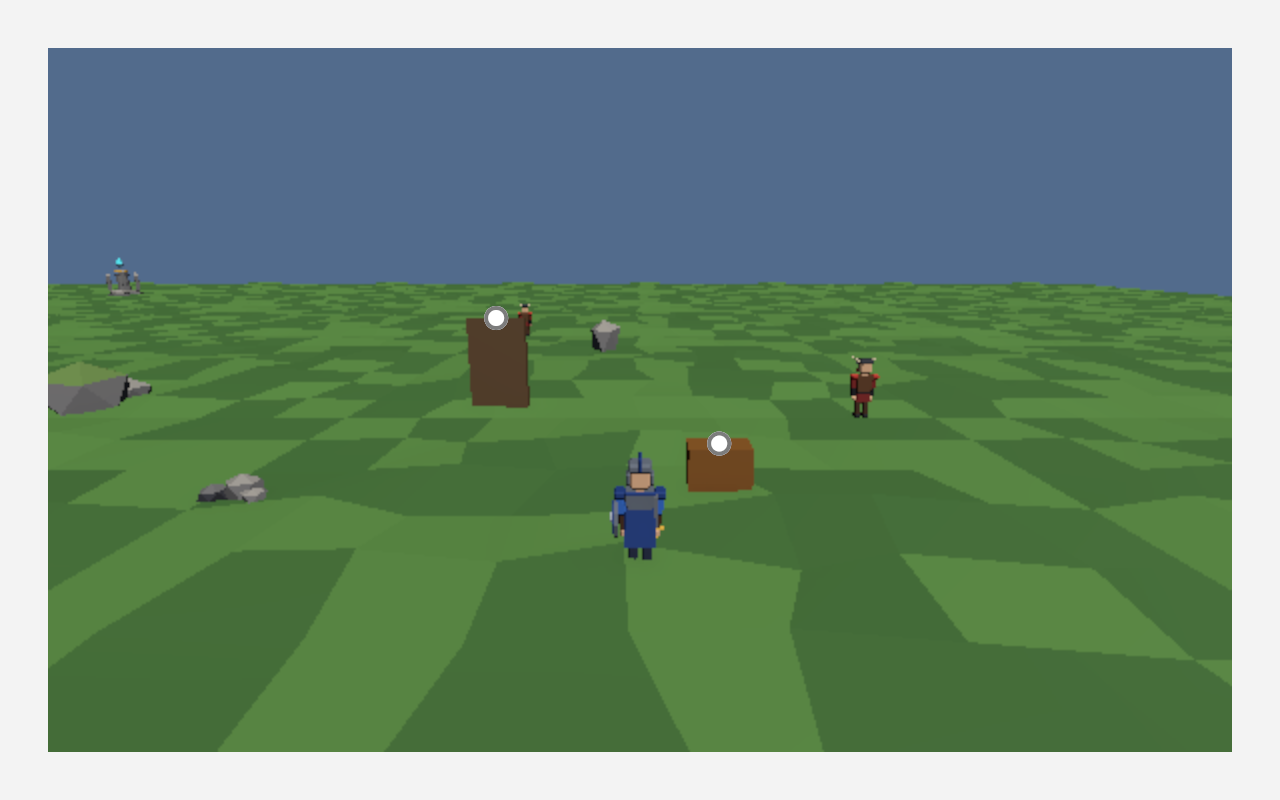
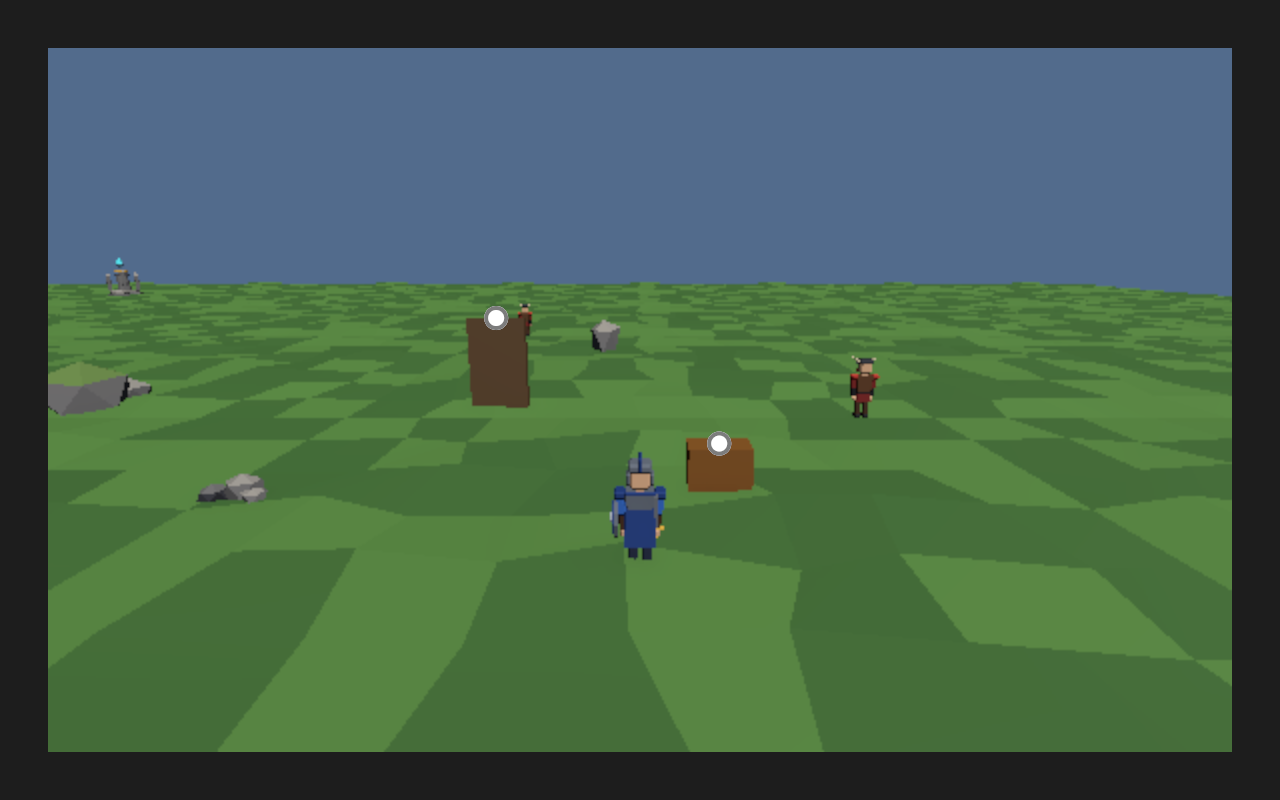
Demo scene: InteractionLayerDemo.unity. Samples: Retro PC, Outpost.
How to add the layer:
<ui:VisualElement class="hud-root">
    <tb:InteractionLayer
        name="interaction"
        notice-range="10"
        use-range="2.5" />
    <!-- the other HUD controls -->
</ui:VisualElement>
The layer fills its parent and takes no clicks. Put it in the element that covers the game view, such as the root of the HUD.
How to mark the objects and answer a use:
// In the Inspector: Add Component > UI Toolbox > Interactable. Or in
// code:
var door = doorObject.AddComponent<Interactable>();
door.Verb = "Open";
door.Noun = "Door";
door.HoldDuration = 0.5f;                        // 0 is a tap
door.Used += _ => door.Verb = door.Verb == "Open" ? "Close" : "Open";

// One handler for all objects
var layer = root.Q<InteractionLayer>("interaction");
layer.Used += used => Debug.Log("Used " + used.Noun);
How to set the focus from your own code, such as a raycast from the crosshair:
layer.FocusMode = InteractionFocusMode.Manual;

// Each frame
layer.Focus(aimed != null ? aimed.GetComponent<Interactable>() : null);
How it works
- Every
ScanInterval(100 milliseconds by default), the layer measures the distance from the player to each enabledInteractable. The distance is in 3D, from the position of the player to the position of the object. - Each object in the notice range gets a hint, up to
MaxHints, the nearest first. - The layer picks one object in the use range, by its
FocusMode. This object has the focus. - The hint of the focus changes into the prompt. The prompt reads the button.
- A tap, or a hold until the ring is full, uses the object. The layer raises
Interactable.Used, then the On Used event of the Inspector, thenInteractionLayer.Used.
The hints and the prompt follow their objects in each frame. Only the search waits for ScanInterval.
The hint and the prompt sit on the top center of the bounds of a renderer on the object or a child. Without a renderer they sit on the position of the object. Interactable.Offset moves them.
The player is the Player transform of the layer. Null uses the HudTarget with IsPlayer on, else the camera. The camera is Camera, or Camera.main when it is null.
States
| State | When | What shows |
|---|---|---|
| Hidden | The object is farther than its notice range, or it is disabled. | Nothing. |
| Hint | The object is in its notice range. | A dot, an icon or your template, on the object. The hints pulse slowly. |
| Faded | HintDuration is more than 0, and the hint showed for that time. |
The hint fades out. The object can still get the focus. |
| Focus | The object is in its use range and the layer picks it. | The prompt with the glyph, the verb and the object. The hint grows and fades out under it. |
| Off screen | The point of the object is behind the camera or out of the view. | Nothing. In the NearestToCenter and Cycle modes, an object off the screen cannot get the focus. |
An object in its use range is near, also when its notice range is shorter. An object with Hint set to Off shows no hint, but it gets the prompt when the player can use it.
Focus modes
FocusMode |
The object with the focus |
|---|---|
NearestToCenter (default) |
The object in the use range that is on the screen and nearest to the center of the view. The player looks at an object to use it. |
Cycle |
The object nearest to the center of the view gets the focus first, and keeps it while it is in the use range and on the screen. CycleKey (Tab) or CycleButton (RB) moves the focus to the next object, from left to right on the screen. After the last object, the focus goes back to the first. With two objects or more, a "Next" hint shows under the prompt. FocusNext() does the same from code. |
Manual |
The object that you give to Focus. The layer does not check the use range, so the prompt shows at any distance while the object is enabled and on the screen. Focus(null) removes the prompt. |
Focus does nothing in the NearestToCenter and Cycle modes. FocusNext does nothing outside the Cycle mode.
Hint content
| Way | How |
|---|---|
| The dot (default) | Nothing to set. --tb-interaction-hint-color sets its color. |
| An icon | Set Interactable.HintIcon to a sprite. The icon replaces the dot. |
| A template for all hints | Set HintTemplate (hint-template) on the layer to a UXML file. The layer makes a copy for each hint. |
| A template for one object | Set Interactable.HintTemplate. It replaces the template of the layer. |
| Content from code | Add elements in HintShown. Remove them in HintHidden. |
In a template, the first element centers on the point of the object and scales with the pulse. To use another element, give it the class tb-interaction-hint__body. An element with the class tb-interaction-hint__icon shows the HintIcon of the object.
<!-- InteractionHint.uxml: an icon and the name of the object -->
<ui:UXML xmlns:ui="UnityEngine.UIElements">
    <ui:VisualElement class="my-hint">
        <ui:VisualElement class="tb-interaction-hint__icon" />
        <ui:Label name="name" class="my-hint__name" />
    </ui:VisualElement>
</ui:UXML>
layer.HintTemplate = Resources.Load<VisualTreeAsset>("InteractionHint");
layer.HintShown += (target, hint) =>
    hint.Q<Label>("name").text = target.Noun;
The layer keeps the hints that go in a pool and uses them again. HintShown runs each time a hint shows, also for a hint from the pool, so set all of your content there.
Members of the layer
| Member | Description |
|---|---|
Key (key) |
The key that uses the object. Default E. Mouse0 to Mouse2 are the mouse buttons. |
Button (button) |
The gamepad button that uses the object, a GamepadGlyphButton. Default South. |
NoticeRange (notice-range) |
Objects within this distance of the player show their hint, in meters. Default 10. |
UseRange (use-range) |
The player can use objects within this distance, in meters. Default 2.5. |
ShowHints (show-hints) |
Shows a hint on each object in the notice range. Default true. False shows only the prompt. A game option can set it. |
HintDuration (hint-duration) |
A hint fades out this many seconds after its object comes into the notice range. 0 (default) keeps the hints. |
Pulse (pulse) |
The hints grow and shrink slowly. Default true. |
Animate (animate) |
The hints fade in, and the hint of the focus changes into the prompt with a short animation. Default true. False, or with the animations of the Workspace off, each change is instant and there is no pulse. |
LabelSide (label-side) |
The side of the glyph where the verb and the object show: Right (default), Left, Above or Below. |
FocusMode (focus-mode) |
How the layer picks the object with the focus. See Focus modes. |
CycleKey (cycle-key), CycleButton (cycle-button) |
The key and the button that move the focus in the Cycle mode. Default Tab and RightShoulder. |
ScanInterval (scan-interval) |
The milliseconds between two searches. Default 100. 0 searches in each frame. |
MaxHints (max-hints) |
The most hints that show, for the nearest objects. Default 32. |
HintTemplate (hint-template) |
A UXML template for each hint. Empty (default) shows the dot. |
Camera |
The camera of the game view. Null (default) uses Camera.main. |
Player |
The distances are from this transform. Null (default) uses the player HudTarget, else the camera. |
Viewport |
The element that shows the render texture of Camera, or null when the camera draws on the screen. |
Focused |
The object with the focus, or null. |
InRange |
The objects in the use range, from the last search. |
Prompt |
The InteractionPrompt of the layer. The layer sets its button, its texts and its place. Use it to style the prompt or to call Press and Release for your own input. |
HintOf(target) |
The hint element of an object, or null. |
Focus(target) |
Gives the focus to an object, or removes it with null, in the Manual mode. |
FocusNext() |
Moves the focus to the next object in the Cycle mode. |
Used |
Raised when the player uses the object with the focus, after the events of the object. |
FocusChanged |
Raised when the focus changes. The argument is the new object, or null. |
HintShown, HintHidden |
Raised when the hint of an object shows and hides, with the object and the hint element. |
Members of Interactable
| Member | Description |
|---|---|
Verb |
What the player does, such as "Open". Default "Use". A key of the text table shows its translation. |
Noun |
What the player uses, such as "Door". Empty (default) shows no object. |
HoldDuration |
The seconds that the player holds the button. 0 (default) is a tap. |
OverrideInput, Key, Button |
With OverrideInput on, Key and Button replace the key and the button of the layer for this object. |
Hint |
An InteractableHint: Default follows ShowHints of the layer. On always shows the hint. Off never shows it. |
HintIcon |
A sprite that replaces the dot. |
HintTemplate |
A UXML template for the hint of this object. Empty uses the template of the layer. |
LabelSide |
The side of the text for this object. Default uses the side of the layer. |
NoticeRange, UseRange |
The ranges of this object, in meters. 0 (default) uses the ranges of the layer. |
Offset |
A world offset from the top of the bounds, for the hint and the prompt. |
AnchorPoint |
The point of the hint and the prompt in the world. |
Used, OnUsed |
Raised when the player uses the object. OnUsed is the event of the Inspector. |
Use() |
Uses the object from code: raises Used and OnUsed. The layer does not raise its Used for it. |
All |
Every enabled Interactable. |
A change of Verb, Noun, HoldDuration or the other settings shows at once, also while the prompt shows. For example, a door can change its verb to "Close" in its Used handler.
To stop the use of an object, disable the component. It loses its hint and the focus. Enable it again to bring them back.
Input
The prompt of the layer reads the input. See InteractionPrompt for the details.
| Input | Result |
|---|---|
Key on the keyboard (E by default) |
Uses the object with the focus. A hold fills the ring. |
Button on a gamepad (South by default), with the Input System package |
The same, on any gamepad. |
| A pointer press or a touch on the prompt | The same. |
Prompt.Press() and Prompt.Release() |
The same, for your own input. |
CycleKey (Tab) or CycleButton (RB), in the Cycle mode |
Moves the focus to the next object. |
- The layer ignores the cycle key while a text field has the focus.
- The layer takes no keyboard focus. It belongs to the HUD, and the input belongs to the game.
- A new focus starts the hold again.
Tips:
- Use
NearestToCenterfor a first-person or third-person camera,Cyclefor many objects close together, such as items on a table, andManualwhen your game already finds the object, such as with a raycast. - Use a hold of 0.5 to 1 second for an action that costs something or cannot be undone, and a tap for a talk or a switch.
- Set
ShowHintsfrom an option of your game. Some players want the hints, and others want a clean screen. - A WorldMarkerLayer marker can stand at the same point as a hint. Use one of the two for an object.
- Hide the layer (
display: none) while a menu is open. A hidden layer shows nothing and searches for nothing. - The layer shows a sample hint and the prompt in the UI Builder, so that you can style them.
In the examples
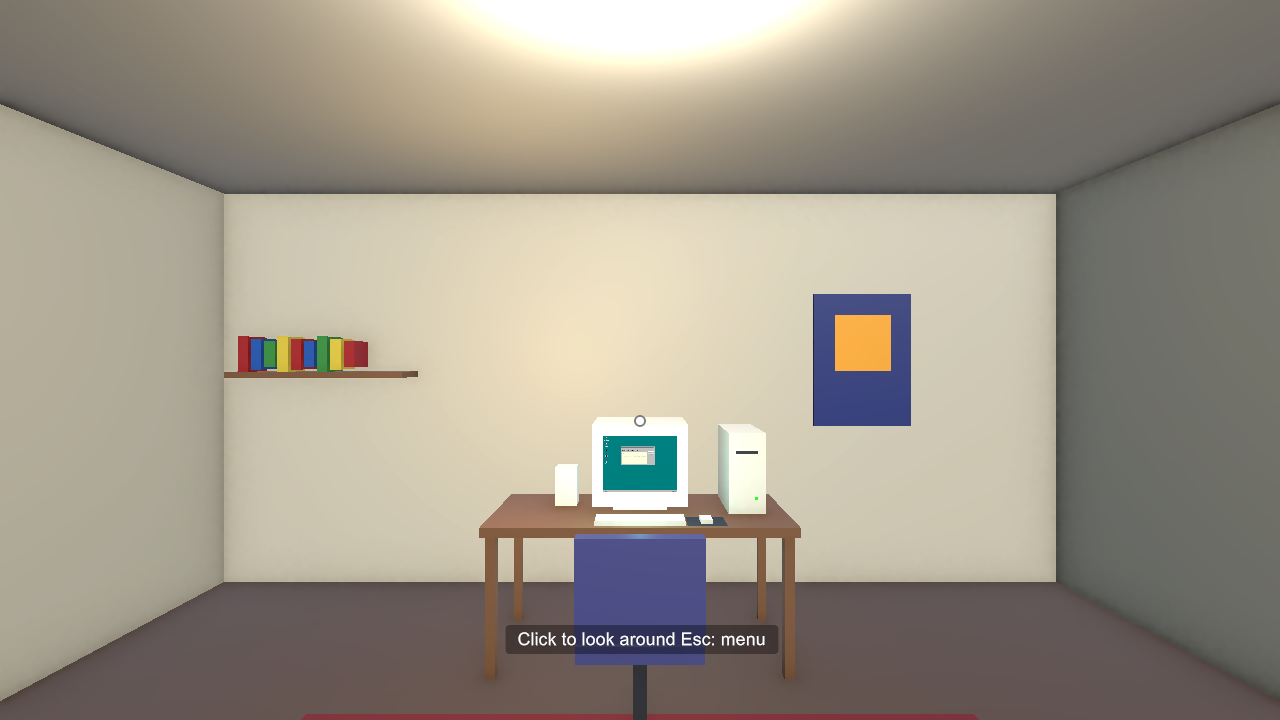
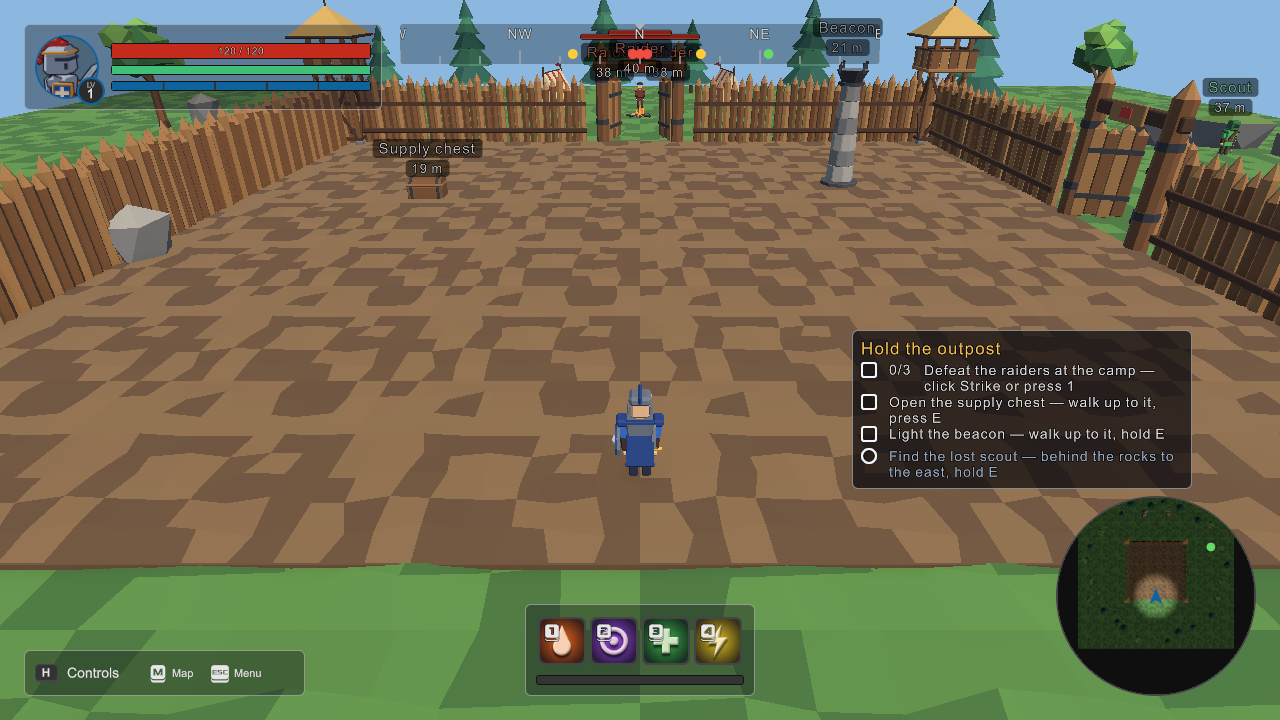
Styling
| Class | Element |
|---|---|
tb-interaction-layer |
The layer. It fills its parent. |
tb-interaction-layer--pulse |
Goes on and off every half period of the pulse. The hint bodies scale with a transition. |
tb-interaction-layer--instant |
Set while Animate is false or the animations of the workspace are off. |
tb-interaction-layer__prompt |
The InteractionPrompt of the layer. |
tb-interaction-layer__prompt--entering |
Set on the prompt for one frame when the focus changes, so that it grows into view. |
tb-interaction-layer__next, tb-interaction-layer__next-glyph, tb-interaction-layer__next-label |
The "Next" hint of the Cycle mode. |
tb-interaction-layer__next--above |
The "Next" hint while the text of the prompt is below the glyph. The hint is then above the prompt. |
tb-interaction-hint |
A hint. It is a point of no size on the object. |
tb-interaction-hint__body |
The part of a hint that centers on the point and scales. |
tb-interaction-hint__dot, tb-interaction-hint__icon |
The dot and the icon of the built-in hint. |
tb-interaction-hint--icon |
A hint whose object has a HintIcon. The icon shows and the dot hides. |
tb-interaction-hint--fresh |
A new hint, for one frame. It fades and grows into view. |
tb-interaction-hint--focused |
The hint of the object with the focus. It grows and fades out under the prompt. |
tb-interaction-hint--faded |
A hint after HintDuration. |
tb-interaction-hint--off-screen |
A hint while its point is not on the screen. |
| Variable | Description |
|---|---|
--tb-interaction-hint-color |
The color of the dot. White by default, with a dark ring (--tb-color-hud-outline) around it. |
--tb-interaction-prompt-background, --tb-interaction-prompt-noun |
The pill and the object of the prompt. See InteractionPrompt. |
/* Rings instead of dots */
.my-hud .tb-interaction-hint__dot {
    width: 16px;
    height: 16px;
    background-color: rgba(0, 0, 0, 0);
    border-width: 3px;
    border-color: var(--tb-interaction-hint-color);
}

/* A stronger pulse */
.my-hud .tb-interaction-layer--pulse .tb-interaction-hint__body {
    scale: 1.6 1.6;
}
Performance
- The search reads the list of enabled objects (
Interactable.All). It uses no physics, no tags and noFindObjectsOfType. It runs everyScanInterval, not in each frame. A search of 1000 objects takes a small part of a frame. - The per-frame item runs only while an object is near or has the focus. With nothing near, the layer only searches.
- The layer allocates no memory per frame: not in a search of the same objects, not while the hints and the prompt follow their objects, and not for the pulse.
- The hints come from a pool. A hint that goes back to the pool is used again for the next object, so the elements are made only once.
- The texts and the glyph of the prompt change only when the focus changes or the object changes. The layer projects the points with one matrix for all objects.
MaxHintslimits the hints, and so the elements on the screen, in a crowded place.
See also
- InteractionPrompt: the prompt of the layer
- HudTarget and WorldAnchor
- WorldMarkerLayer
- Crosshair
- GamepadGlyph and InputGlyph: the glyph and the last used device
- Retro PC example
- Outpost example