

 InventoryGrid
 in UIToolbox shows the items of your game in rows of ItemSlots: a bag, a chest, a shop, a stash or a set of equipment. The game owns the items in a model, and the grid shows them and asks the model to move them. With no settings, a drag moves, stacks or swaps an item, Shift drags half a stack, a right click splits one, and the keyboard and a gamepad pick items up and put them down. Turn on shaped for a backpack where items take many cells, turn, and can have shapes such as a plus or an L, or virtual for a stash of thousands of slots.
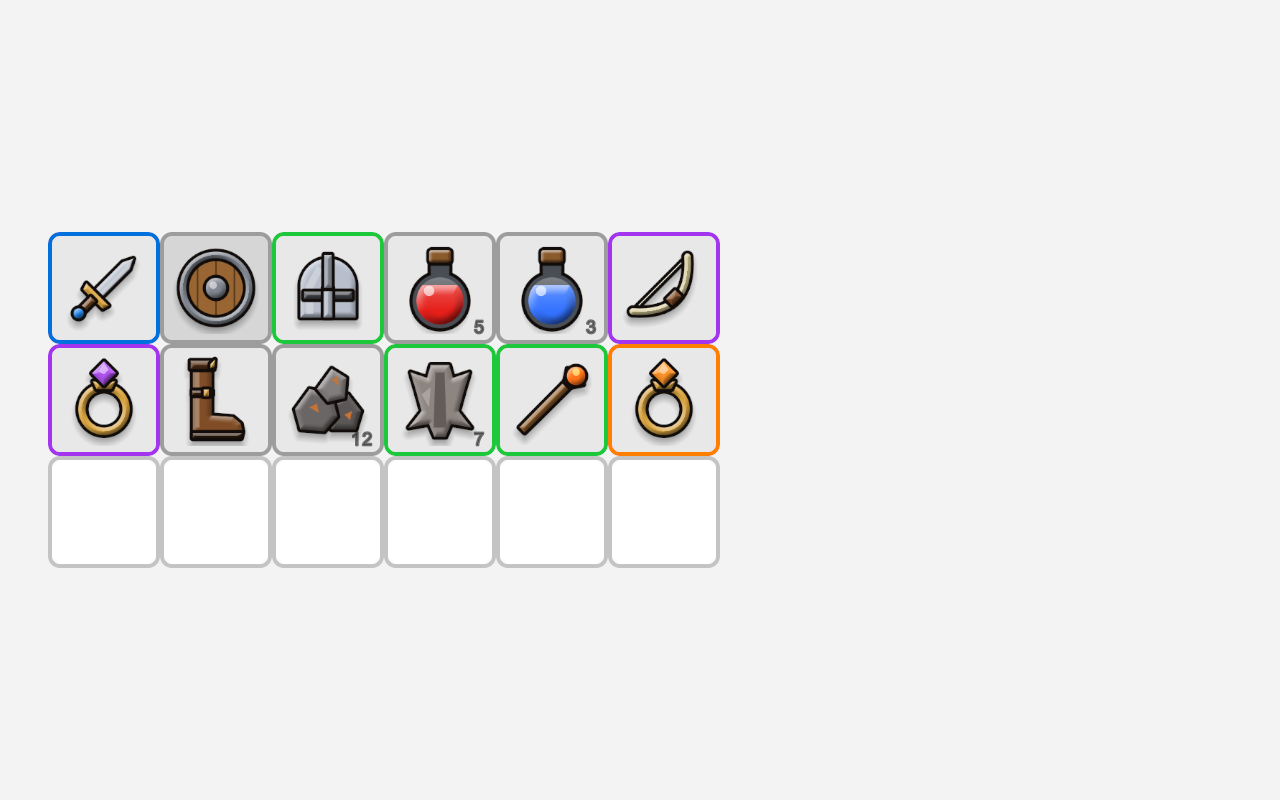
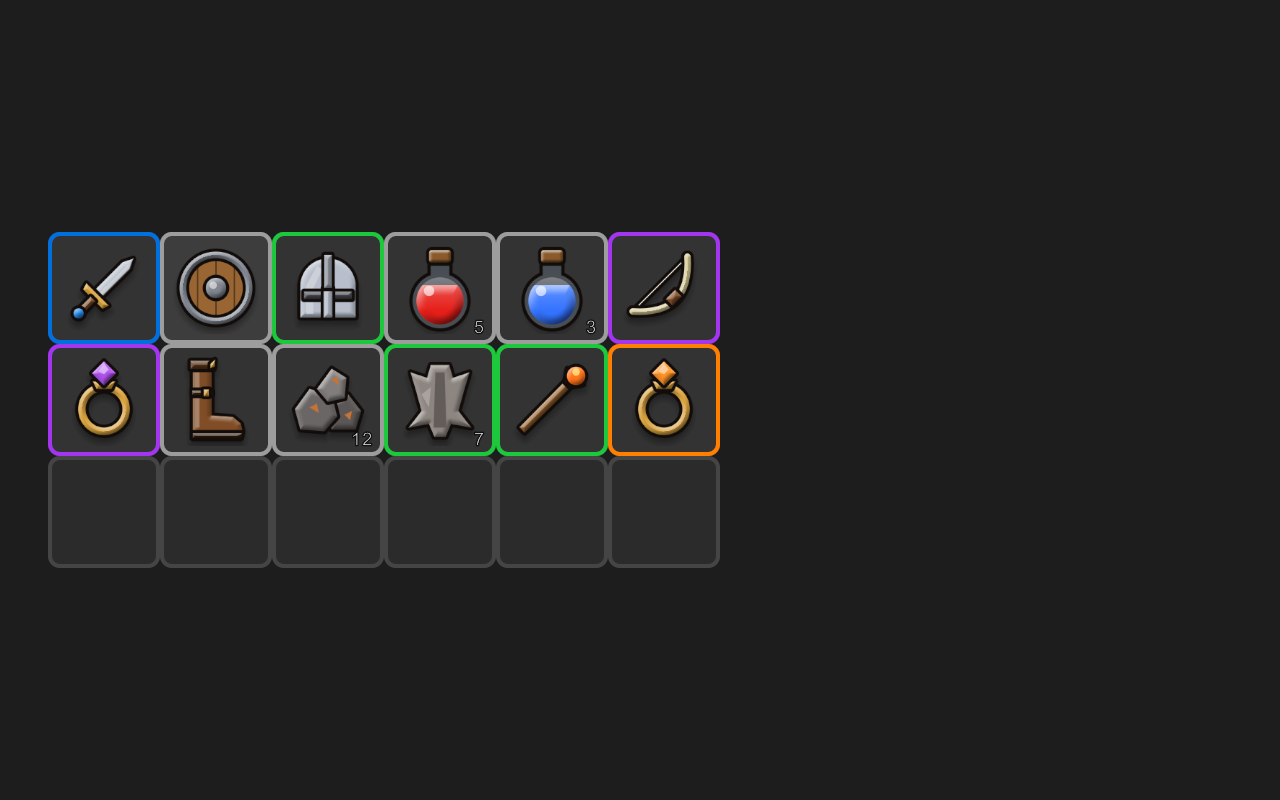
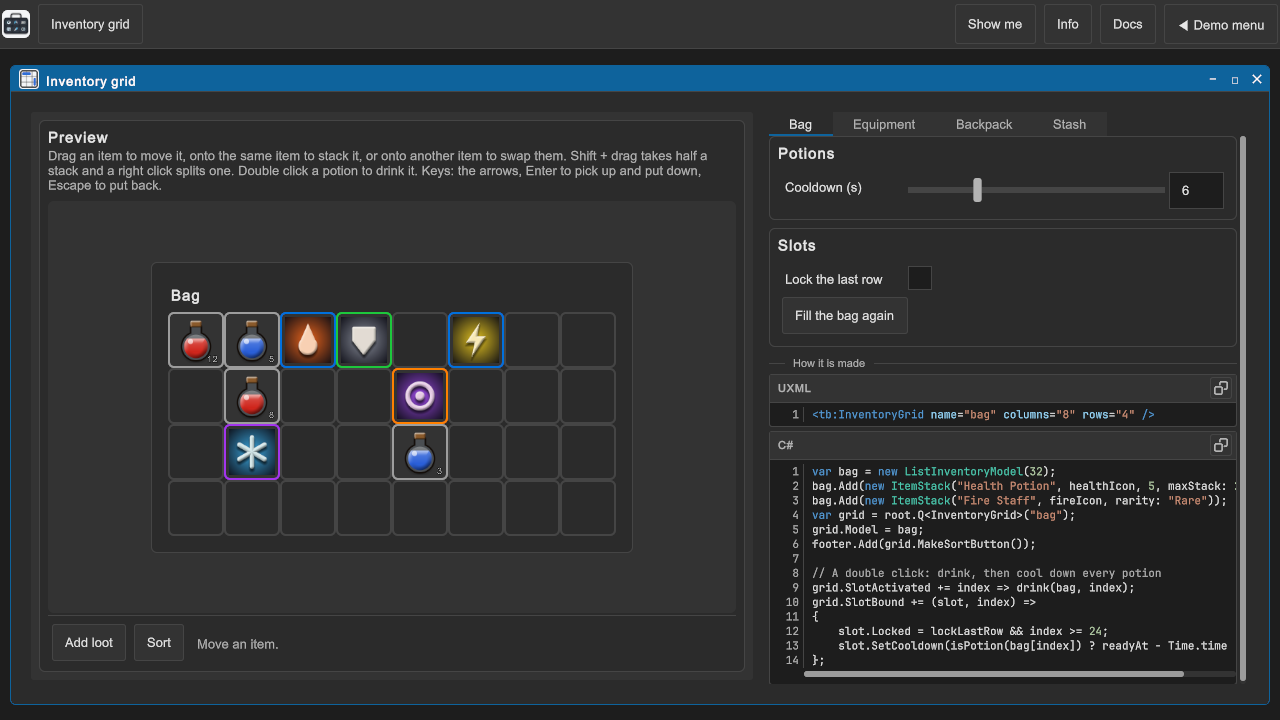
Video tutorial: Inventory grid. All videos: Video tutorials. Demo scene: InventoryGridDemo.unity. Samples: Inventory and Crypt.
<tb:InventoryGrid name="bag" columns="8" rows="4" />
var bag = new ListInventoryModel(32);
bag.Add(new ItemStack("Health Potion", healthIcon, count: 5,
    maxStack: 20));
bag.Add(new ItemStack("Fire Staff", fireIcon, rarity: "Rare"));

var grid = root.Q<InventoryGrid>("bag");
grid.Model = bag;
footer.Add(grid.MakeSortButton());

// A double click uses the item
grid.SlotActivated += index => Use(bag[index]);
// The last row stays locked until the player buys a bigger bag
grid.SlotBound += (slot, index) => slot.Locked = index >= 24 && !bigBag;
With no Model, the grid makes a ListInventoryModel with a slot for each cell. In the UI Builder, a grid with no items shows a sample: a sword, a stack of potions and a ring. The sample does not show in Play mode or in a build, and the UI Builder does not save it to the UXML file.
Settings
| Setting (UXML) | Type | Default | Does |
|---|---|---|---|
columns |
int | 8 | The slots in a row. A virtual grid fits as many columns as its width takes. |
rows |
int | 4 | The rows of slots. A virtual grid has as many rows as the model needs, and scrolls. |
slot-size |
float | 56 | The width and height of a slot, or of a cell of a shaped grid, in pixels. |
shaped |
bool | false | Items take Size cells, as in a backpack where a staff takes a column of three, or the cells of their Shape. See Shaped grids. |
allow-rotate |
bool | true | In a shaped grid, the player turns a held item, and FindRoom turns an item that fits only that way. |
virtual |
bool | false | Makes elements only for the slots in view, in a grid that scrolls, for a stash of thousands of slots. Give the grid a height. Not with shaped. See Virtual grids. |
first-index |
int | 0 | The first slot of the model that the grid shows, so two grids show two parts of one model. See Two grids on one model. |
submit-activates |
bool | false | Enter and the submit button of a gamepad raise SlotActivated in place of the pick up, for a grid that the player uses but does not sort. |
Set these from code:
| Property | Does |
|---|---|
Model |
The items, an IInventoryModel. See The model. |
Card |
A HoverCard that opens over the slot under the pointer or with the focus. See A card for the item. |
CanDropExternal |
Func<object, int, bool>: says whether a slot takes data dragged from outside the model, with the data and the slot index. Null takes none. See Drops from outside. |
IsTarget |
Func<int, IItemSlotData, int, bool>: says whether a slot and turn is the target spot where an item belongs, with the slot index, the item and the quarter turns clockwise (0 to 3). A matching slot gets tb-inventory-grid__slot--target, and the cells under a held shape get tb-inventory-grid__cell--target. |
SelectedIndex |
The selected slot of the model, or -1. In a shaped grid, the first cell of the selected item, so model.ItemAt(grid.SelectedIndex) is the item. While the keyboard or a gamepad holds an item, the selection stays as it is and a set moves the held shape; the item is selected where it goes down. |
SlotCount |
The slots that the grid shows (read only): columns x rows, or the slots of the model from first-index on in a virtual grid. |
HeldIndex, HeldRotated, HeldTurns |
The slot of the item that the keyboard or a gamepad holds in this grid, or -1, whether it lies turned, and its quarter turns clockwise, 0 to 3 (read only). |
Methods
| Method | Does |
|---|---|
SlotAt(index) |
The ItemSlot of a slot of the model, or null: a slot out of view in a virtual grid, or a cell with no item in a shaped grid. |
IndexOf(element) |
The slot of the model that an element shows or is in, or -1. Use it with card.Target. |
Refresh() |
Shows the items again. The grid calls it on the Changed event of the model. |
CanMove(move) |
True when the slots are in the model and not locked, the shape has room in a shaped grid, and the model allows the move. |
TryMove(move) |
Makes the move when CanMove allows it, after MoveRequested. Otherwise raises MoveDenied. Returns true for a move made. |
Sort() |
Asks the model to merge the stacks and put the items in order. A ListInventoryModel orders them by name. In a shaped grid it packs them from the top left: the biggest boxes first, then the shapes with the most covered cells, then by name. Items that tie keep their slot order, so the same items give the same layout each time. |
MakeSortButton() |
A button with the text "Sort" that calls Sort, for the footer of a bag window. |
FindRoom(item, out index, out rotated) |
The first empty slot for a new item, row by row. In a shaped grid, the first place where its Size and its Shape have room, turned when it fits only that way. index is the slot to put it in, its first cell. |
FindRoom(size, out index, out rotated) |
The same for a rectangle of size, with no item at hand. |
Submit(index) |
What Enter does on a slot: picks the item up, or puts the held item down there. In a shaped grid any cell of an item picks it up, and a held item goes down with the top left cell of its box on the slot. |
Cancel() |
Puts a held item back where it was. |
Rotate(step) |
Turns the held item, or the selected item in its place when it has room, by step quarter turns clockwise (1 by default, -1 for counter-clockwise). Only in a shaped grid with allow-rotate. Returns true when an item turned. |
Events
| Event | When |
|---|---|
MoveRequested |
Before each allowed move, with the InventoryMove: to play a sound or to send the move to a server. |
MoveDenied |
The player tried a move that the rules or the room do not allow, such as a sword on the head slot. Show the reason here. |
SlotActivated |
A double click on a slot, Enter or gamepad submit with submit-activates, and Enter in a virtual grid: to use, drink or wear the item. It gives the slot. |
SelectionChanged |
The selected slot changed. It gives the new SelectedIndex. |
SlotBound |
The grid showed an item, or an empty slot, in an ItemSlot, with the slot index: set the lock, the durability, a cooldown or a tooltip there. The grid clears the lock and the durability before it. It also runs for the drag ghost (tb-inventory-grid__ghost) with the index of the dragged item, so a picture that the handler adds follows the pointer. |
ExternalDropped |
Data from outside the model landed on a slot after CanDropExternal took it. Move it into the model here. |
Mouse, keyboard and gamepad
| Input | Does |
|---|---|
| Drag an item | Moves it to an empty slot, merges it onto a stack of the same item, or swaps it with another item. A slot that does not take the item shows it, and a drop there raises MoveDenied. A drop outside the grids puts the item back. |
| Shift + drag | Takes half of the stack. |
| Right click | Splits a stack: half of it goes to the first empty slot that takes it, or in a shaped grid to the first room for its shape. |
| Double click | Raises SlotActivated. |
| Arrows, gamepad stick and d-pad | Move the focus from slot to slot. At the edge of the grid the focus moves on to the next control, such as a second grid. In a shaped grid they move the selected cell past the other cells of the same item, and move a held shape by one cell. |
| Enter, Space, gamepad submit | Picks the item up, and puts it down on another slot of any grid of the same model: a move, a merge or a swap. On its own slot it puts the item back. In a shaped grid a picked up shape stays on its own cells, so a second press puts it back, and the item stays selected until it goes down. |
| Click | Selects the slot, and puts down there an item that the keyboard holds. A clicked empty slot or cell shows no mark; the mark shows again with an arrow, the gamepad or Tab. |
| Escape, gamepad cancel | Puts a held item back. That press does not close the window. |
| R, the right mouse button during a drag, the right stick, West (X), LB and RB | Turns the held item in a shaped grid (LB turns counter-clockwise). R with no held item turns the selected item in its place, while the grid has the focus. R in a text field types. |
The right stick needs the Input System package. The other keys work with both the Input System and the old Input Manager.
The model
The game owns the items. The grid shows an IInventoryModel and asks it to move them:
| Member | Does |
|---|---|
Count |
The number of slots. A shaped grid has one slot per cell. |
ItemAt(index) |
The IItemSlotData in the slot, or null. In a shaped grid, the item whose first cell is the slot: the top left cell of a rectangle, or the first covered cell of the top row of a shape. |
IsRotated(index) |
True when the item in the slot lies turned. |
CanMove(move) |
True when the rules of the game allow the move. A shaped grid checks the room for the shape before it asks. |
Move(move) |
Makes the move and raises Changed. Returns false and changes nothing when the move is not allowed. |
Sort(first, count, columns) |
Merges the stacks and orders the slots from first on. columns is 0, or the columns of a shaped grid. |
Changed |
Raised after each change of the items. The grids of the model show them again. |
An InventoryMove has From, To, Count, Turns (quarter turns clockwise, 0 to 3) and Rotated. From and To are slots of the model; in a shaped grid, the first cells of the items. A move with the same From and To turns an item in its place.
ListInventoryModel is a ready model, a list of ItemStacks:
- A move to an empty slot moves the item, or splits it when part of the stack moves.
- A move onto the same item merges up to its
MaxStack. Two stacks are the same item whenStacksWithsays so: the sameNameand aMaxStackover 1. - A move of a whole stack onto another item swaps them.
Accepts(Func<int, ItemStack, bool>) decides which slot takes which item, such as a head slot that takes only helms. A swap asks for both slots.Add(item)fills the stacks of the same item first, then the first empty slot that takes it. It returns the count that did not fit, and that count stays initem.Count. For a shaped grid, useFindRoomandSet.Set(index, item, rotated)andSet(index, item, turns)put an item in a slot and raiseChanged.BeginUpdate()andEndUpdate()batch multiple changes soChangedruns once at the end. The indexer sets an item with no event: callNotifyChanged()after a batch.Resize(count)changes the number of slots.TurnsAt(index)gives the quarter turns of the item in a slot, andIsRotated(index)whether it lies turned.
ItemStack has a Name, a Description, an Icon, an IconOrigin, a Count, a MaxStack, a Rarity, a Size, a Shape and Data for the object of your game. Derive from it to add fields, and override StacksWith or Split for rules of your own. A game with its own item classes and rules implements IInventoryModel and IItemSlotData on them, as the Inventory example does.
Shaped grids
<tb:InventoryGrid
    name="backpack"
    shaped="true"
    columns="8"
    rows="4"
    slot-size="48" />
var items = new ListInventoryModel(backpack.Columns * backpack.Rows);
backpack.Model = items;

var staff = new ItemStack("Fire Staff", fireIcon)
{
    Size = new Vector2Int(1, 3),
};
if (backpack.FindRoom(staff, out var index, out var turned))
    items.Set(index, staff, turned);

turnButton.clicked += () => backpack.Rotate();
footer.Add(backpack.MakeSortButton());
- An item takes
Sizecells, a rectangle, or the cells of itsShape. The model has one slot for each cell, and the item sits in the slot of its first cell: the top left cell of a rectangle. - While the player drags or holds an item, the cells under it turn green when the whole item has room there, and red when it has not.
- An item put on one item of the same size and shape merges with it or swaps with it. An item put on one item of another size or shape swaps with it when both items fit in their new places after the other leaves.
- A drag from any part of an item, or Enter on any of its cells, takes the whole item.
- A lock set in
SlotBoundholds an item in its place. Empty cells have no slot to lock.
Item shapes
An item that is not a rectangle, such as a plus or an L, has an ItemShape. Each text is a row of cells from the top: a . or a space is a free cell, any other character a covered cell.
var cross = new ItemStack("Sun Cross", crossIcon)
{
    Shape = new ItemShape(".X.", "XXX", ".X."),
};
var boot = new ItemStack("Boot", bootIcon)
{
    Shape = new ItemShape("X.", "X.", "XX"),
};
if (backpack.FindRoom(boot, out var index, out var turned))
    items.Set(index, boot, turned);
- With no shape, an item covers its whole
Size. Rectangles need no setup, and a shape that covers its whole box, such as"XX", "XX", is a plain rectangle. - On an
ItemStack, a set ofShapealso setsSizeto the box around the covered cells. Empty rows and columns at the edges are trimmed. A set of null leavesSizeas it is: setSizeafter it for an item that loses its shape. ItemShapekeeps a copy of the rows, so a later change of the array does not change the shape.- Only the covered cells count: the cells under a held shape, the fit, the drop,
FindRoomandSort. The free cells of the box stay free, so another item lies in the corner of an L, and a click there reaches that item or the empty cell. - Each edge of the trimmed box has a covered cell, so a shape fits only with its whole box in the grid. A plus at the left edge has its box at the column 0 and its slot at the column 1.
- The item sits in the slot of its first cell, the first covered cell of the top row. For the plus that is the top middle cell, so its box starts one cell to the left of its slot.
FindRoom(item, ...)gives that slot, andItemShape.FirstCell(turns)gives that cell in the box. - A turn is a quarter turn clockwise, the way the icon turns: the cell (x, y) goes to (rows - 1 - y, x). The L
"X.", "X.", "XX"turned lies as"XXX", "X..".Covers(x, y, rotated)tells which cells a shape covers, turned or not. - The slot of a shape has
tb-inventory-grid__slot--masked. Atb-inventory-grid__pieceunder each covered cell draws the background and the border, and the icon lies over the whole box. Draw the icon in the shape, on a clear background, or setIconOrigin(the top left cell inIcon) when several shaped items share one picture. - A game with its own item class returns the shape from
IItemSlotData.Shapeand optional slice origin fromIItemSlotData.IconOrigin, which are null by default.
The rows are text, not a bool[], because text reads like the shape: in code, in a diff and in the Inspector, where a bool[] is one long list of checkboxes. ItemShape is [Serializable], so the items of a ScriptableObject keep their shapes:
[CreateAssetMenu]
public class ItemDefinition : ScriptableObject
{
    public string displayName;
    public Texture2D icon;
    // One text per row in the Inspector: ".X.", "XXX", ".X."
    public ItemShape shape = new();

    public ItemStack Make() => new(displayName, icon) { Shape = shape };
}
An empty shape, with no rows or no covered cell, keeps the Size of the item.
Virtual grids
<tb:InventoryGrid
    name="stash"
    virtual="true"
    slot-size="48"
    style="flex-grow: 1;" />
- The grid shows every slot of the model from
first-indexon, and makes elements only for the rows in view, with a GridView inside. The columns follow the width. - Give it a height, or
flex-growin a container with a height. - A drag, a split and a double click work as in any grid. The keys move the selection as in a
GridView, and Enter raisesSlotActivated; the keys do not pick items up. SlotAtis null for a slot out of view, andSlotBoundruns again for each slot that scrolls into view. Set the cooldown of a slot there withSetCooldown.
Two grids on one model
The equipment and the bag are often one model: the worn slots first, then the pack. Two grids show the two parts with first-index. Grids of one model share the held item, so the player drags or carries items from one grid to the other.
<tb:InventoryGrid name="gear" columns="4" rows="1" />
<tb:InventoryGrid name="pack" columns="8" rows="2" first-index="4" />
// Slots 0 to 3 are worn: a weapon, a shield, a charm and a potion. The
// pack starts at 4.
var hero = new ListInventoryModel(4 + 16);
hero.Accepts = (index, item) => index >= 4
    || ((Loot)item).Kind == (LootKind)index;
gear.Model = hero;
pack.Model = hero;
pack.MoveDenied += move => status.text = "That does not go there.";
A card for the item
Set a HoverCard as the Card of the grids, and fill it when it opens. An ItemCompare in the card shows what changes when the player wears the item.
gear.Card = card;
pack.Card = card;
card.Opened += () =>
{
    int index = gear.IndexOf(card.Target);
    if (index < 0) index = pack.IndexOf(card.Target);
    var item = index >= 0 ? hero[index] : null;
    card.Title = item?.Name ?? "Empty slot";
    card.Description = item?.Description ?? "";
    compare.SetStats(wornStats, StatsOf(item));
};
In a shaped grid, the card opens under the pointer.
Drops from outside
An item dragged out of a grid carries an InventoryDrag: the Grid, the Index of the slot in its model, the Count (half with Shift), Rotated and the Item. A DropTarget of your game, such as a trash can or a merchant, reads it:
trash.AddManipulator(new DropTarget(
    data =>
    {
        var drag = (InventoryDrag)data;
        var stack = bag[drag.Index];
        stack.Count -= drag.Count;
        bag.Set(drag.Index, stack.Count > 0 ? stack : null);
    },
    data => data is InventoryDrag drag && drag.Grid.Model == bag));
A Hotbar takes items the same way, through its CanDropExternal and ExternalDropped:
bar.CanDropExternal = (data, index) =>
    data is InventoryDrag { Item: ItemStack { Name: "Health Potion" } };
bar.ExternalDropped += (data, index) =>
{
    var potion = (ItemStack)((InventoryDrag)data).Item;
    bar.Slots[index].Icon = Background.FromTexture2D(potion.Icon);
    bar.Slots[index].userData = potion;
};
The grid takes data from outside its model the same way, such as an item of another bag with its own model:
chestGrid.CanDropExternal = (data, index) => data is InventoryDrag
    && chest[index] == null;
chestGrid.ExternalDropped += (data, index) =>
{
    var drag = (InventoryDrag)data;
    var stack = bag[drag.Index];
    if (drag.Count < stack.Count)
    {
        chest.Set(index, stack.Split(drag.Count));
        stack.Count -= drag.Count;
        bag.NotifyChanged();
    }
    else
    {
        chest.Set(index, stack);
        bag.Set(drag.Index, null);
    }
};
A shaped grid takes only the items of its own model.
Performance
- A grid makes its
ItemSlots once, and a change of the model binds them again.Refreshallocates nothing, in a grid of stacks and in a shaped grid. - A shape reads its rows once. A drag of a shape, its marks and a turn allocate nothing per frame; a slot makes the pieces of a shape once and reuses them.
- A virtual grid makes elements only for the rows in view, and binds only the slots that scroll into view, so a stash of 2000 slots scrolls smoothly.
- The counts, the rarity classes and the cooldowns of the slots allocate nothing after the first use; see ItemSlot.
SlotBoundruns for each slot after each change of the model. Keep it free of new strings and lists.
In the examples
Styling
| Class | Element |
|---|---|
tb-inventory-grid |
The grid. With --shaped and --virtual. |
tb-inventory-grid__content |
The slots, or the cells and the items of a shaped grid. In a shaped grid it takes the focus. |
tb-inventory-grid__row |
A row of slots, or of cells. |
tb-inventory-grid__slot |
Each ItemSlot of the grid, with --selected (an accent border, not on an empty slot that a click selected), --held (faded while the keyboard holds its item), --target (a green border when IsTarget returns true) and --masked (an item with a shape: the pieces draw it, and the slot has no background and no border). |
tb-inventory-grid__piece |
A covered cell of an item with a shape, under the icon. It takes the hover, --selected, --target and rarity colors of its slot. |
tb-inventory-grid__cell |
A cell of a shaped grid, with --selected (the cell of the keyboard, hidden after a click until an arrow or Tab), --fits (--tb-color-fits, green, under a held item that has room), --target (a green border when IsTarget returns true for the held item there) and --blocked (--tb-color-blocked, red, under a held item that has none). |
tb-inventory-grid__items |
The layer of the items over the cells of a shaped grid. |
tb-inventory-grid__ghost |
The item that follows the pointer during a drag. |
tb-inventory-grid__sort |
The button of MakeSortButton. |
The slots use the classes and variables of ItemSlot.
.my-bag .tb-inventory-grid__cell--fits {
    background-color: rgba(80, 160, 255, 0.35);
}

.my-bag .tb-inventory-grid__slot--held {
    opacity: 0.2;
}
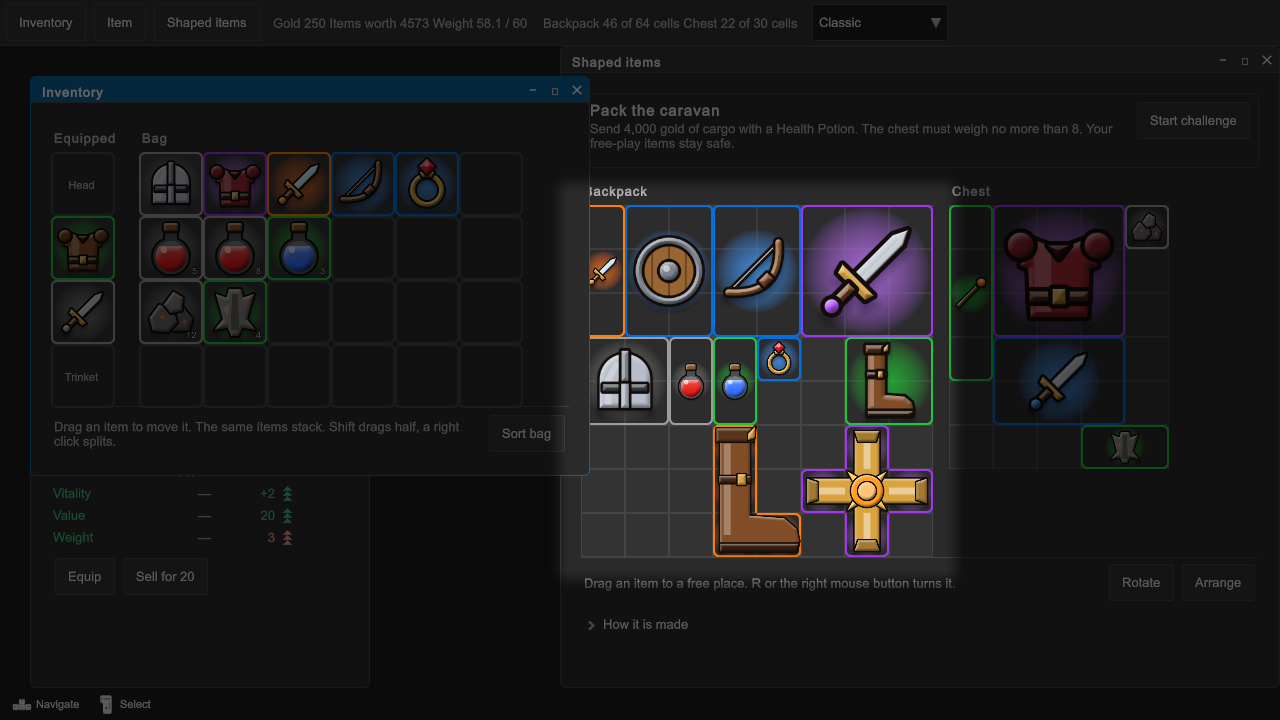
The InventoryGridDemo scene shows a bag whose potions cool down together, equipment with a card that compares the stats, a shaped backpack and a stash of 2000 slots. The Inventory example has a plus and an L in its backpack. The ItemSlotDemo scene shows one ItemSlot on its own.