

 StatBar
 is a bar that shows a value out of a maximum, such as health, stamina, mana or experience. With no settings, it shows a full bar. When the value drops, a trail stays at the old value and drains, so the player sees how much a hit took. Add pips, a preview of a heal or a cost, text, and a low warning when you need them.
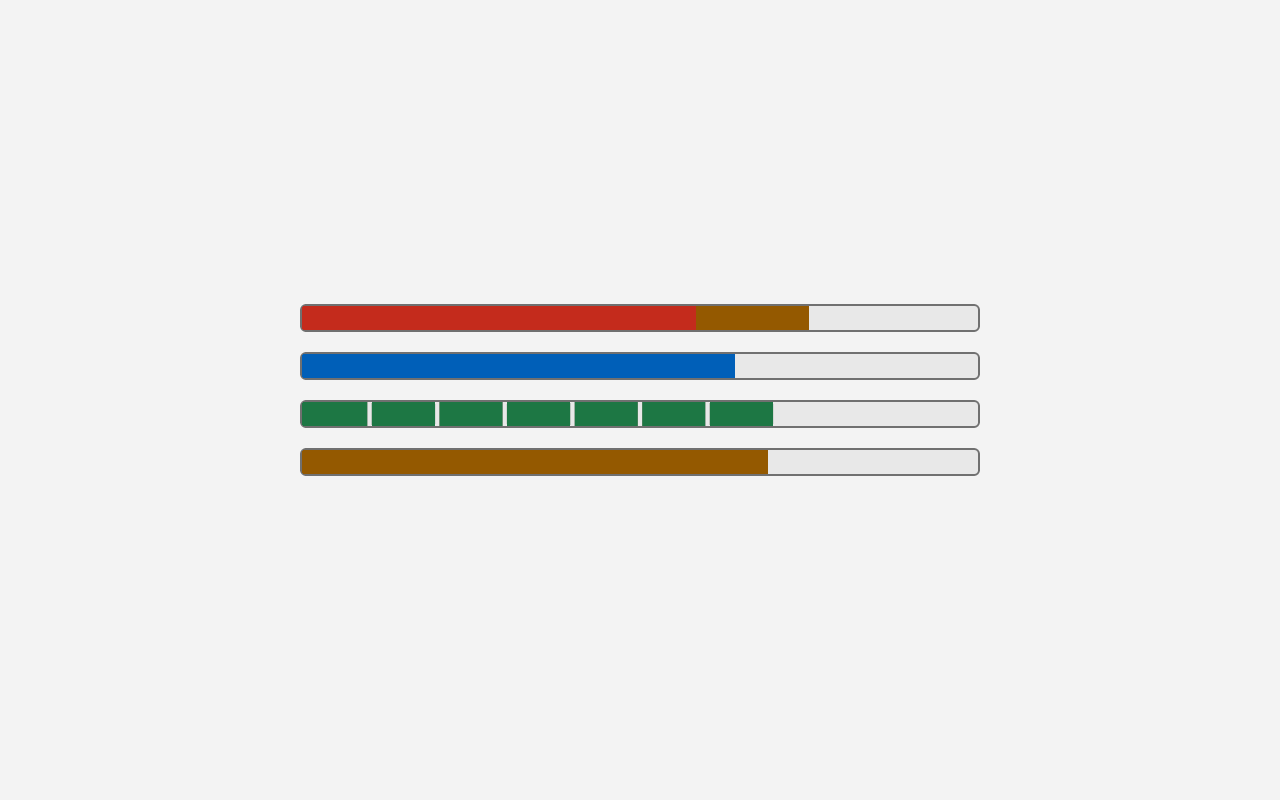
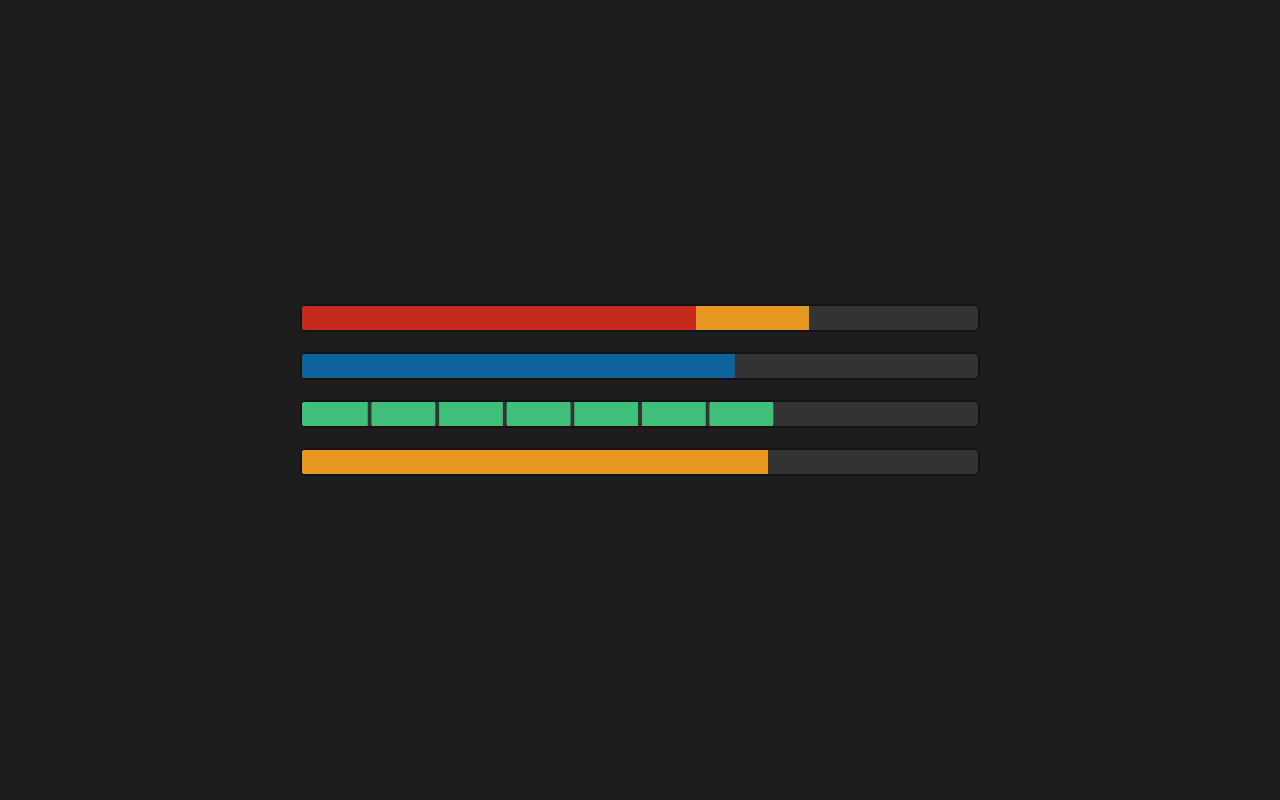
Video tutorial: StatBar and ObjectiveTracker. All videos: Video tutorials. Demo scene: HudBarsDemo.unity. Sample: Outpost.
How to add a bar:
<tb:StatBar
    name="health"
    class="tb-stat-bar--health"
    max-value="120"
    value="120"
    show-text="true" />
How to change the value from code:
var health = root.Q<StatBar>("health");
// a hit: the trail drains after 0.4 s
health.SetValue(health.Value - 30);
// a respawn or a load: no trail
health.SetValue(health.MaxValue, trail: false);
How to bind the value to your data:
<tb:StatBar class="tb-stat-bar--health" max-value="1" low-threshold="0">
    <Bindings>
        <ui:DataBinding
            property="Value"
            data-source-path="HealthFraction"
            binding-mode="ToTarget" />
    </Bindings>
</tb:StatBar>
Value and MaxValue take a data binding. This bar binds Value to a fraction, so its maximum is 1. A bound bar shows the trail on each drop of the source.
How to show a heal or a cost before it happens:
// A ghost fill up to 80 while the player holds the key; -1 hides it
health.PreviewValue = held
    ? Mathf.Min(health.MaxValue, health.Value + 30) : -1;
How to make a bar of pips, such as five points of mana:
<tb:StatBar
    class="tb-stat-bar--mana"
    segments="5"
    max-value="5"
    value="5" />
How to show hearts, with half hearts, from images:
var hearts = root.Q<StatBar>("hearts");
hearts.Segments = 3;
hearts.MaxValue = 6;   // two points for each heart
hearts.SetPipImages(full, half, empty);
hearts.Value = 5;      // two full hearts and a half heart
How to show lethal and nonlethal damage as two segments of the fill:
<tb:StatBar
    class="tb-stat-bar--health"
    max-value="30"
    value="22"
    nonlethal="8" />
// 22 of 30 left, 8 of them nonlethal damage
health.SetValue(22);
health.Nonlethal = 8;
// A new hit that takes the value to 5 also lowers Nonlethal to 5
health.NonlethalChanged += amount => Debug.Log(amount);
A tabletop-style health bar: the fill is the health that is left, and the last Nonlethal of it shows as a second segment in another color. Nonlethal stays between 0 and Value, so a lower value lowers it. At 0, the default, the bar looks as it did before.
| Member | Description |
|---|---|
Value (value) |
The value, kept between 0 and MaxValue. Default 100. |
MaxValue (max-value) |
The maximum. Default 100. A value below 0.0001 becomes 0.0001. A lower maximum lowers the value. |
Segments (segments) |
0 gives a continuous bar. Above 0 the bar draws that many pips with a gap between them. Default 0. |
Animate (animate) |
The fill moves to a new value over AnimationDuration instead of jumping. On by default. A bar outside a panel, or a call of SetValue with trail false, jumps. |
AnimationDuration (animation-duration) |
The milliseconds the fill takes to move. Default 250. |
AnimationEasing (animation-easing) |
The easing curve of the move. Default OutCubic. |
Trail (trail) |
A drop leaves a trail at the old value. On by default. |
TrailDelay (trail-delay) |
The milliseconds before the trail drains. Default 400. |
TrailSpeed (trail-speed) |
How fast the trail drains, in bars per second: 1 drains a full bar in one second. Default 1. |
PreviewValue (preview-value) |
A ghost fill up to this value, for an incoming heal or a cost. Below 0 hides it. Default -1. |
Nonlethal (nonlethal) |
The part of Value that is nonlethal damage, kept between 0 and Value. It shows as a second segment at the high end of the fill. Default 0, which hides the segment. A lower Value lowers it. |
LowThreshold (low-threshold) |
The low warning: while the value is below this fraction of the maximum, the bar has the class tb-stat-bar--low and the fill pulses. Default 0.25. Set it to 0 to turn the pulse off. |
ShowText (show-text) |
Shows the value as text in the bar. Off by default. A vertical bar shows no text. |
FormatString (format-string) |
The text. {0} is the value, {1} the maximum, {2} the percent. Default {0:0} / {1:0}. A bad format shows as it is. |
Direction (direction) |
A StatBarDirection: LeftToRight (default), RightToLeft or BottomToTop. |
SetPipImages(full, half, empty) |
Draws the bar as a row of Segments images instead of a fill. A pip shows full when at least three quarters of its share is filled, half from a quarter and empty otherwise. Without a half image a pip is full from one half. The bar gets the class tb-stat-bar--pips. Pass null for full and empty to go back to the fill. |
SetValue(value, trail) |
Sets the value. A drop with trail true (the default) leaves a trail. A rise, or a call with trail false, moves the trail with the fill. A NaN value does nothing. |
SetNonlethal(amount) |
Sets Nonlethal. A NaN amount does nothing. |
Advance(seconds) |
Steps the fill move and the trail. The bar calls it on each frame while either runs. Tests can call it to step without real time. |
ShownValue |
The value at which the fill is drawn now. It equals Value when the fill is at rest. |
TrailValue |
The value at which the trail is now. It equals Value when no trail shows. |
IsDraining |
True while a trail waits or drains. |
TextLabel |
The text label of the bar. |
ValueChanged |
The value changed: the new value. |
NonlethalChanged |
Nonlethal changed: the new amount. A lower Value that lowers it raises it too. |
- The trail only shows after a drop of a bar that is in a panel. A bar that is not yet in a panel moves the trail with the fill.
- The low pulse is an animation that runs while the bar is low. A game with a low bar on screen for a long time can set
low-threshold="0"to turn the pulse off. The Crypt and Firefight samples do this for bars that must not pulse. - A hit that comes while a trail drains sets the delay again and the trail continues from where it is.
- The bar fills in the color of its kind. Add
tb-stat-bar--health,--mana,--staminaor--xp, or set--tb-stat-bar-fill.
Tips:
- Use
trail: falsefor a refill, a respawn or a load, so the bar does not drain. - Use pips for a few points, such as mana or combo points, and a continuous bar for health.
- Use
RightToLeftfor the bar of an enemy that faces the player. - Use
BottomToTopfor a bar at the side of the screen. Set the size in USS.
In the examples
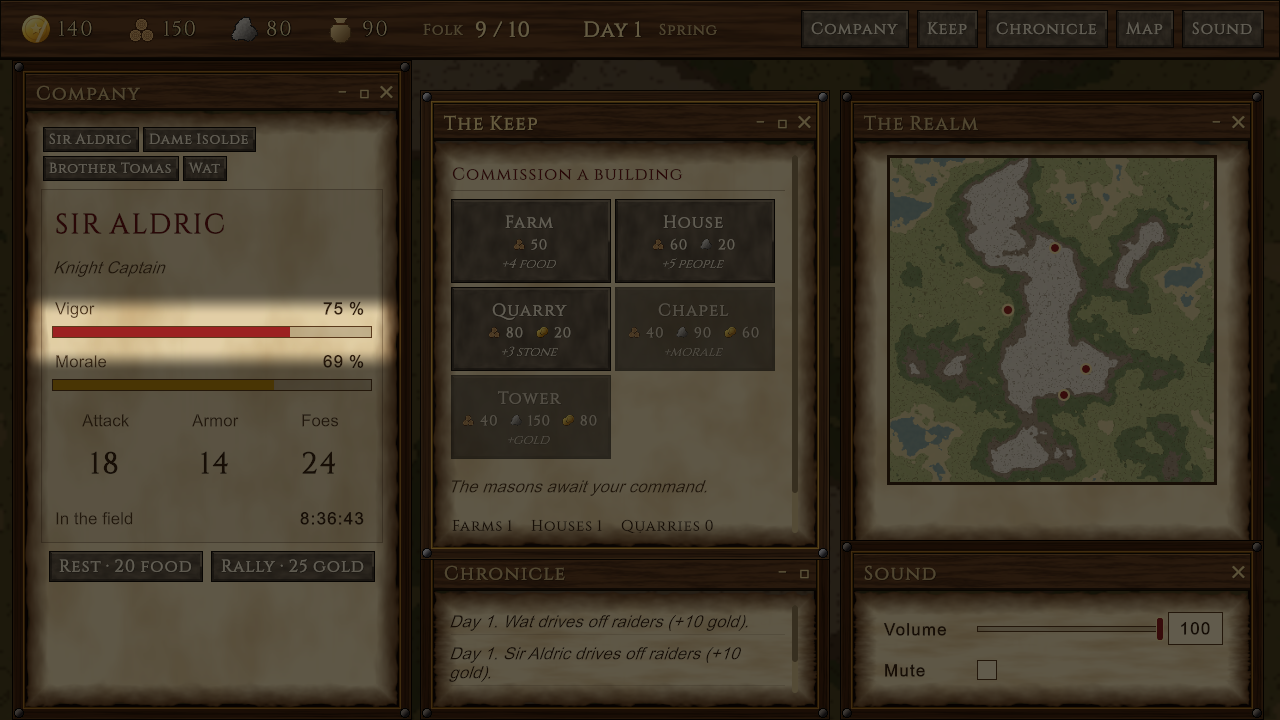
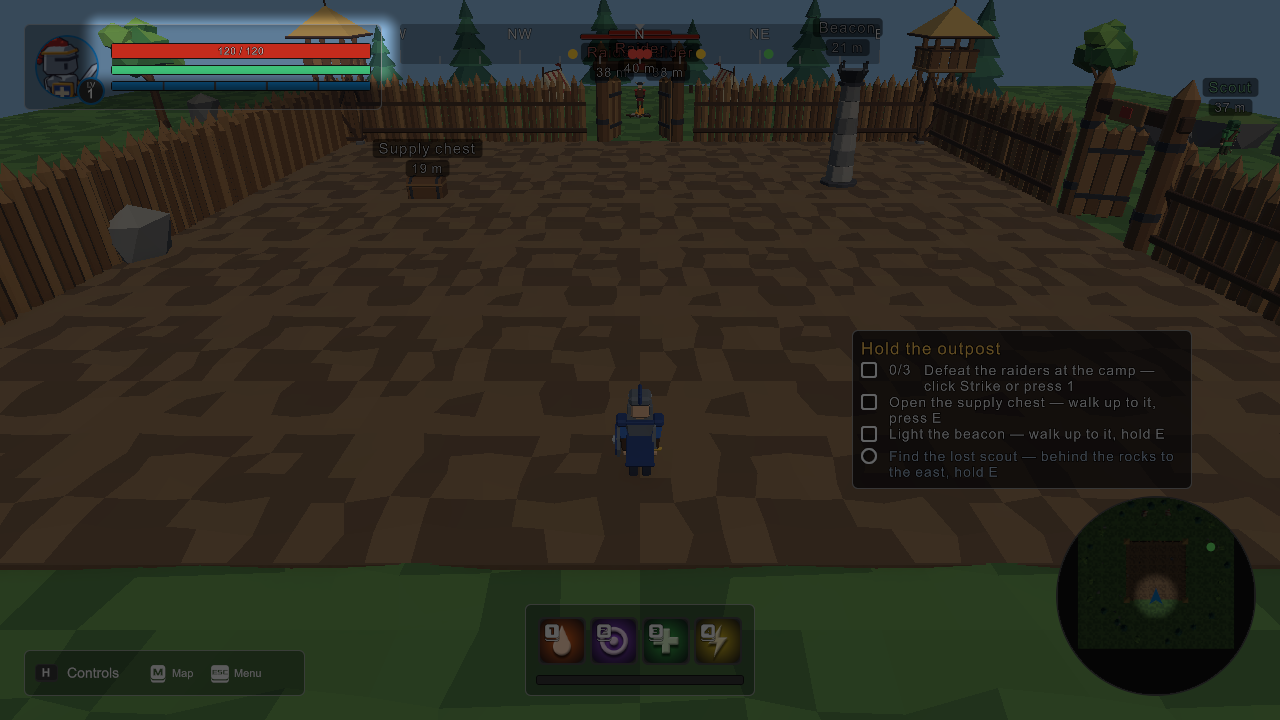
Styling
| Class | Element |
|---|---|
tb-stat-bar |
The bar: a back with a border. 14 px high. |
tb-stat-bar--health |
The fill is --tb-color-danger. |
tb-stat-bar--mana |
The fill is --tb-color-accent. |
tb-stat-bar--stamina |
The fill is --tb-color-success. |
tb-stat-bar--xp |
The fill is --tb-color-warning. |
tb-stat-bar--low |
The value is below LowThreshold. |
tb-stat-bar--dim |
The dim phase of the low pulse. The fill has half its opacity. |
tb-stat-bar--vertical |
Direction is BottomToTop. 14 px wide and 100 px high. |
tb-stat-bar--reverse |
Direction is RightToLeft. |
tb-stat-bar__preview |
The ghost fill of PreviewValue. |
tb-stat-bar__trail |
The trail. |
tb-stat-bar__fill |
The fill. |
tb-stat-bar__nonlethal |
The segment of Nonlethal, over the high end of the fill. Hidden in a bar of pip images. |
tb-stat-bar__gaps |
The overlay that draws the gaps between the pips. |
tb-stat-bar--pips |
The bar shows pip images: no back, no border, no fill. |
tb-stat-bar__pips |
The row of pip images. |
tb-stat-bar__pip |
One pip image. |
tb-stat-bar__text |
The text. |
| Variable | Description |
|---|---|
--tb-stat-bar-fill |
The color of the fill. --tb-color-accent by default. |
--tb-stat-bar-nonlethal |
The color of the nonlethal segment. --tb-color-warning by default. |
--tb-stat-bar-gap |
The width of the gap between pips, in pixels. 2 by default. |
--tb-stat-bar-gap-color |
The color of the gaps. The color of the back by default. |
/* A thick health bar with wide gaps */
.my-hud .tb-stat-bar--health {
    height: 22px;
    --tb-stat-bar-gap: 4;
}

/* A bar that follows the theme of the game */
.my-hud .tb-stat-bar {
    --tb-stat-bar-fill: rgb(120, 200, 80);
    border-radius: 2px;
}
SetPipVectorImages(full, half, empty) does the same with SVG images (VectorImage), and it replaces sprite pips.
Performance
- A resting bar allocates no memory per frame and runs no scheduled item. The bar starts its drain item only while a trail waits or drains, and the pulse item only while the bar is low.
- A bar while its trail drains allocates no memory per frame.
- The text of the bar formats only when the whole value, the whole maximum or the format changes. A value that changes by a fraction does not make a new string.
- The gaps draw again only when the size, the number of pips, the direction or the style changes.
- A frame longer than 0.1 seconds drains the trail by 0.1 seconds only, so a hitch does not empty the trail at once.