
本页为译文。技术支持和视频教程主要使用英语,内容以英文页面为准。 英文版
自定义设置面板(SettingsPanel)
GraphicsSettingsPanel、AudioSettingsPanel 和 InputSettingsPanel 共用基类 SettingsPanel<T>。当你为自己的游戏制作设置界面时,例如难度或无障碍选项,就使用它。
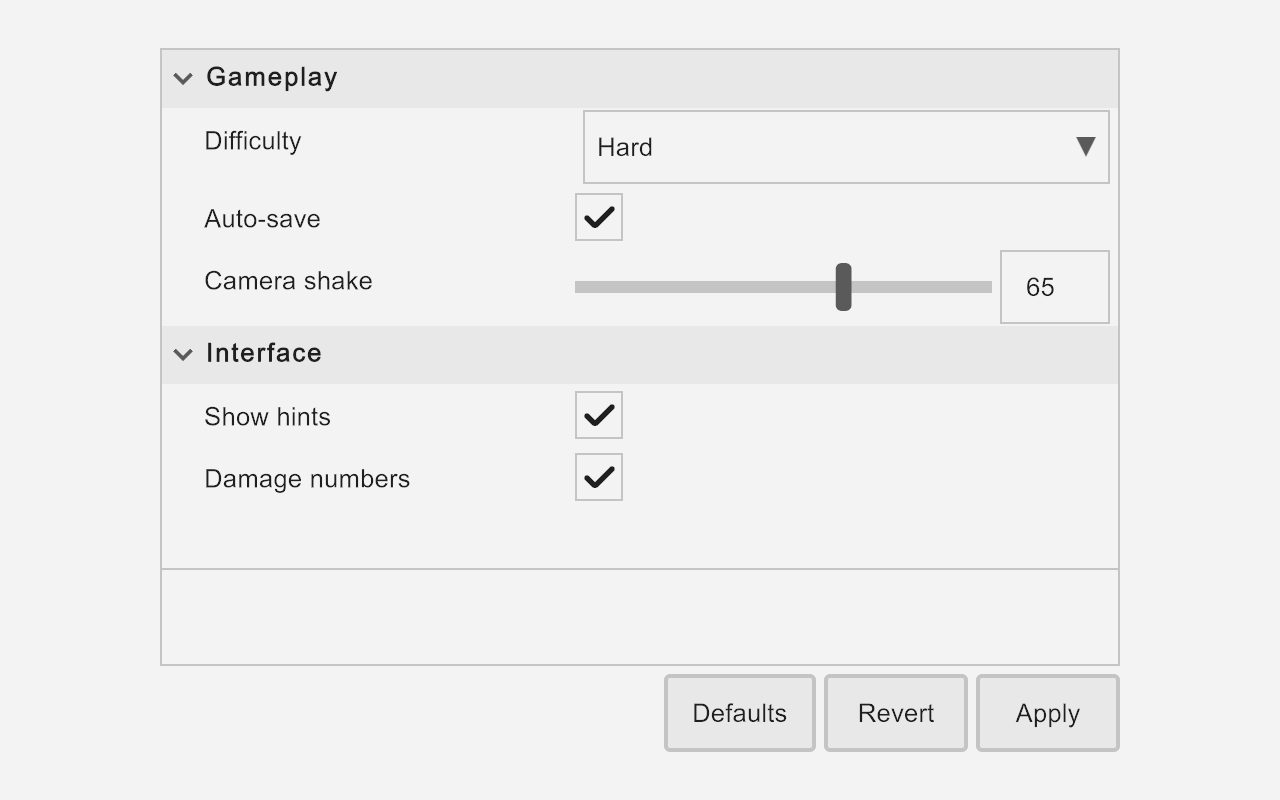
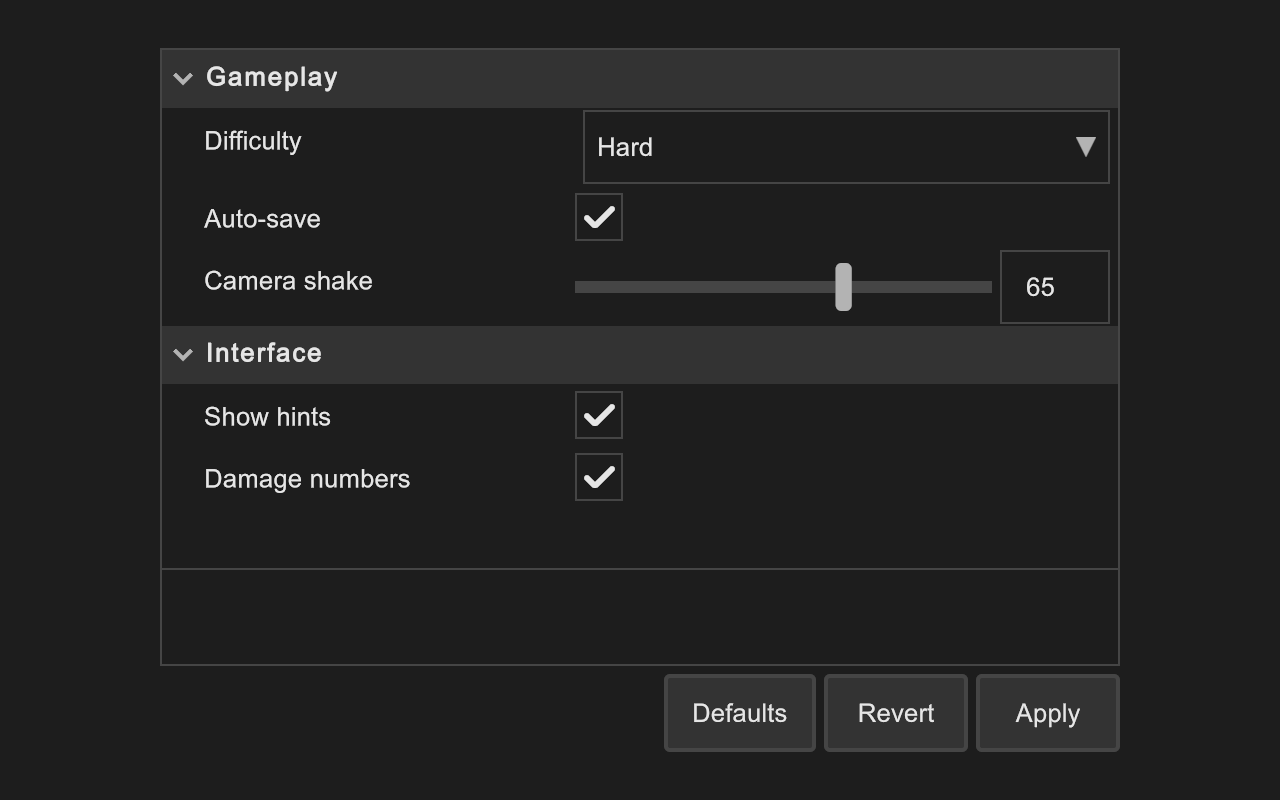
基类有以下成员:
| 成员 | 说明 |
|---|---|
Editing |
主体正在编辑的选项。 |
Applied |
上一次 Apply 的选项,或已保存的选项。 |
IsDirty |
Editing 与 Applied 不同时为 true。只有此时 Apply 和 Revert 才可用。 |
ApplyAsync() |
把 Editing 应用到游戏并保存。编辑保留时为 true。 |
Revert(), Defaults() |
把 Editing 设为 Applied,或设为 DefaultOptions()。 |
PrefsKey (prefs-key) |
PlayerPrefs 的键。面板在首次附加时加载已保存的选项。为空:Apply 不保存。 |
ShowButtons (show-buttons) |
False 会隐藏按钮,用于带有自己按钮并调用这些方法的更大的设置界面。 |
如何制作面板:
- 创建
SettingsOptions的[Serializable]子类,带有公共字段。使用PropertyGrid特性:[Category]、[Range]、[Description]、[InspectorName]、[EnabledIf]。 - 创建
SettingsPanel<T>的[UxmlElement] partial子类。 - 重写
Capture()(当前生效的值)、DefaultOptions()和ApplyOptions(options)。 - 在构造函数中调用
AddGrid(),得到Editing的PropertyGrid。
[Serializable]
public class GameplayOptions : SettingsOptions
{
    public static GameplayOptions Current = new();

    [Category("Gameplay"), Range(0, 2), Description("0: easy, 2: hard.")]
    public int Difficulty = 1;

    [Category("Gameplay"), InspectorName("Show hints")]
    public bool ShowHints = true;
}

[UxmlElement]
public partial class GameplaySettingsPanel
    : SettingsPanel<GameplayOptions>
{
    public GameplaySettingsPanel() : base("mygame.gameplay") =>
        AddGrid();

    protected override GameplayOptions Capture() =>
        (GameplayOptions)GameplayOptions.Current.Clone();
    protected override GameplayOptions DefaultOptions() => new();
    protected override void ApplyOptions(GameplayOptions options) =>
        options.CopyTo(GameplayOptions.Current);
}
提示:
SettingsOptions用JsonUtility复制、比较和保存。只有序列化的字段才算数。- 重写
ConfirmAsync(old, next),可以在编辑生效前询问玩家。GraphicsSettingsPanel用它处理显示模式。 - 没有
PropertyGrid的面板,把自己的控件添加到Body,重写ShowEditing()以便在其中显示Editing,并在编辑之后调用ShowDirty()。InputSettingsPanel就是这样做的。 SettingsOptions.Load(key)是虚方法。当保存的内容必须合并到选项中时,请重写它,InputBindingOptions对绑定 id 就是这样做的。- 当
Capture()的来源改变时,例如有了新的Actions资源,请调用Reload()。它会丢弃编辑,并重新加载已保存的选项。 - 包含多个面板的界面,例如 GameMenu 示例的 Settings 界面,在每个面板上设置
show-buttons="false"。它自己的 Apply 按钮会等待每个面板的ApplyAsync(),只要有一个IsDirty为 true,它的脏状态就为 true。 - 给面板一个会增长的父元素。主体的 flex basis 为 0,最小高度为 120 px,所以在较矮的父元素中会滚动。在
TabView中,还要让标签页内容容器增长(参见示例中的Settings.uss)。
样式
| 类 | 元素 |
|---|---|
tb-settings-panel |
面板,位于每个 SettingsPanel 上。它会增长以填满其父元素。 |
tb-graphics-settings |
同时位于 GraphicsSettingsPanel 上。 |
tb-audio-settings |
同时位于 AudioSettingsPanel 上。 |
tb-input-settings |
同时位于 InputSettingsPanel 上。 |
tb-input-settings__header |
InputSettingsPanel 的标题行:Action、Keyboard and mouse、Gamepad。粗体弱化文字和底部边框。 |
tb-input-settings__rows |
操作行的 ScrollView。 |
tb-input-settings__map |
操作映射(action map)的标题,在资源有多个映射时出现。粗体,位于 --tb-color-surface-alt 上。 |
tb-input-settings__row |
一个操作的行。 |
tb-input-settings__action |
操作名称,宽 120 px。也位于标题行的第一个标签上。 |
tb-input-settings__key |
KeyBindingField 的单元格。两个单元格平分剩余宽度。也位于两个列标题标签上。 |
tb-input-settings__key--none |
位于没有字段的单元格上:该操作在该设备上没有绑定。 |
tb-settings-panel__body |
带有 PropertyGrid 的主体。它的 flex basis 为 0,所以在较矮的面板中会滚动。它的最小高度为 120 px,所以父元素不增长时也能显示一些行。 |
tb-settings-panel__buttons |
Defaults、Revert 和 Apply 按钮所在的行,位于右侧。这些按钮采用 MessageBox 按钮的外观。 |