
本页为译文。技术支持和视频教程主要使用英语,内容以英文页面为准。 英文版

 DragSource 和 DropTarget
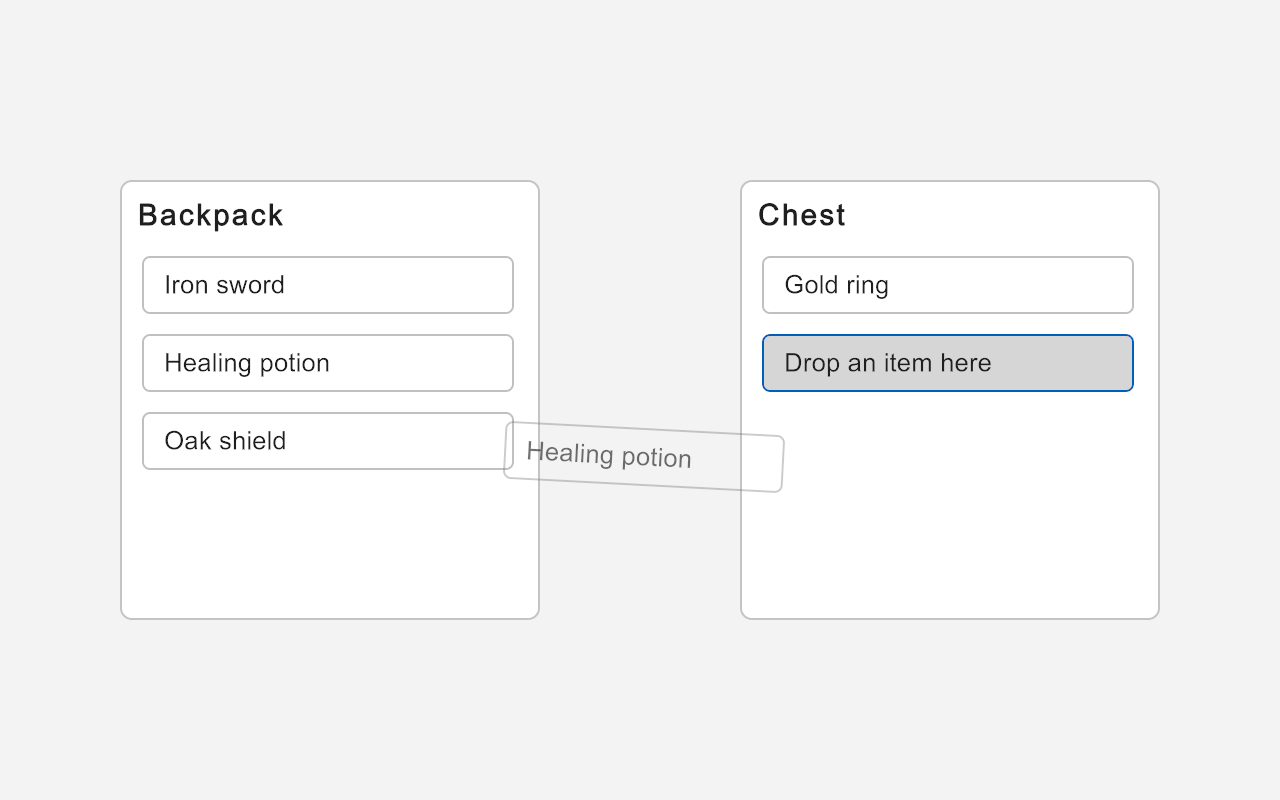
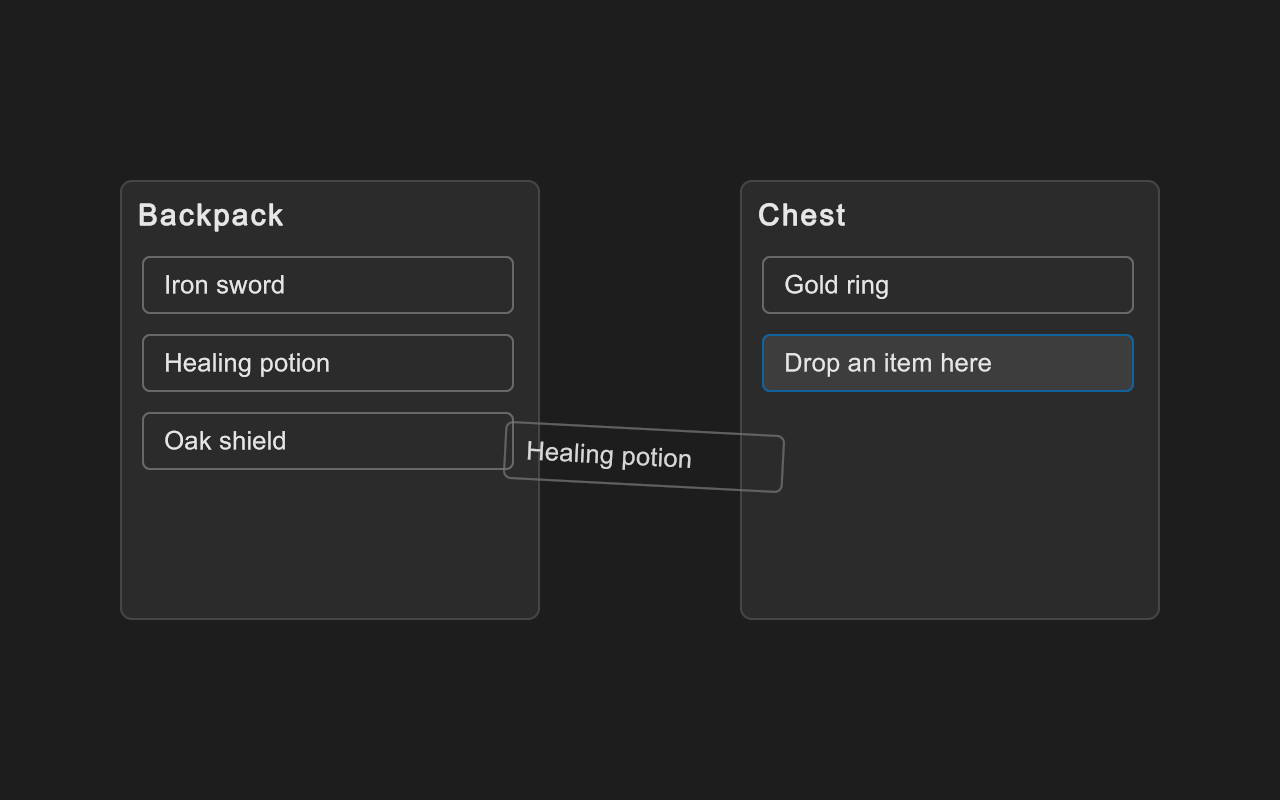
UIToolbox 中的 DragSource 和 DropTarget 是用于在运行时让元素之间拖放的操纵器(manipulator)。UI Toolkit 的拖动事件(DragEnterEvent 等)只在编辑器中有效。MDI 的放置系统只移动窗口和标签页。Inventory 示例用它们在格子之间拖动物品。
// Drag the item of a slot. Null data starts no drag.
slotElement.AddManipulator(
    new DragSource(() => slot.Item != null ? slot : null, () =>
        MakeTile(slot.Item)));
// Take a slot whose item fits here.
slotElement.AddManipulator(
    new DropTarget(data => Move((Slot)data, slot), data =>
        data is Slot from && CanMove(from, slot)));
| 成员 | 说明 |
|---|---|
new DragSource(data, makeGhost) |
data 在拖动开始时给出被拖动的对象。makeGhost 创建跟随指针的元素。没有它时,幽灵(ghost)是一个空元素,具有源元素的尺寸和类。 |
DragSource.Threshold |
按下后指针移动多少像素才变成拖动。默认 6。更短的移动仍算点击。 |
DragSource.AutoScroll |
在 ScrollView 边缘附近拖动会使其滚动:在 AUTO_SCROLL_EDGE 像素之内(40,视图更小时为视图的四分之一),在边缘处最高达每秒 AUTO_SCROLL_SPEED 像素(800)。默认 true。 |
DragSource.Tilt |
幽灵获得 tb-drag-ghost--tilt,将其旋转 3 度。False 保持幽灵不倾斜。默认 true。 |
DragSource.IsDragging, Ghost |
拖动状态和幽灵元素。 |
DragSource.Ended |
放置或取消之后触发,带有数据和接收它的目标,或 null。 |
DragSource.Denied |
指针在不接受该数据的目标上抬起时,在 Ended 之前触发,带有数据和该目标。 |
new DropTarget(dropped, canDrop) |
dropped 接收放置的数据。canDrop 决定目标接受哪些数据;null 表示接受所有数据。 |
new DropTarget((data, index) => ..., canDrop) |
列表目标。参见列表目标。 |
DropTarget.CanDrop(data), Drop(data) |
过滤器,以及来自代码的放置。键盘或手柄的移动操作可以调用 Drop。列表目标会把数据放在末尾。目标不接受该数据时返回 false。 |
DropTarget.Drop(data, index) |
来自代码、放在列表目标某个位置的放置。索引会被限制在条目范围内。不是列表的目标会忽略它。 |
DropTarget.At(element) |
该元素或其最近祖先上的目标。 |
- 幽灵绘制在源元素所在文档的每个元素之上,例如工作区旁边的 HUD。它放在文档的顶层元素中,位于空的图层里,这些图层带有直到最近的
Workspace的各元素的类和样式表,所以它保持工作区主题和祖先的 USS 规则。图层在拖动结束时移除。幽灵忽略指针,并以指针为中心。它的外边距被设为 0。 - 放在目标子元素上的放置会交给目标。
- 拖动会持有指针捕获。捕获丢失会取消拖动。
列表目标
列表目标除数据外还给出放置的位置。创建它时,传入一个接受数据和索引的 dropped 回调。在目标上方拖动期间,一条线显示数据将插入两个条目之间的位置。KanbanDemo 示例把 ScrollView 中的一列任务作为列表目标。
var list = new ScrollView(ScrollViewMode.Vertical);
list.AddManipulator(new DropTarget((data, index) =>
{
    var task = (Task)data;
    // Insert takes the task out first, so a task that moves down in this
    // list goes one place less
    if (task.Element.parent == list
        && list.IndexOf(task.Element) < index) index--;
    list.Insert(index, task.Element);
}, data => data is Task));

// Move the selected task one place up without a drag
DropTarget.At(list).Drop(task, list.IndexOf(task.Element) - 1);
| 成员 | 说明 |
|---|---|
index |
目标 contentContainer 的子元素中的索引:位于其中点已过指针的第一个可见条目之前。条目可以是一列或一行,由 contentContainer 的 flex 方向决定。当被拖动的条目在同一列表中时,索引包含它自己。 |
DropTarget.IsList |
列表目标时为 true。 |
DropTarget.IndexAt(position) |
在面板坐标的某个位置放置时的索引。 |
DropTarget.InsertLine |
数据位于目标上方时的那条线,否则为 null。 |
- 只有目标接受数据时才显示这条线。
- 这条线粗 2 像素,横穿列表。它放在目标上方最近的覆盖层宿主中,所以
ScrollView不会裁剪它。
样式
| 类 | 元素 |
|---|---|
tb-drag-source--dragging |
拖动期间的源元素:不透明度 0.4。 |
tb-drag-ghost |
跟随指针的元素:不透明度 0.85。 |
tb-drag-ghost--tilt |
带有 Tilt 的源元素的幽灵:旋转 3 度。 |
tb-drop-target--hover |
指针下方接受该数据的目标:--tb-color-accent 边框和 --tb-color-surface-hover 背景。只有目标设置了边框宽度时才显示边框。 |
tb-drop-target--denied |
指针下方不接受该数据的目标:--tb-color-danger 边框。 |
tb-drop-insert |
列表目标中放置位置处的线:--tb-color-accent 背景。 |
它们是辅助工具,不是控件。它们为你已有的元素添加拖放功能。