
このページは翻訳です。サポートと動画チュートリアルは主に英語で提供しており、英語版のページが正式な内容です。 英語版

 UnitFrame
 は、ゲーム HUD のユニットのフレームです。プレイヤー、ターゲット、パーティメンバー、敵のネームプレートに使います。設定なしでは、ポートレート、名前、レベル、体力バー、リソースバー、ステータス効果の行を表示します。名前、体力、効果はコードから設定します。ユニットが死ぬとフレームはフェードし、選択中のユニット用の枠線とターゲット用の枠線があります。
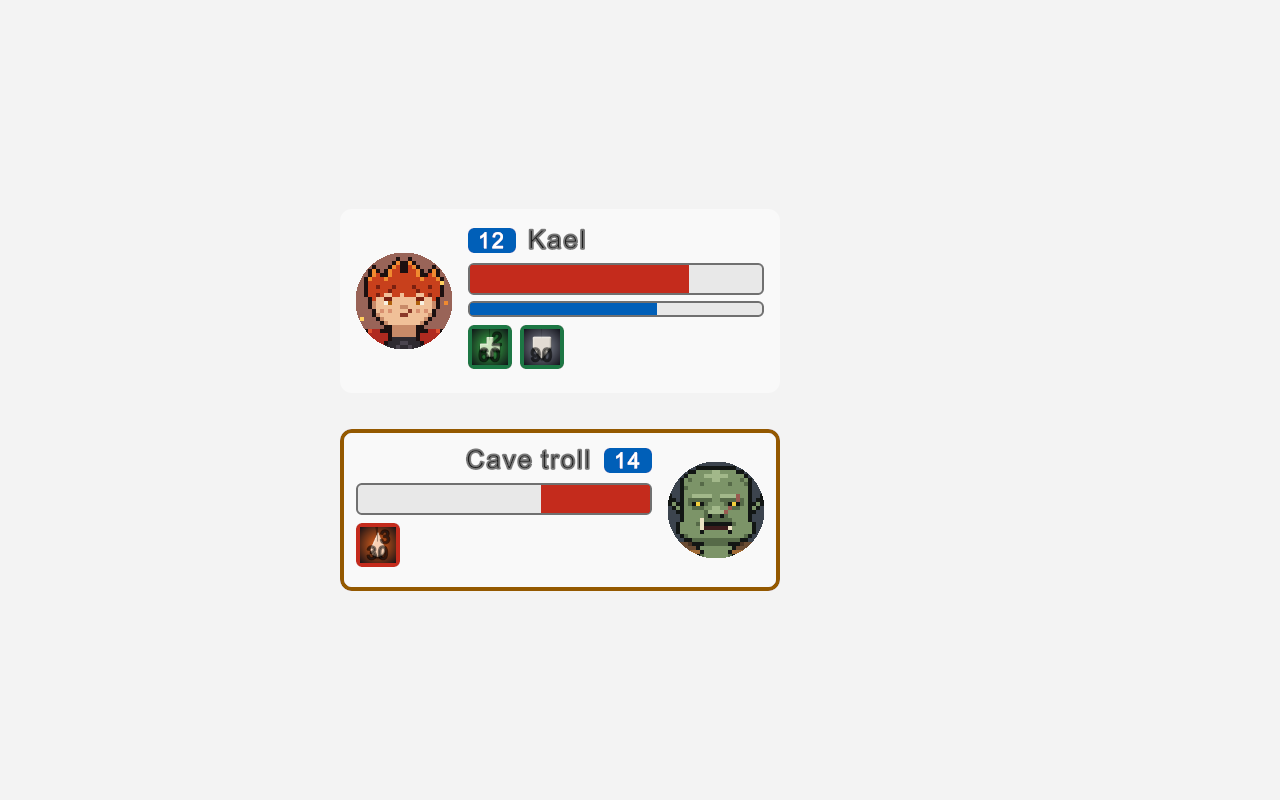
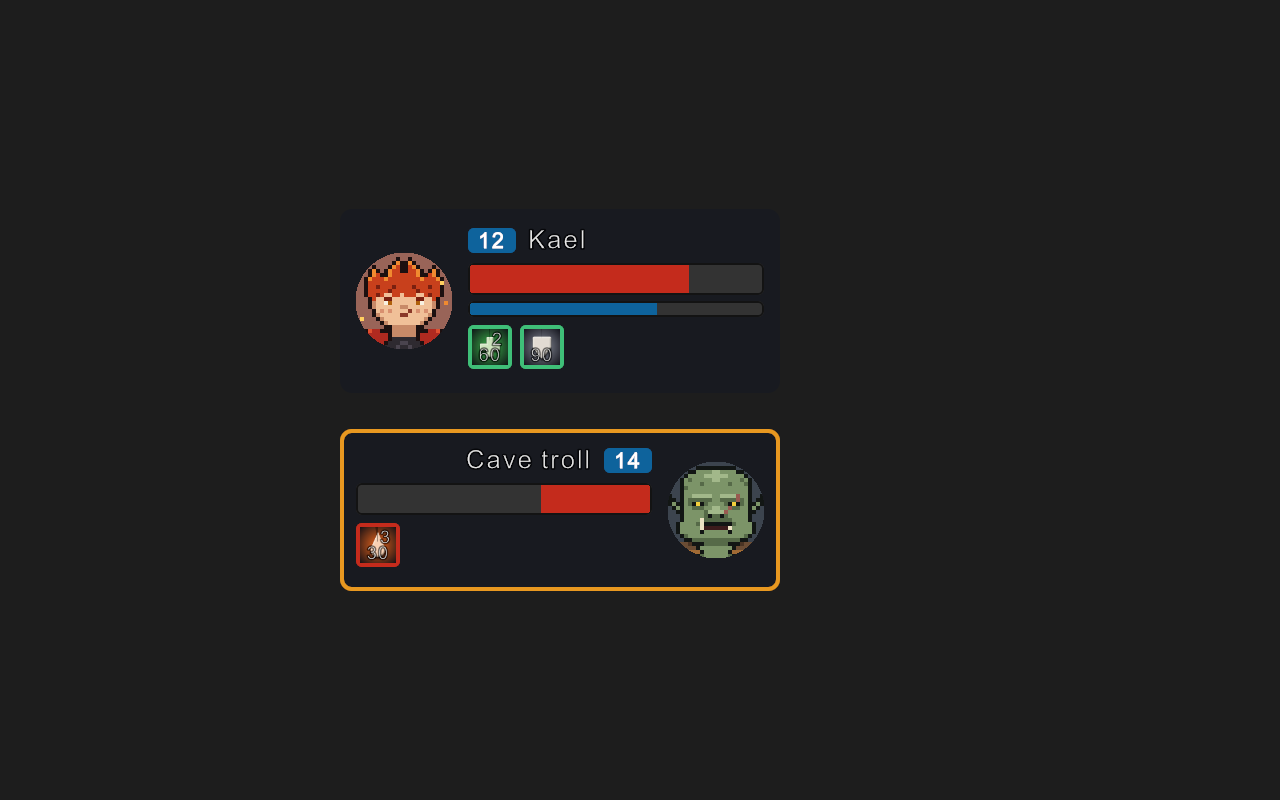
ビデオチュートリアル: UnitFrame。すべてのビデオ: Video tutorials。デモシーン: UnitFrameDemo.unity。サンプル: Outpost。
フレームを加えるには:
<tb:UnitFrame
    name="player"
    display-name="Mira Voss"
    level="12"
    max-health="240"
    health="240"
    max-resource="120"
    resource="120" />
コードから操作するには:
var player = root.Q<UnitFrame>("player");

// a drop leaves a trail on the health bar
player.Health = 150;
// a respawn or a load: no trail
player.SetHealth(240, trail: false);
// the value and the maximum together
player.SetResource(60, 120);

// the row shows while the unit has an effect
player.Effects.Apply("shield", shieldIcon, 12);
// the border of a target
player.Targeted = true;
Effects は StatusEffectBar、HealthBar と ResourceBar は StatBar コントロール、Avatar は UserAvatar なので、それらができることはすべて使えます。HealthBar.PreviewValue を設定すると、回復の予定を表示できます。
死亡状態は体力に従います。体力が 0 になると Dead が自動で設定されてフレームがフェードし、体力が上がると元に戻ります。試合を離れたユニットなど、状態を体力から切り離すには、自分で Dead を設定します。そのあとは、Dead を false にするまで、体力では変わりません。
パーティリストを作るには:
<ui:VisualElement name="party">
    <tb:UnitFrame
        display-name="Kaz"
        level="11"
        compact="true"
        interactive="true" />
    <tb:UnitFrame
        display-name="Lio"
        level="12"
        compact="true"
        interactive="true" />
    <tb:UnitFrame
        display-name="Odd"
        level="10"
        compact="true"
        interactive="true" />
    <tb:UnitFrame
        display-name="Wren"
        level="12"
        compact="true"
        interactive="true" />
</ui:VisualElement>
foreach (
    var frame in root.Query<UnitFrame>(className: "party-member")
        .ToList())
    // Select sets Selected on one frame and clears the others
    frame.Clicked += () => Select(frame);
プレイヤーのフレームに向かい合うターゲットのフレームを作るには:
<tb:UnitFrame
    name="target"
    display-name="Cave Troll"
    level="14"
    mirrored="true"
    show-resource="false" />
Mirrored は、ポートレートを右に置き、バーを右から満たします。
ワールド内のユニットの上にネームプレートを作るには:
ネームプレートは、ポートレートのないコンパクトなフレームです。ユニットの HudTarget に対して WorldMarkerLayer が表示するマーカーに入れます:
var layer = root.Q<WorldMarkerLayer>();
layer.MarkerShown += (target, marker) =>
{
    if (!target.TryGetComponent<Enemy>(out var enemy)) return;
    var plate = new UnitFrame { Compact = true, ShowPortrait = false,
        DisplayName = enemy.Name, Level = enemy.Level,
        MaxHealth = enemy.MaxHealth, Health = enemy.Health };
    plate.style.width = 96;
    marker.Q(className: WorldMarkerLayer.BODY_CLASS).Add(plate);
};
// The layer pools its markers, so the plate leaves with the marker
layer.MarkerHidden += (target, marker) =>
    marker.Q<UnitFrame>()?.RemoveFromHierarchy();
マーカーの表示中に敵の体力が変わるときは、敵の UnitFrame を敵のスクリプトのフィールドに保持し、それに Health を設定します。
| メンバー | 説明 |
|---|---|
DisplayName (display-name) |
名前。画像がない間は、ポートレート上のイニシャルでもあります。空なら名前を隠します。 |
Level (level) |
レベル。名前の前の小さなバッジに表示されます。0 なら隠します。既定は 0。 |
Portrait (portrait) |
画像。なければイニシャルを表示します。 |
PortraitAnimation (portrait-animation)、PortraitAnimationClip (portrait-animation-clip) |
ポートレートの中で再生される SpriteSheet (待機する騎士など) と、ループするクリップ。Portrait とイニシャルを覆い、形で切り取られます。死んだユニットでは一時停止します。なし (既定) なら静止したポートレートのままで、空のクリップはすべてのフレームを再生します。PortraitAnimationElement はその AnimatedImage です。 |
PortraitHurtClip (portrait-hurt-clip) |
体力が減ったときに一度再生される PortraitAnimation のクリップ。そのあとループが続きます。シートにそのクリップがあり、PortraitAnimationClip が設定されているときだけ再生されます。既定は hurt で、空なら何も再生しません。 |
PortraitShape (portrait-shape) |
ポートレートの輪郭: Circle (既定)、RoundedSquare、Hexagon、Texture。 |
MaxHealth (max-health)、Health (health) |
体力の最大値と体力。既定は 100 と 100。最大値を先に設定します。 |
MaxResource (max-resource)、Resource (resource) |
リソース (マナ、エネルギー、怒り) の最大値とリソース。既定は 100 と 100。 |
ShowPortrait (show-portrait) |
ポートレートを表示します。既定はオンです。 |
ShowResource (show-resource) |
リソースバーを表示します。既定はオンです。 |
ShowEffects (show-effects) |
ユニットに効果があるとき、ステータス効果の行を表示します。既定はオンです。 |
ShowHealthText (show-health-text) |
バーの中に体力をテキストで表示します。既定はオフです。 |
Compact (compact) |
パーティリスト用の小さなフレーム: 小さなポートレートと細い体力バー。リソースバー、効果、体力のテキストを隠します。既定はオフです。 |
Mirrored (mirrored) |
ポートレートを右に置き、バーを右から満たします。既定はオフです。 |
Selected (selected) |
選択中のユニットの枠線。アクセントカラーです。 |
Targeted (targeted) |
ターゲットの枠線。警告色です。Selected より優先されます。 |
Dead (dead) |
フレームをフェードします。体力が 0 になると自動で設定されます。 |
Interactive (interactive) |
フレームがポインターとキーボードフォーカスを受け取り、Clicked を発生させます。既定はオフ: ポインターはフレームを通り抜けます。 |
Clicked |
Interactive がオンの間に、プレイヤーがフレームをクリックしたか、フレームで Submit を押しました。 |
SetHealth(value, trail) |
体力を設定します。trail が false なら、減少で軌跡を残しません。 |
SetResource(value, max) |
リソースとその最大値を一緒に設定します。 |
Avatar、HealthBar、ResourceBar、Effects、NameLabel、LevelLabel |
フレームの各部分。 |
Interactive がオンの間のマウスとキーボード:
| 入力 | 結果 |
|---|---|
| クリック | Clicked を発生させます。 |
| ホバー | 背景が明るくなります。 |
| Tab、矢印キー | フォーカスをフレームに移します。アクセントの枠線が付きます。 |
| Submit | Clicked を発生させます。 |
| 効果アイコンの上にポインター | 効果のツールチップが表示されます。Interactive がオフの間も動きます。 |
- インタラクティブでないフレームはポインターを通すので、下にあるゲームへのクリックをブロックしません。
- リソースバーには軌跡がなく、パルスもしません。別の色にするには、
ResourceBarにtb-stat-bar--staminaかtb-stat-bar--xpを加えます。 - ユニットに効果がない間、効果の行は場所を取りません。
ヒント:
- プレイヤーに 1 つ、ターゲットに 1 つ、パーティメンバーごとにコンパクトなものを 1 つ、
UnitFrameを使い、ユニットのスクリプトからデータをそれらに移します。 - ターゲットのフレームは、プレイヤーにターゲットがある間だけ表示します: その
style.displayを設定します。 - プレイヤーがターゲットしているユニットのパーティフレームには
Targetedを、プレイヤーが操作しているユニットのフレームにはSelectedを設定します。
スタイル
| クラス | 要素 |
|---|---|
tb-unit-frame |
フレーム。 |
tb-unit-frame--compact |
コンパクトなフレーム。 |
tb-unit-frame--mirrored |
反転したフレーム。 |
tb-unit-frame--selected |
選択されたフレーム。 |
tb-unit-frame--targeted |
ターゲットされたフレーム。 |
tb-unit-frame--dead |
死んだフレーム。 |
tb-unit-frame--interactive |
Interactive がオンのフレーム。 |
tb-unit-frame__portrait |
ポートレート。tb-avatar です。 |
tb-unit-frame__body |
ポートレートの横の列。 |
tb-unit-frame__title |
レベルと名前の行。 |
tb-unit-frame__level |
レベルのバッジ。 |
tb-unit-frame__name |
名前。 |
tb-unit-frame__health |
体力バー。tb-stat-bar--health です。 |
tb-unit-frame__resource |
リソースバー。tb-stat-bar--mana です。 |
tb-unit-frame__effects |
ステータス効果の行。 |
| 変数 | 説明 |
|---|---|
--tb-unit-frame-selected-color |
選択されたフレームの枠線。既定は --tb-color-accent。 |
--tb-unit-frame-target-color |
ターゲットされたフレームの枠線。既定は --tb-color-warning。 |
/* A flat frame with a red target border and a larger portrait */
.my-hud .tb-unit-frame {
    --tb-unit-frame-target-color: rgb(220, 60, 60);
    background-color: rgba(10, 12, 18, 0.85);
}

.my-hud .tb-unit-frame__portrait {
    width: 64px;
    height: 64px;
}
パフォーマンス
- 静止中のフレームは、メモリを確保せず、自分のスケジュール項目も実行しません。バーと効果の行は、軌跡が消えていく間、バーがパルスする間、効果に時間制限がある間だけ項目を実行します。
- どのセッターも、値が変わらないときはすぐに戻るので、スクリプトはフレームごとに体力を設定しても構いません。
- 状態はフレームのクラスで、見た目は短いトランジション付きの USS から来ます。
UnitFrameDemo シーンには、設定なしでダメージを受け、回復し、呪文を唱えるフレーム、中断できるキャストバーで詠唱する反転したターゲット、クリックできる 4 人のパーティ、3 体の敵の上のネームプレート、そして独自の 2 つの見た目があります。