

 AnimatedLabel
An AnimatedLabel is a Label that colors, highlights and moves parts of its text. An effect tag in the text marks a part, as a rich text tag does.
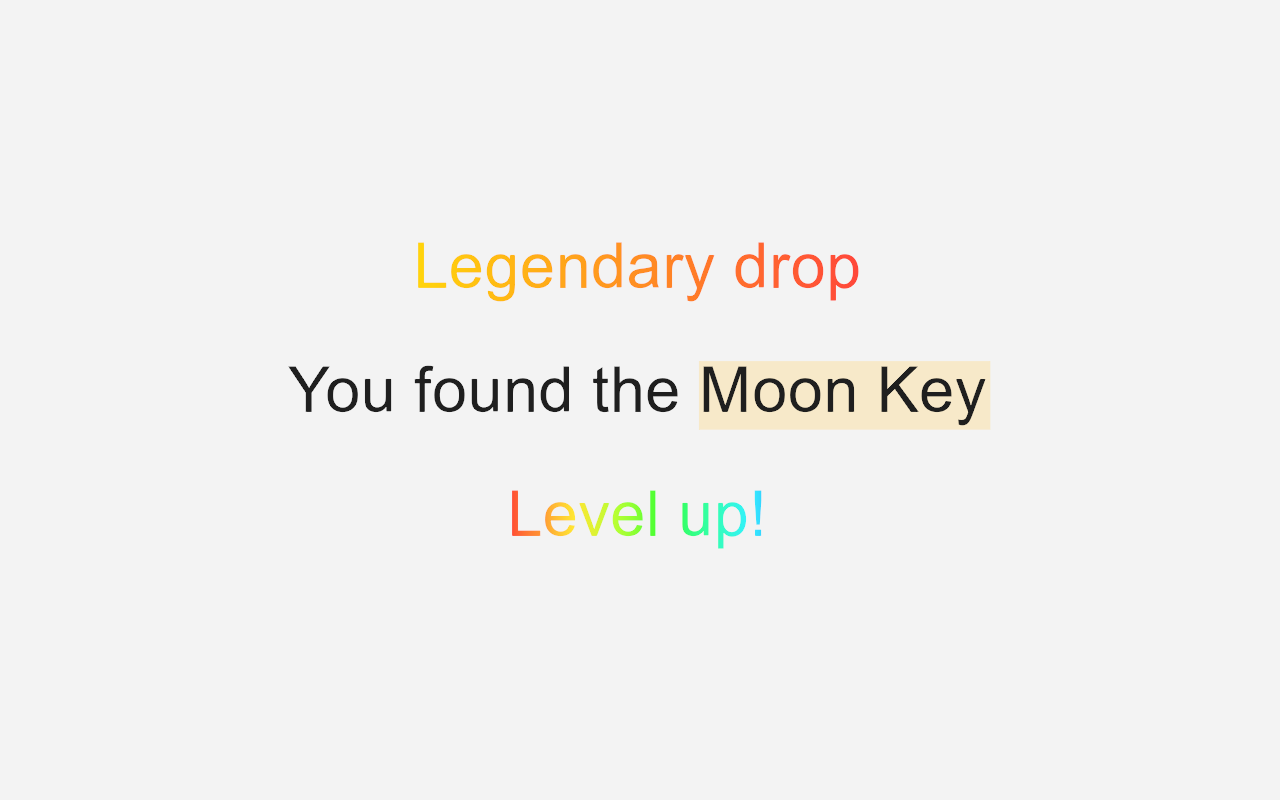
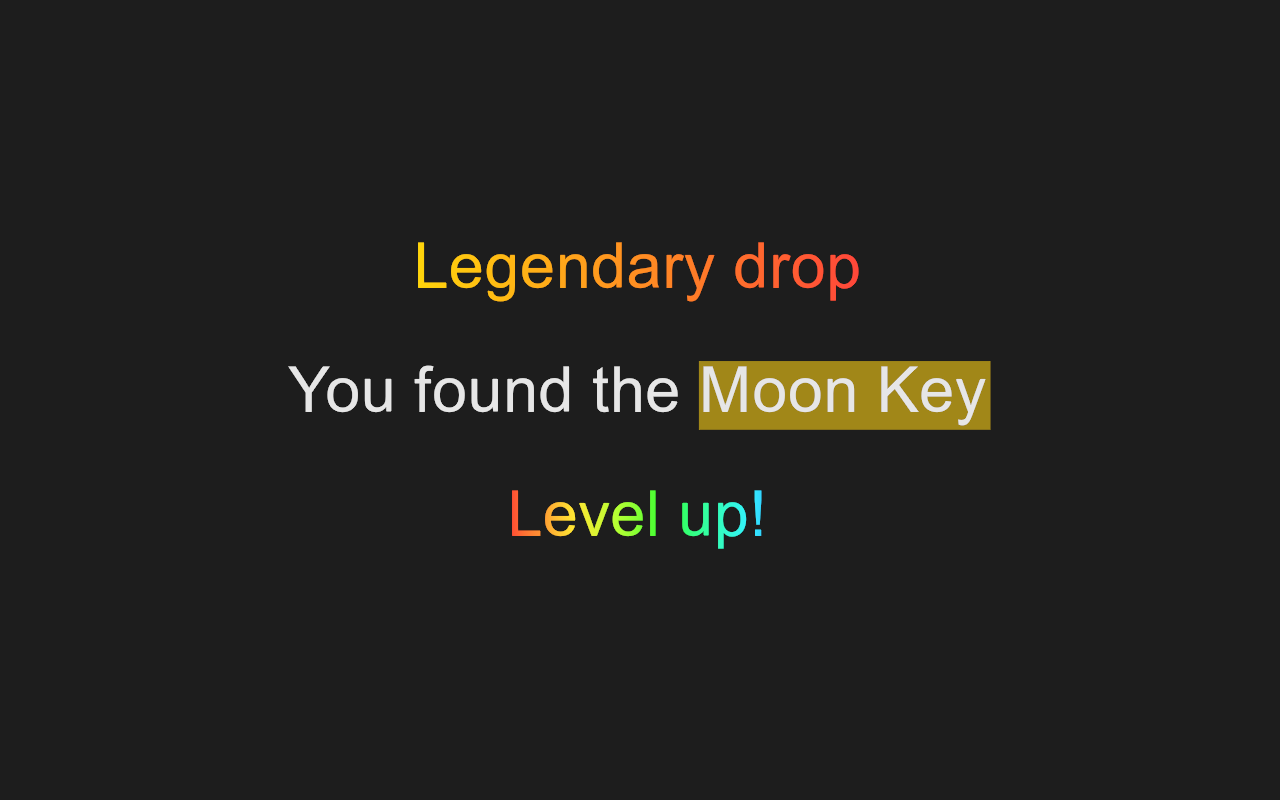
<UIToolbox.AnimatedLabel
text="Text <gradient>Animation</gradient>" />
<UIToolbox.AnimatedLabel text="Level up" effect="Wave, Rainbow" />
title.text = "Text <gradient>Animation</gradient>";
loot.text = "You found a "
    + "<gradient=#ffd60a,#ff9f0a><wave>LEGENDARY</wave></gradient>"
    + " sword";
hint.text = "Press <highlight>Space</highlight> to jump";
health.text = "<pulse>Low health</pulse>";
health.Playing = false; // stops the effects at the current moment
Effect tags
| Tag | Effect |
|---|---|
<gradient> |
A color blend from the start of the part to its end. The blend moves along the text. <gradient=#from,#to> gives the two colors. |
<rainbow> |
All hues along the text. The hues move. |
<wave> |
The glyphs move up and down, one after the other. |
<shake> |
Each glyph shakes on its own. |
<pulse> |
The text fades out and in. |
<shimmer> or <shine> |
A light band moves across the label. |
<highlight> |
A colored rectangle behind the text, as from a marker pen. <highlight=#color> gives the color. It does not move. |
<pop> |
Each glyph grows and shrinks back around its center, one glyph after the other, as a wave moves them. |
<grow> |
The whole part grows and shrinks back as one block around its center, as on a beat. |
<jitter> |
Each glyph takes a small offset and turn that change about 8 times a second: a hand-drawn, stop-motion look. |
- The tags can be one in the other:
<gradient><wave>text</wave></gradient>. - Pop, grow and jitter are for the kinetic text of lyric videos and titles. They mix with the other effects:
<grow><rainbow>LOUD</rainbow></grow>. Amplitudesets how far they go: a pop or a grow moves the top and the bottom of a glyph out by up toAmplitudepixels, and a jitter moves a glyph by up to half of it.- The tag names are the names of
TextEffects, in any case. - Rich text tags (
<b>,<color>,<size>) stay in the text and work as in aLabel. - A
<that does not start a tag is a plain character:1 < 2.
Members
| Member | Description |
|---|---|
text |
The text with the effect tags. |
DisplayText |
The text that the label draws: text without the effect tags. |
Effect (effect) |
The effects of the whole text, a set of TextEffects values: Gradient, Rainbow, Wave, Shake, Pulse, Shimmer, Highlight, Pop, Grow, Jitter. The effect tags add to them. |
Speed (speed) |
The speed of all effects (1). Zero stops the movement and keeps the colors. |
Playing (playing) |
False stops the effects at the current moment (true). |
Amplitude (amplitude) |
The distance in pixels that a glyph moves in a wave, a shake, a pop, a grow or a jitter (4). |
GradientFrom, GradientTo |
The colors of a gradient that has no colors in its tag. A value set in code replaces the USS variable. |
HighlightColor |
The color of a highlight that has no color in its tag. A value set in code replaces the USS variable. |
IsAnimating |
True while the label changes its glyphs each frame: it shows, it has an effect that moves, Playing is true and Speed is not zero. |
WithoutEffectTags(text) |
Static. Returns the text without its effect tags, as the label draws it. Rich text tags stay. Use it for a plain label, or for a name that a player types. Call it on the main thread. |
- The label lays out the text once and changes the vertices of the drawn glyphs through
PostProcessTextVertices. The effects do not change the size of the label, and the words do not move to another line. - A gradient goes from the left edge of its part to the right edge. On a part that wraps, each line shows the colors of its place.
- A highlight has one rectangle for each line of its part. The rectangles are behind the text.
- The effects run on the element scheduler, so they stop when the label leaves the panel.
- The effects pause while the label does not show: in a hidden tab, in a minimized or closed window, under an element with
display: none, withvisibility: hidden, or with no size. They go on from the same moment when it shows again, andPlayingstays true. - With
opacity: 0on the label, the effect time goes on and the label does not draw. - A label that a parent clips, or that a
ScrollViewscrolls out of view, still animates. SetPlaying = falseon the rows that do not show. - A label with no effect that moves does no work each frame and has no scheduled item, so a plain text costs the same as in a
Label. - Do not use the
<mark>,<sprite>and<noparse>rich text tags in anAnimatedLabel: they move the effects to the wrong glyphs. Use<highlight>in place of<mark>. - The
<gradient="preset name">tag of the text engine stays as it is. A gradient tag with no value, or with a value that starts with#, is the effect. - The label is one text element, so it cannot hold an icon or an input glyph. For a text with
{south}or{gold}in it, use an InlineIconLabel. It has no effect tags. - A TypewriterLabel is an
AnimatedLabelthat also reveals its text, so it has the same tags and members.
In the examples
Styling
| Class or variable | Element |
|---|---|
tb-animated-label |
The label: --tb-color-text, and the text wraps. |
--tb-animated-label-gradient-from |
The first color of a gradient (#FF2D55). |
--tb-animated-label-gradient-to |
The last color of a gradient (#7B2FF7). |
--tb-animated-label-highlight |
The color of a highlight (rgba(255, 214, 10, 0.35)). |
.quest-title {
    --tb-animated-label-gradient-from: #ffd60a;
    --tb-animated-label-gradient-to: #ff9f0a;
}
A theme sets the variables on :root or on the root of the panel. The variables inherit, so they reach every label. A rule on .tb-animated-label does not reach a Badge or the title of a Card, because they do not have that class.
The DirectorDemo scene shows the titles of a video in an AnimatedLabel. Each title item on a Timeline sets the text and the effects. See Video director.