

 AudioVisualizer
An AudioVisualizer shows the sound that plays, live: bars for the bands of frequencies, the wave as a line, bars around a circle that spins, or rings that pulse with the beat. Set Source to an AudioSource to show its sound, or leave it null to show all the sound that the AudioListener hears. The bars rise at once and fall with Smoothing, a cap holds the peak of each bar, and the Beat event fires when the bass stands out. Use it for a music player, a sound test menu, a rhythm game, a radio in a car, the voice of a speaker or a loading screen that moves with its music.
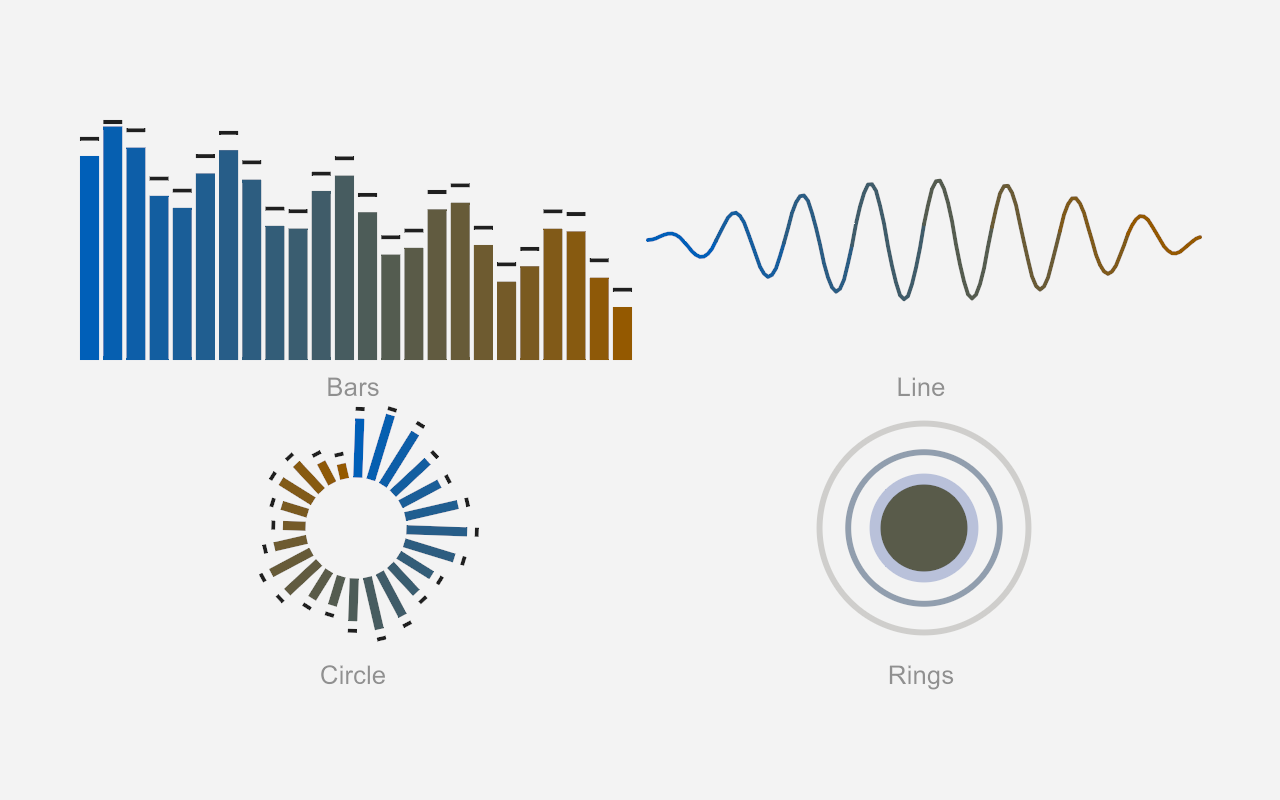
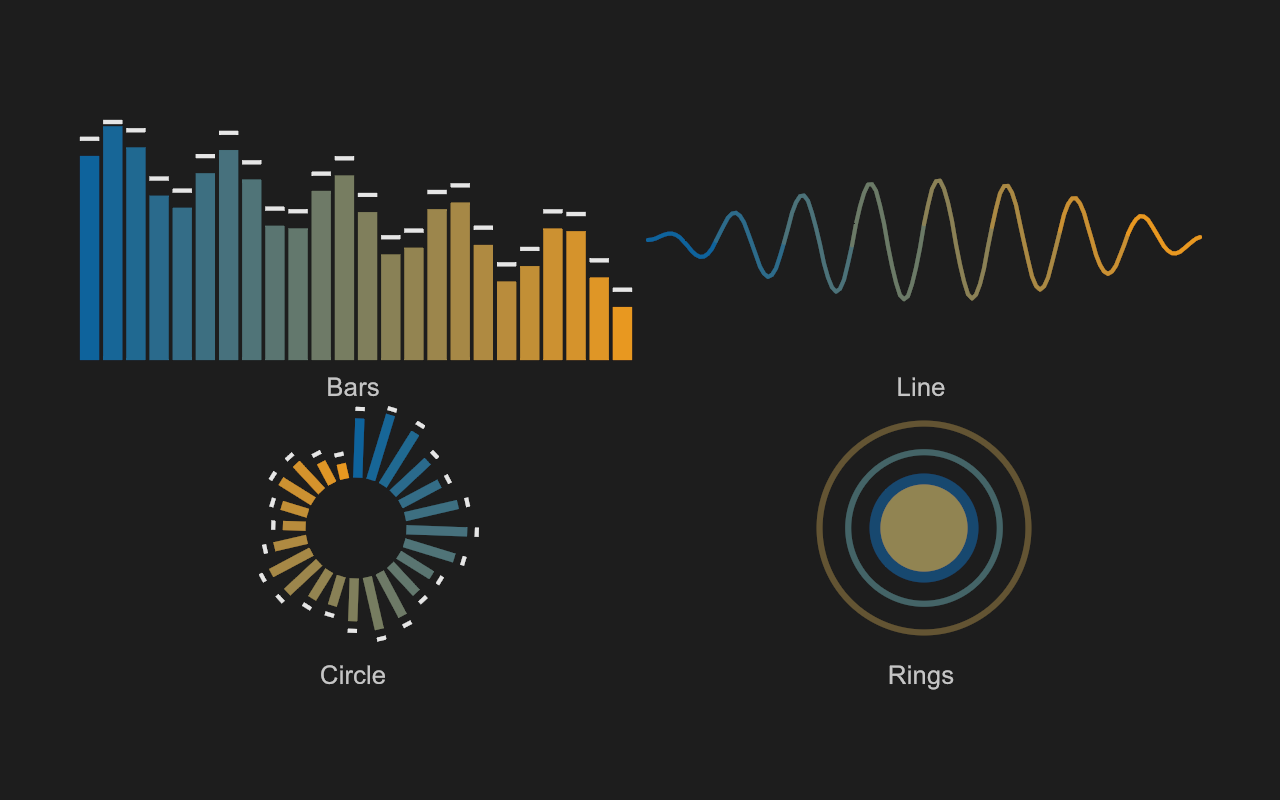
<tb:AudioVisualizer effect="Bars" bar-count="32" />
<tb:AudioVisualizer
    effect="Circle"
    bar-count="64"
    use-gradient="true"
    style="width: 240px; height: 240px;" />
<tb:AudioVisualizer effect="Rings" color="#4FC3F7" end-color="#FF8A65" />
In UI Builder the control shows a sample of its effect, since no sound plays while the screen is designed.
var visualizer = new AudioVisualizer
{
    Source = music,
    Effect = AudioVisualizerEffect.Circle
};
visualizer.BarCount = 48;
visualizer.UseGradient = true;
visualizer.Beat += () => ToolboxAnimation.Pop(logo);
panel.Add(visualizer);
| Member | Description |
|---|---|
Source |
The AudioSource that the control shows. Null (the default) shows all the sound that the AudioListener hears. C# only. |
Effect (effect) |
Bars (the default): a bar for each band, the bass on the left, from the bottom edge. Line: the wave of the sound across the middle, like an oscilloscope. Circle: the bars around a circle that spins, pointing out from it. Rings: a disc that swells with the bass and a ring that grows from it on each beat. |
BarCount (bar-count) |
The number of bars, and of bands of frequencies, from 4 to 256. 32 by default. The bands are spread on a log scale from 40 Hz to 16 kHz, as the ear hears. |
BarGap (bar-gap) |
The space between two bars in pixels. 2 by default. |
SampleSize (sample-size) |
The samples read in each frame: a power of two from 64 to 8192. 1024 by default. More samples give finer bass bands and a longer line, and cost more to read. |
Gain (gain) |
Scales the sound before it is drawn. 2 shows a quiet sound twice as loud. 1 by default. |
Smoothing (smoothing) |
How slowly a bar falls, from 0 (it follows the sound at once) to 0.99. 0.5 by default. A bar rises at once. |
PeakHold (peak-hold) |
The milliseconds that the cap of a bar stays at its peak before it falls. 600 by default. 0 shows no caps. |
BeatThreshold (beat-threshold) |
How far the bass must rise over its average of the last second for a beat. 1.5 (the default) is half again as loud. Higher hears fewer beats. |
SpinSpeed (spin-speed) |
The degrees per second that the Circle effect spins. 20 by default. A negative speed spins the other way, and 0 holds it still. |
UseGradient (use-gradient) |
Blends the bars from Color at the bass to EndColor at the highs. The line blends from left to right, and a ring as it grows. Off by default. |
Color (color) |
The color of the bars. Clear (the default) takes --tb-audio-visualizer-color. |
EndColor (end-color) |
The color at the end of the gradient. Clear (the default) takes --tb-audio-visualizer-end-color. |
PeakColor (peak-color) |
The color of the peak caps. Clear (the default) takes --tb-audio-visualizer-peak-color. |
DisplayColor, DisplayEndColor, DisplayPeakColor |
The colors that the control draws in: the color of its own, else the USS color. |
GetLevel(index), GetPeak(index) |
The level of a band and of its cap as the control shows them, from 0 to 1. |
Pulse |
The level of the bass, from 0 to 1, with a kick to 1 on each beat that falls off. Scale a logo or a light with it. |
Angle |
The angle of the Circle effect in degrees. |
RingCount |
The number of rings that grow now in the Rings effect. |
IsRunning |
True while the control reads the sound: it is on a panel and shows. |
Advance(seconds) |
Reads the sound and moves the bars on. The control calls it in each frame while it shows; call it to drive the control from a clock of your own. |
Beat |
Fired on each beat: when the bass rises over its average by BeatThreshold, at most five times a second. |
The sound
In each frame the control reads the spectrum of the sound with GetSpectrumData (and the wave with GetOutputData for the Line effect), from the source or from the AudioListener. The buffers are made when SampleSize or BarCount changes and never in a frame, so a frame makes no garbage. The control reads and draws only while it shows: a control in a hidden tab, or with display: none, costs nothing.
A source that is muted still plays, so its visualizer still moves. A source that is destroyed or turned off shows silence.
The level of a band is the loudest bin of the spectrum in it, on a decibel scale with 60 dB from the bottom to the top. Music has less energy in its highs, so each octave over 1 kHz gains 3 dB and each one under it loses 3 dB: the bars of a song look even.
The beat is found from the bass under 160 Hz: a beat is bass that stands out from its average by BeatThreshold, at least 0.2 s after the last one. It fits music with a clear kick drum. For a rhythm game, judge the taps against the tempo of the song and use Beat for the lights.
Styling
| Class | Element |
|---|---|
tb-audio-visualizer |
The control: 120 px high and at least 60 px wide. |
tb-audio-visualizer--bars, --line, --circle, --rings |
The control with each effect. Circle and Rings draw in the largest square that fits. |
| Variable | Default |
|---|---|
--tb-audio-visualizer-color |
--tb-color-accent |
--tb-audio-visualizer-end-color |
--tb-color-warning |
--tb-audio-visualizer-peak-color |
--tb-color-text |
.my-player .tb-audio-visualizer {
    height: 64px;
    --tb-audio-visualizer-color: #4fc3f7;
}
.my-player .tb-audio-visualizer--circle { width: 240px; height: 240px; }
The AudioVisualizerDemo example scene plays songs made in code: Beat tap, a rhythm game whose circle and lights move with the song; the four effects side by side with fields for each setting; and a mixer with a visualizer for each part of a song and a master with no source.