

 CircleLayout
 in UIToolbox is a layout container that puts its children on a circle or an arc: a radial menu, a ring of ability slots, a clock face of buttons. It lays out in C#, so it works in each Unity 6 version, and it makes no garbage after the first layout.
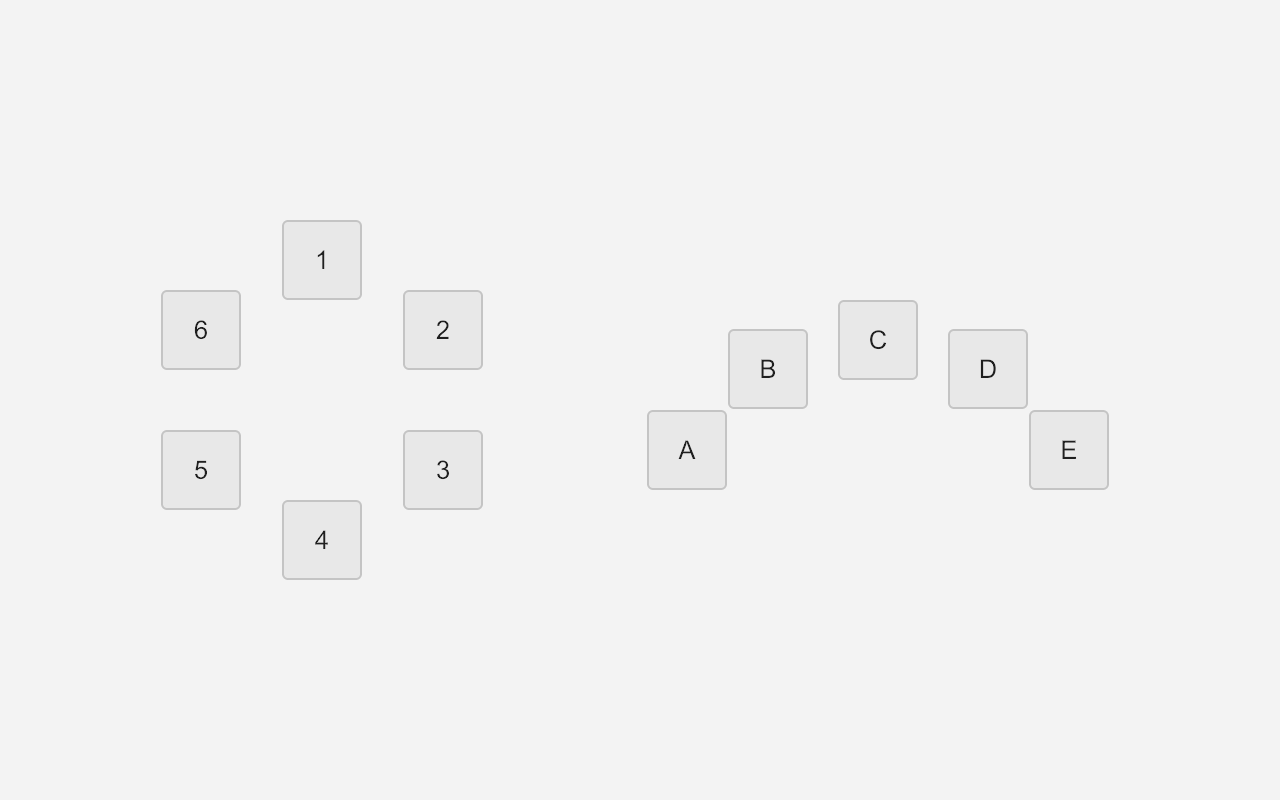
<tb:CircleLayout radius="90" style="width: 260px; height: 260px;">
    <ui:Button text="1" />
    <ui:Button text="2" />
    <ui:Button text="3" />
    <ui:Button text="4" />
</tb:CircleLayout>

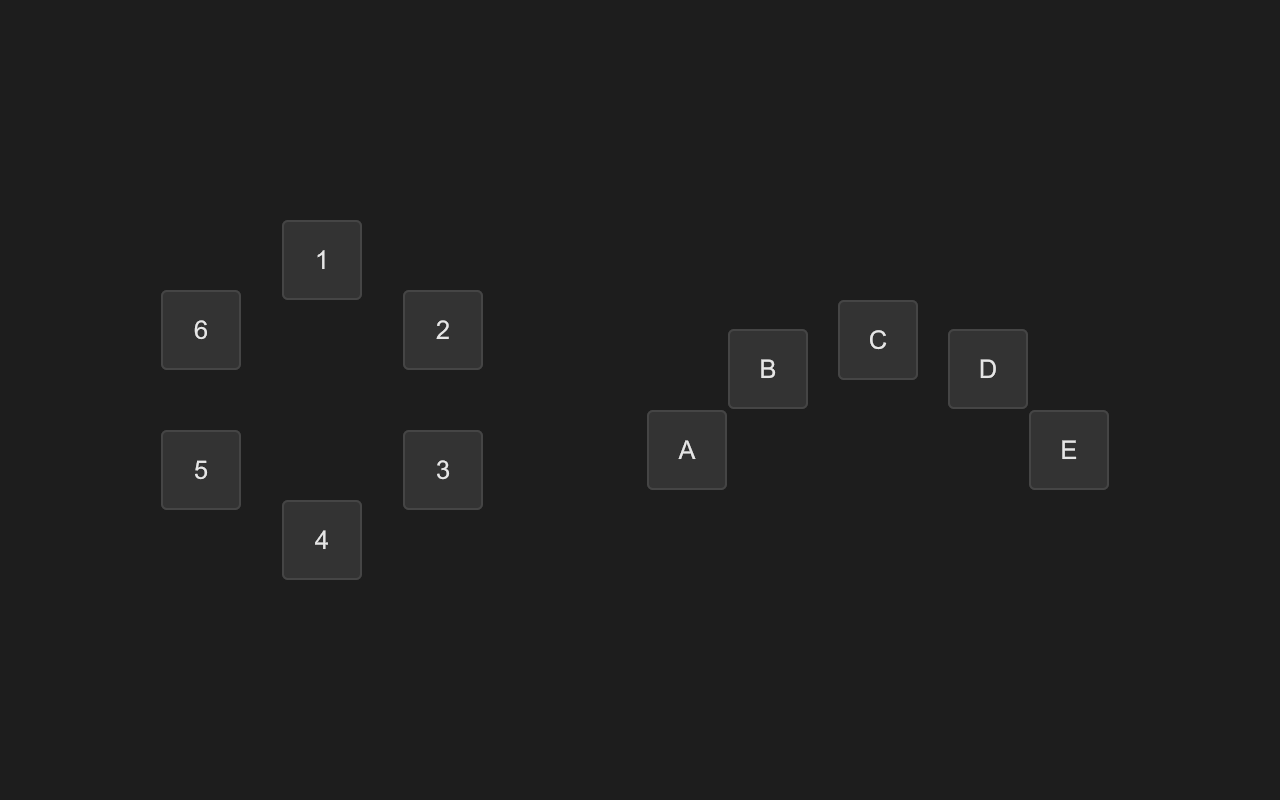
<tb:CircleLayout mode="Sequence" align="Center" spacing="32"
                 start-angle="-90" rotate-items="true" animate="true"
                 style="width: 260px; height: 260px;" />
var ring = new CircleLayout { Radius = 80, StartAngle = -90 };
ring.style.width = ring.style.height = 240;
ring.Add(new Button { text = "Attack" });
ring.Add(new Button { text = "Defend" });

// The spot of a child, in degrees
if (ring.TryGetAngle(button, out var degrees))
    Debug.Log(degrees);
Angles are in degrees. 0 is the top (12 o'clock) and the angle grows clockwise, so 90 is the right.
| Member | Description |
|---|---|
Radius (radius) |
The radius of the circle in pixels. 0 (the default) fits the circle inside the box of the layout, minus half of the largest child. |
StartAngle (start-angle) |
The angle of the first child, in degrees. 0 by default. |
Direction (direction) |
Clockwise (the default) or CounterClockwise. |
Mode (mode) |
Spread (the default) spreads the children evenly over Sweep. Sequence puts them Spacing degrees apart. |
Sweep (sweep) |
The angle that Spread covers, from 0 to 360. At 360 (the default) the children go all the way around and the last one does not land on the first. Below 360 the first child sits on the start angle and the last one on the end of the sweep. |
Spacing (spacing) |
The angle between two children in Sequence mode. 30 by default. |
Align (align) |
Where a Sequence sits relative to the start angle: Start (the first child at the start angle), Center (the middle there) or End (the last child there). |
RotateItems (rotate-items) |
Turns each child by its angle, so its top points away from the center. |
Animate (animate) |
Adds the USS class tb-circle-layout--animate, which makes the children glide to a new spot. The first layout does not animate. |
VisibleCount, EffectiveRadius |
The number of children that have a spot, and the radius in use. |
AngleOfSpot(index, count), TryGetAngle(child, out degrees) |
The angle of a spot, and the angle of a child. TryGetAngle is false for a child that is hidden or is not in the layout. |
PointOnCircle(radius, degrees) |
A static method: the offset from the center for an angle. |
Refresh() |
Lays out at once. The layout runs by itself when its size, its settings or its children change. |
- The children are positioned absolutely, with their centers on the circle. Give the layout a width and a height.
- A child with
display: nonetakes no spot. Show it again and the others make room. - The layout looks for added, removed, hidden and resized children ten times a second. That is a hash of the children and makes no garbage.
- With a gamepad or the arrow keys, the d-pad moves the focus along the circle: a press goes to the next or the previous child when that child lies in the direction of the press. In an arc the first and the last child are the ends. A press with no neighbor in that direction leaves the circle, so the focus never gets stuck in it.
Styling
| Class | Element |
|---|---|
tb-circle-layout |
The layout. It has no look of its own. |
tb-circle-layout--animate |
The layout while Animate is on. It sets a transition on left, top and rotate of the children, with the animation duration and easing tokens of the theme. |