

 DialogueBox
 in UIToolbox is the box where a character talks to the player: a portrait, the name of the speaker, a line that types letter by letter, a prompt glyph when the player can go on, and the choices of the player in a ChoiceMenu. Say one line from code, ask a question with a timer, or play a whole conversation from Ink, Yarn Spinner or your own graph through IDialogueSource. The Bubble look shows the line in a speech bubble that points at the speaker.
Video tutorial: Dialogue box. All videos: Video tutorials.
<tb:DialogueBox
    name="dialogue"
    characters-per-second="40"
    show-history="true" />
var box = root.Q<DialogueBox>("dialogue");
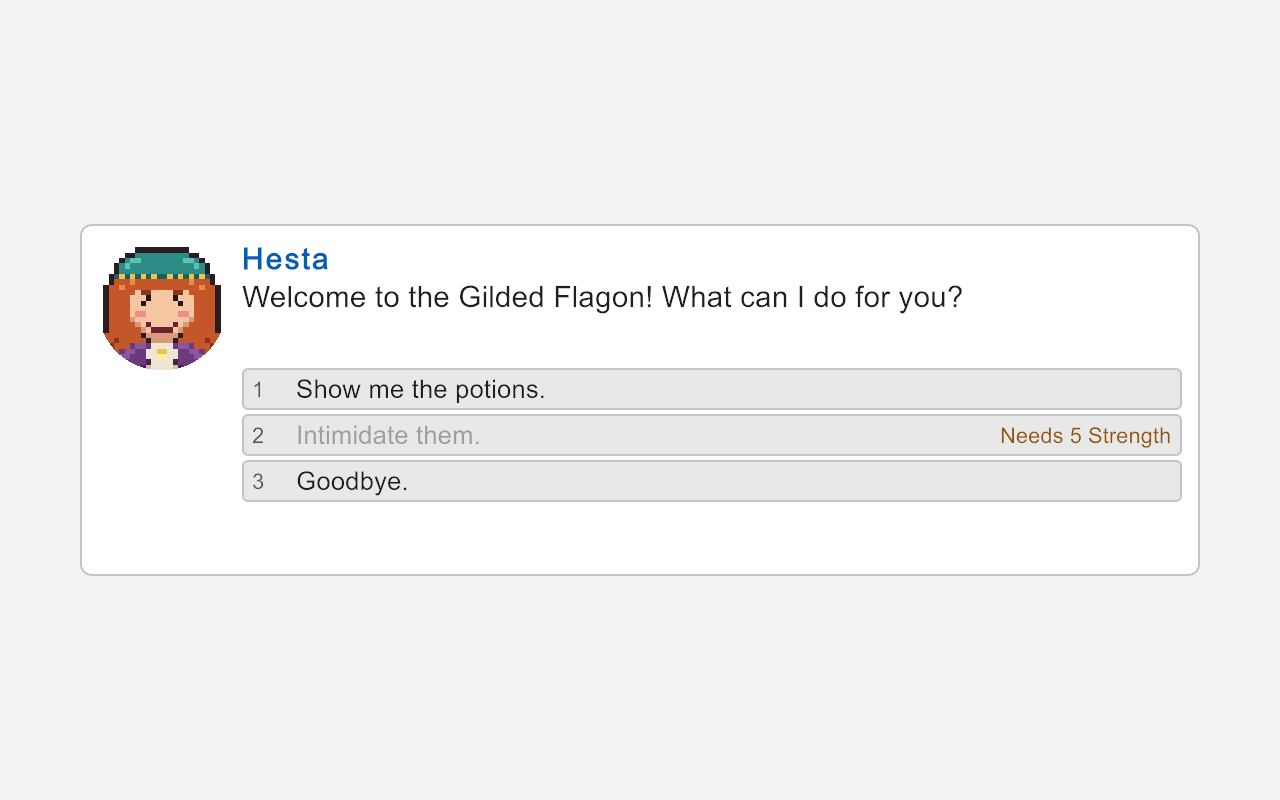
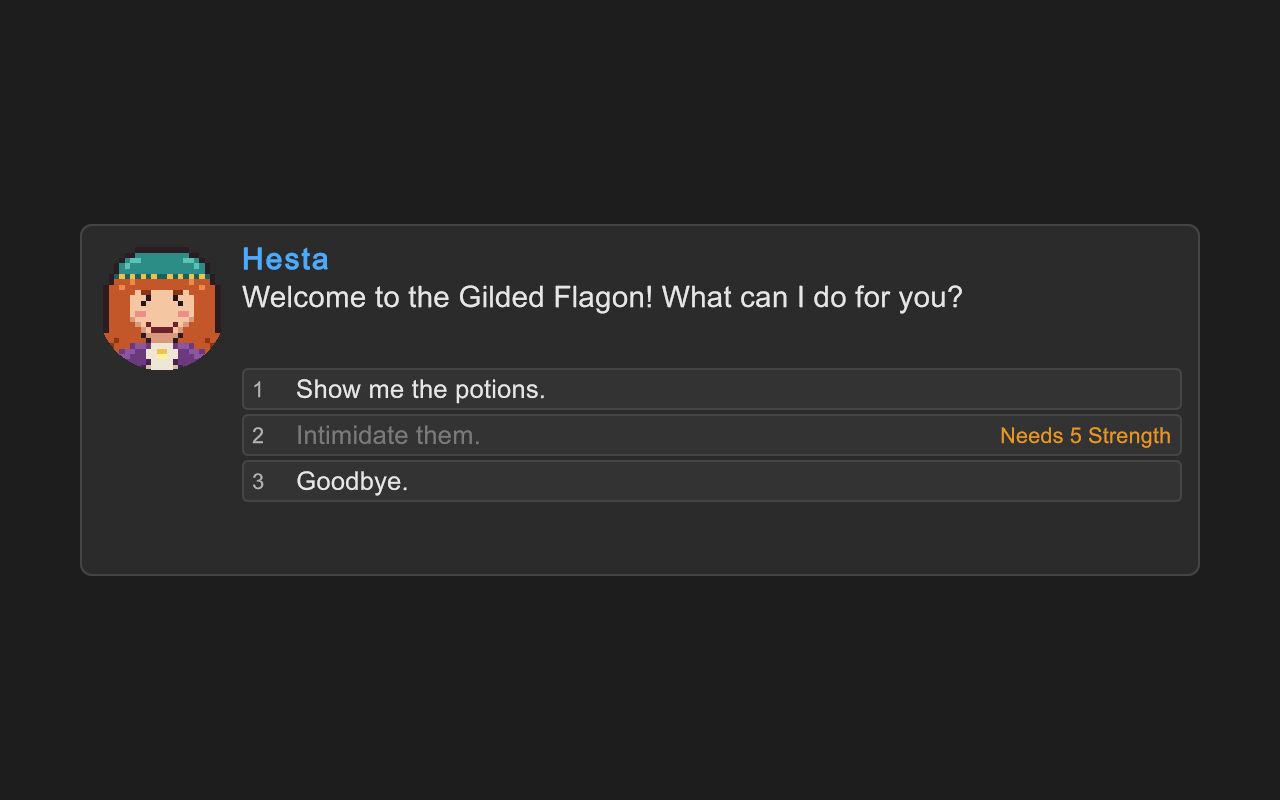
box.Say("Hesta", "What can I do for you?", hestaPortrait);
box.Ask(new List<ChoiceItem>
{
    "Show me the potions.",
    new("Intimidate them.")
    {
        Locked = true,
        Detail = "Needs 5 Strength"
    },
    "Goodbye.",
});
box.Chosen += index => Debug.Log("Picked " + index);
box.Focus();

// A timed choice: after 5 seconds the second choice is picked
box.Say("Guard", "Halt! Who goes there?");
box.Ask(new List<ChoiceItem> { "A friend.", "Run!" }, 5, 1);
The name and the line are AnimatedLabels, so the effect tags work in both. A name in a gradient and a line that shakes:
box.Say("<gradient=#ff9f1c,#ffe066>Hesta</gradient>",
    "<shake>Thief!</shake> Give that back!");
The initials of the portrait and the history get the texts without the effect tags. Speaker gives the name with its tags, as Say got it. AnimatedLabel.WithoutEffectTags(box.Speaker) gives the plain name.
A player name with a <tag> in it turns into an effect. Put a name that the player types through AnimatedLabel.WithoutEffectTags before Say.
Play a conversation
Play(source) plays a conversation from an IDialogueSource. The box asks the source for each line, shows the choices that follow it, and tells the source what the player did. When the source is done, Finished occurs.
Member of IDialogueSource |
Does |
|---|---|
TryGetLine(out DialogueLine line) |
Gives the line of now. False for a step with no line, such as one with only choices: the choices show under the last line. |
Choices |
The choices that follow the line, or null when the player only goes on. |
Continue() |
The player went on from a line with no choices. |
Choose(index) |
The player picked a choice. |
IsDone |
True when the conversation has ended. |
A DialogueLine has Speaker, Text (rich text tags work) and an optional Portrait texture or VectorPortrait SVG (Say has the same two optional arguments). A source over Ink looks like this:
public class InkSource : IDialogueSource
{
    private readonly Story _story;
    private readonly List<ChoiceItem> _choices = new();
    public InkSource(Story story) => _story = story;

    public bool IsDone => !_story.canContinue
        && _story.currentChoices.Count == 0;

    public IReadOnlyList<ChoiceItem>? Choices
    {
        get
        {
            _choices.Clear();
            foreach (var c in _story.currentChoices)
                _choices.Add(c.text);
            return _choices;
        }
    }

    public bool TryGetLine(out DialogueLine line)
    {
        line = default;
        if (!_story.canContinue) return false;
        line = new DialogueLine("Hesta", _story.Continue().Trim());
        return true;
    }

    public void Continue() { }
    public void Choose(int index) => _story.ChooseChoiceIndex(index);
}

box.Play(new InkSource(story));
box.Finished += () => box.Clear();
Settings
| Setting (UXML) | Type | Default | Does |
|---|---|---|---|
characters-per-second |
float | 40 | The speed of the typing. 0 or less shows each line at once. |
show-portrait |
bool | true | Shows the portrait left of the line: the picture of the line, or the initials of the speaker. |
show-history |
bool | false | Shows a History button in the header. It opens a drawer with the lines and the picks so far. |
keyboard-glyph |
string | keyboard-enter |
The InputGlyph of the prompt that shows when the player can go on, such as xbox-a. Empty shows no prompt. |
look |
DialogueLook |
Box |
Box shows the line in the box. Bubble shows it in a speech bubble (a Callout with the Talk look) that points at BubbleTarget, or at a 3D speaker with Bubble.TargetWorld. |
BubbleTarget is the element that the bubble points at; null points at the box. Line (the TypewriterLabel), Portrait (the UserAvatar), Menu (the ChoiceMenu), Wheel (a ChoiceWheel that shows the choices in place of the menu, or null), History (the ChatView), HistoryDrawer (the Drawer) and Bubble give the parts. Speaker is the name that shows, with its effect tags. IsTyping, IsWaiting, IsChoosing and IsPlaying give the state.
Methods
| Method | Does |
|---|---|
Say(speaker, text, portrait) |
Shows a line and types it. A null portrait shows the initials of the speaker. The line goes in the history. Any choices that show go away. |
Ask(choices, timeout, timeoutChoice) |
Shows the choices after the line has typed. With a timeout above 0, a bar runs out in that many seconds, then timeoutChoice is picked, or Chosen occurs with -1 when it is -1. |
Play(source) |
Plays the conversation of an IDialogueSource until it is done. |
Advance() |
Shows the whole line while it types, else goes on. Does nothing while the choices show. Submit and a click call it. |
Clear() |
Stops the conversation and empties the box. The history stays. |
OpenHistory() |
Opens the history drawer at the right edge of the workspace. The rest of the workspace dims. |
Focus() |
Gives the focus to the first choice while the choices show, else to the box. |
Events
| Event | When |
|---|---|
LineFinished |
A line has typed, or the player showed it whole. |
Continued |
The player went on from a line with no choices. |
Chosen(int) |
The player picked a choice, with its index. -1 when the time ran out with no timeout choice: the player said nothing. |
Finished |
The source of Play is done. |
Mouse and keyboard
| Input | Does |
|---|---|
| Enter, Space, gamepad South, or a click on the box | Shows the whole line while it types, else goes on. |
| 1 to 9 | Picks that choice. |
| Up, Down | Move between the choices, and wrap. |
| Enter, Space, gamepad South, or a click on a choice | Picks it. |
The box takes the focus back after a pick, so the next submit goes on. See ChoiceMenu for the choices, or ChoiceWheel for the choices in a wheel.
Performance
- Nothing runs while the box waits for the player. The typing runs on the scheduler of the TypewriterLabel, and the timer of a timed choice on the scheduler of the menu; both stop when they are done.
- A frame of the timer allocates nothing. The choice rows are pooled, so a new question reuses them.
In the examples
Styling
| Class | Element |
|---|---|
tb-dialogue-box |
The box. With --bubble in the Bubble look. |
tb-dialogue-box__frame |
The frame of the box (background, border). The focus colors its border. |
tb-dialogue-box__portrait |
The portrait, a UserAvatar of 64 px. Its initials (tb-avatar__initials) are 26 px. |
tb-dialogue-box__body |
The column with the header, the line, the choices and the prompt. With --waiting while the player can go on. |
tb-dialogue-box__header, __speaker, __history-button |
The row with the name of the speaker and the History button. |
tb-dialogue-box__line |
The line that types. |
tb-dialogue-box__choices |
The ChoiceMenu. |
tb-dialogue-box__prompt |
The prompt glyph. It shows only under __body--waiting. |
tb-dialogue-box__bubble |
The speech bubble of the Bubble look. |
tb-dialogue-box__history |
The panel of the history drawer (tb-drawer__panel). The drawer itself covers the workspace with its dim overlay. |
Make the portrait bigger and give it a frame. A size from USS does not change the font size of the initials, so set it too, at 40% of the size:
.tb-dialogue-box__portrait { width: 96px; height: 96px; }
.tb-dialogue-box__portrait .tb-avatar__initials { font-size: 38px; }
.tb-dialogue-box__portrait > .tb-avatar__image {
    border-width: 2px;
    border-color: var(--tb-color-border);
}
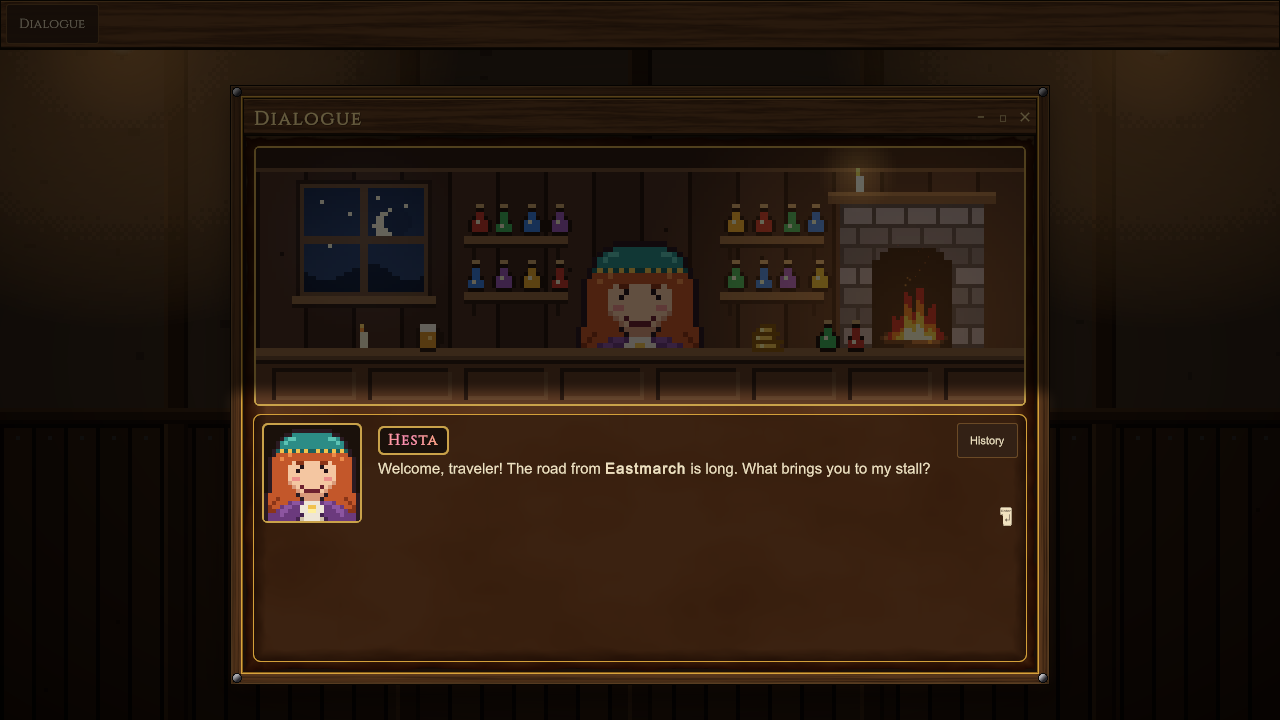
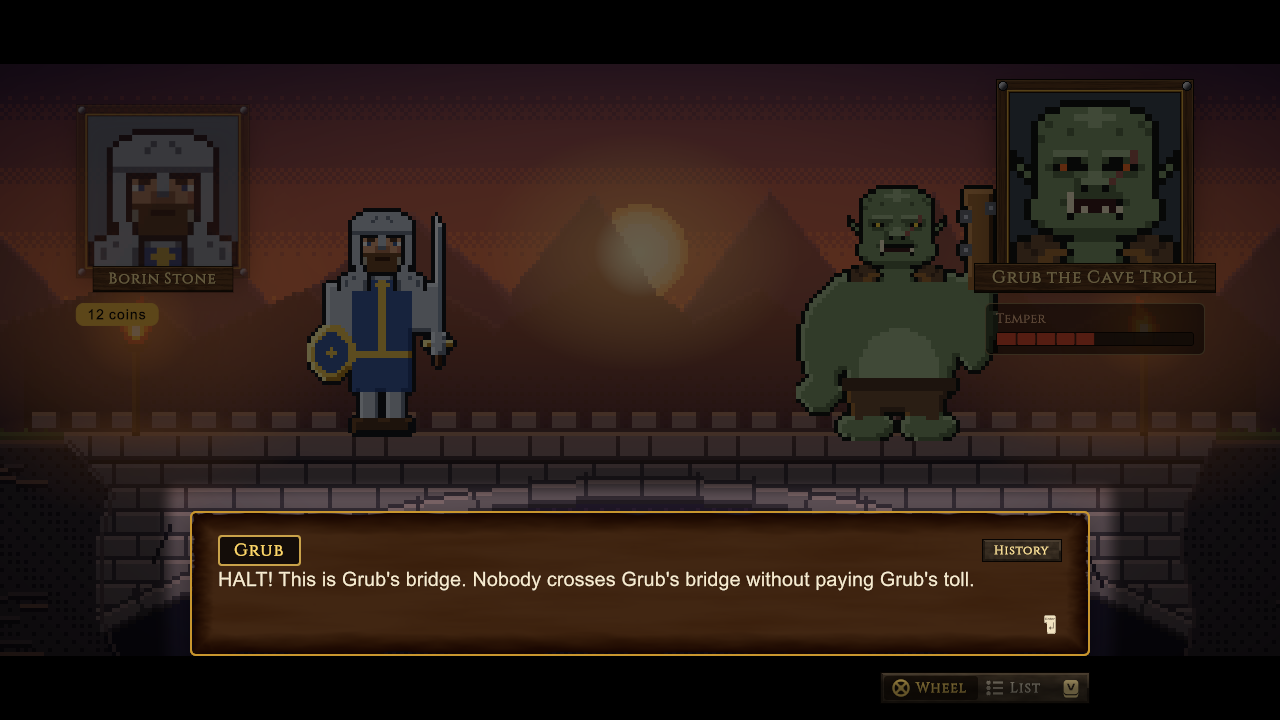
The DialogueDemo scene shows a line, a locked choice, a timed choice, the bubble look, the history and a conversation from a source, at a night camp where Hesta stands behind their stall. Each pick gets its own answer: Hesta names the price of a potion, says goodbye, thanks you for help with the bridge, or is cross when you refuse. The Dialogue example plays a whole conversation in a window under a tavern. In both, each speaker has a pixel-art face for each mood of a line, in a gold frame with the name on a plate, and the face moves its mouth while the box types.