

 InputEcho
An InputEcho shows the input of the player as a stack of small toasts in a corner of its parent: one toast for each key, mouse click or gamepad button, with its glyph and its name. Use it in a tutorial video, a stream, a screen recording or for accessibility. It only shows the input; it never consumes or blocks it.
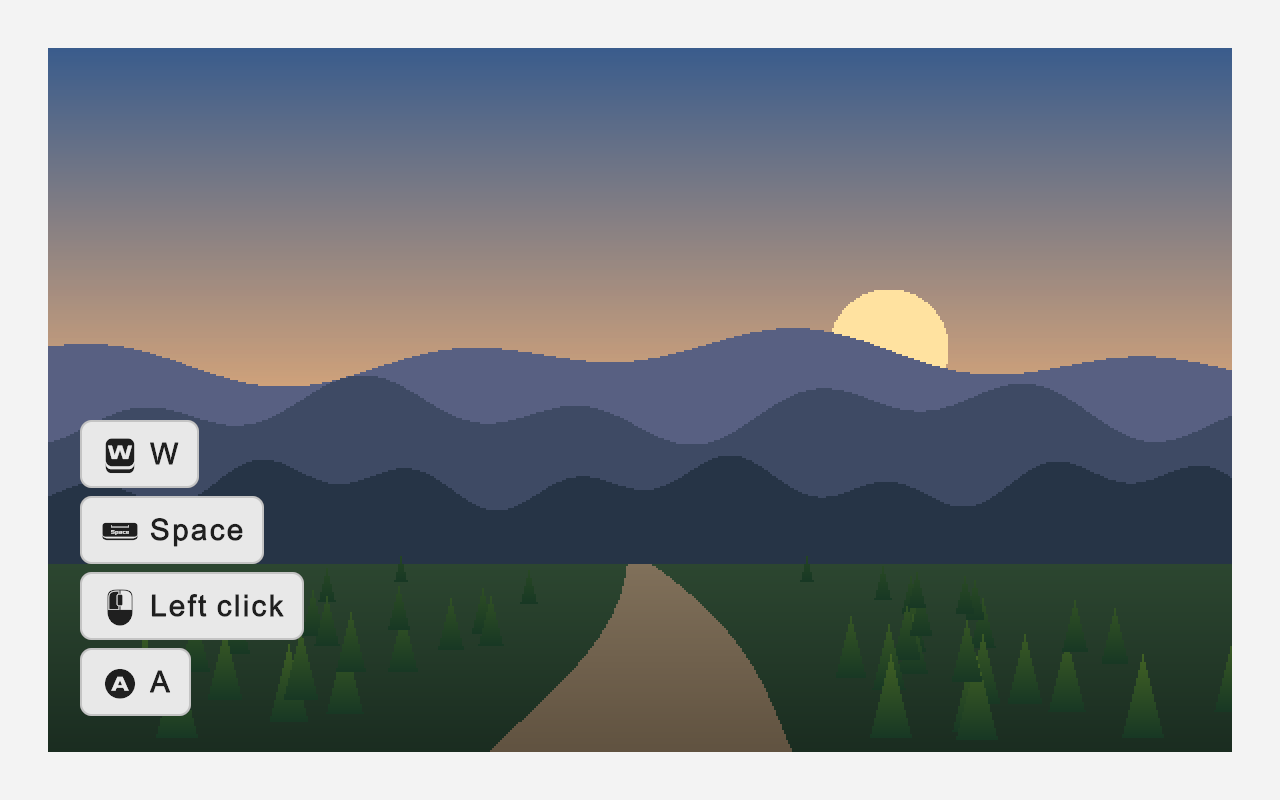
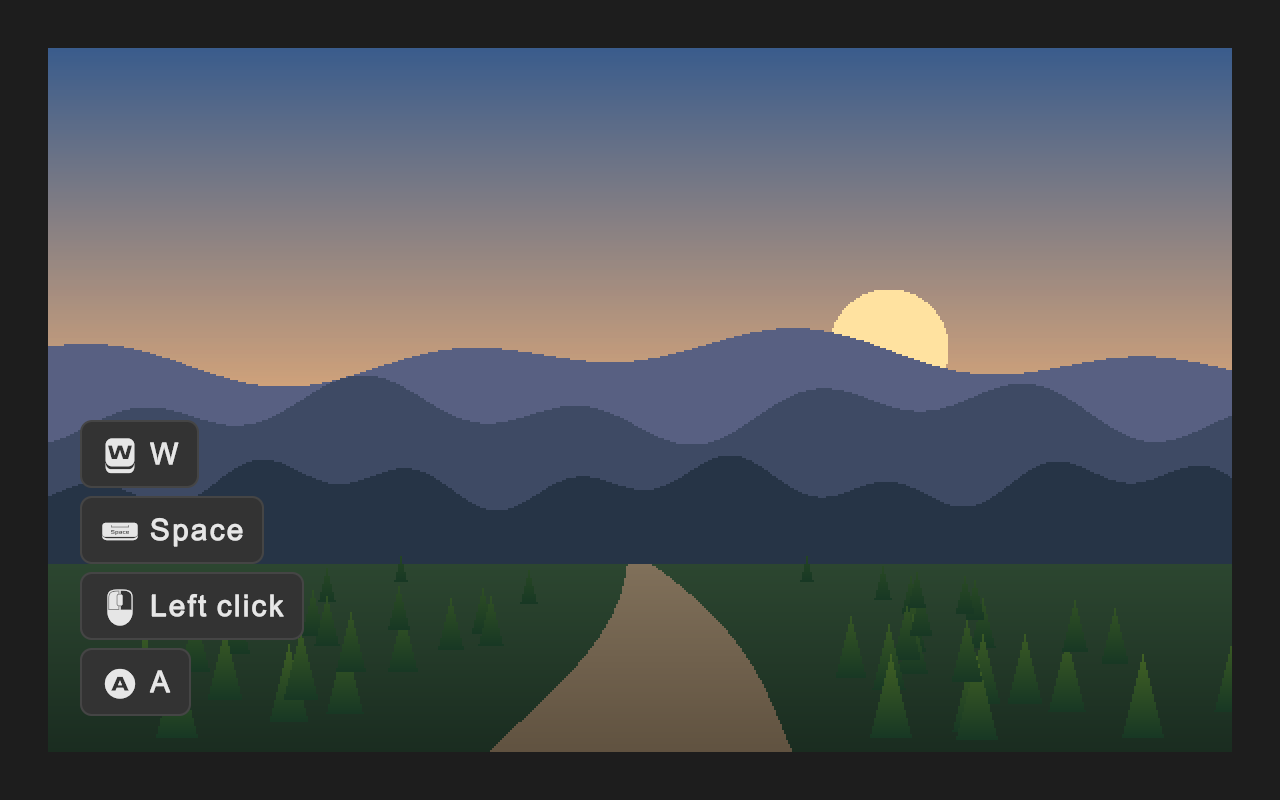
<!-- The echo fills its parent and stacks the toasts in a corner -->
<ui:VisualElement class="game-view">
    <tb:InputEcho corner="BottomLeft" max-visible="4" />
</ui:VisualElement>

<tb:InputEcho lifetime="2000" show-axes="true" />
<tb:InputEcho show-mouse="false" hide-all-text-fields="true" />
var echo = root.Q<InputEcho>();
echo.Corner = NotificationCorner.BottomLeft;
echo.ShowAxes = true;

// A toast of your own, such as an action of the game
echo.Echo("keyboard-f", "Fireball");

// Each toast that shows, for a log or a replay
echo.Echoed += (glyph, label) => log.Add(label);

// No toasts while a menu is open
echo.Paused = menu.IsOpen;
What a toast shows
| Input | Toast |
|---|---|
| A key | Its glyph and its name: "E", "Space", "Enter". Letters and digits print as themselves; the other key names come from ToolboxText, so they follow the language of the game. |
| A combo | A key pressed while Ctrl, Shift, Alt or Super is down makes one toast with both glyphs, such as "Ctrl + S". A modifier alone makes a toast only when it comes up with no other key. |
| A repeat | The same input again within MergeWindow counts up on the newest toast, "E ×2", "E ×3", and starts its time again. It adds no toast. |
| A hold | While the input is down, the toast stays and reads "E held". After HoldThreshold it counts up its time, "E held 1.5 s". On release it shows the final time for Lifetime, then fades. |
| A mouse button | "Left click", "Right click", "Middle click". The motion of the mouse never shows. |
| A gamepad button | The glyph in the look of the gamepad in use, such as A on an Xbox gamepad or a cross on a PlayStation gamepad. |
| A stick or a trigger | Only with ShowAxes: one toast for each push of a stick to a side ("Left stick ↑"), and one for each press of a trigger past half. |
Members
| Member | Description |
|---|---|
Corner (corner) |
The corner of the parent where the toasts stack, a NotificationCorner: TopRight (default), TopLeft, BottomRight, BottomLeft, TopCenter, BottomCenter or Center. The newest toast is nearest to the edge. |
MaxVisible (max-visible) |
The most toasts at once (default 6). A new toast past it sends the oldest away. |
Lifetime (lifetime) |
The time in milliseconds that a toast shows after its input comes up, before it fades (default 1500). |
FadeDuration (fade-duration) |
The time in milliseconds that a toast takes to come in and to fade out (default 250). |
MergeWindow (merge-window) |
The same input again within this time in milliseconds counts up on the newest toast (default 600). |
HoldThreshold (hold-threshold) |
An input down for this time in milliseconds counts up its time (default 400). |
Slide (slide) |
The toasts slide in, and the others slide to their new places (default true). False only fades them. |
ShowKeyboard (show-keyboard) |
Shows the keys (default true). |
ShowMouse (show-mouse) |
Shows the clicks of the mouse buttons (default true). |
ShowGamepad (show-gamepad) |
Shows the buttons of the gamepad (default true). |
ShowAxes (show-axes) |
Shows the sticks and the triggers of the gamepad (default false). |
HideInTextFields (hide-in-text-fields) |
Hides the keys typed into a focused password field (default true). Combos with Ctrl, Alt or Super still show, such as "Ctrl + V". |
HideAllTextFields (hide-all-text-fields) |
With HideInTextFields, hides the keys typed into any focused text field (default false). |
Paused (paused) |
Shows no new input (default false). The toasts that show finish as usual. |
VisibleCount |
The number of toasts that show, the ones that fade out included. |
Echo(glyph, label) |
Shows a toast with any PromptFont glyph name and any name, such as "Dash" for an action of the game. It shows even while Paused is true. |
Clear() |
Removes every toast at once. |
Echoed |
Raised with the glyph and the name of each toast that shows, and of each repeat. |
- The echo reads the input by itself while it is on a panel. With the Input System package it reads the keyboard, the mouse and the gamepads; with the Input Manager only the keyboard and the mouse.
- The echo fills its parent and ignores the pointer, so the parent can be a game view with buttons under the toasts.
- The toasts come from a pool of
MaxVisible+ 2, made when the echo is added to a panel. The echo makes no garbage while it runs. - The time of a toast is the real time, so the toasts also fade while the game is paused.
Tips:
- For a stream, put the echo and a compact InputViewer over the game view: the toasts in one corner and the viewer in another.
- Keep
HideInTextFieldson in a build that the player can stream: the keys of a password never show. - Call
Echowith the name of an action, such as "Fireball", for a tutorial that shows what the player did and not the key. - Use a Kbd for a shortcut in a text and a GamepadGlyph for a prompt.
Styling
| Class or property | Element |
|---|---|
tb-input-echo |
The echo. It fills its parent; its padding is the space to the edge. |
tb-input-echo--top-right, --bottom-left, ... |
The corner: its name in small letters with "-" between the words. |
tb-input-echo__toast |
A toast. |
tb-input-echo__toast--held |
A toast whose input is held. It has the accent border. |
tb-input-echo__glyphs |
The row of glyphs of a toast. |
tb-input-echo__glyph |
A glyph, an InputGlyph. |
tb-input-echo__label |
The name of a toast. |
--tb-input-echo-background |
A custom property on the echo: the background of a toast (--tb-color-surface-alt). |
--tb-input-echo-text |
A custom property on the echo: the color of the glyphs and the names (--tb-color-text). |
.stream .tb-input-echo {
    --tb-input-echo-background: rgba(0, 0, 0, 0.7);
    --tb-input-echo-text: rgb(255, 255, 255);
}
.stream .tb-input-echo__label { font-size: 24px; }
The InputEchoDemo scene shows the echo over a small game with a knight, every member in the Echo tab, a "Type here" field and a password field for the hide rule, and a streamer layout with the echo and a compact InputViewer over the game view. Its picture is fixed to the keyboard, so a gamepad press never swaps the keys away, and the keyboard and the mouse each have a toggle. The streamer tab also picks the key set of the viewer (a preset, your own key text, and the parts of the gamepad).