

 MarkdownView
A MarkdownView shows Markdown text as UI Toolkit elements. Use it for an in-game help screen, patch notes, a codex, a mod description, a README, or the documents of your project. The text can come from a string, or from a text file of the project that your writers edit.
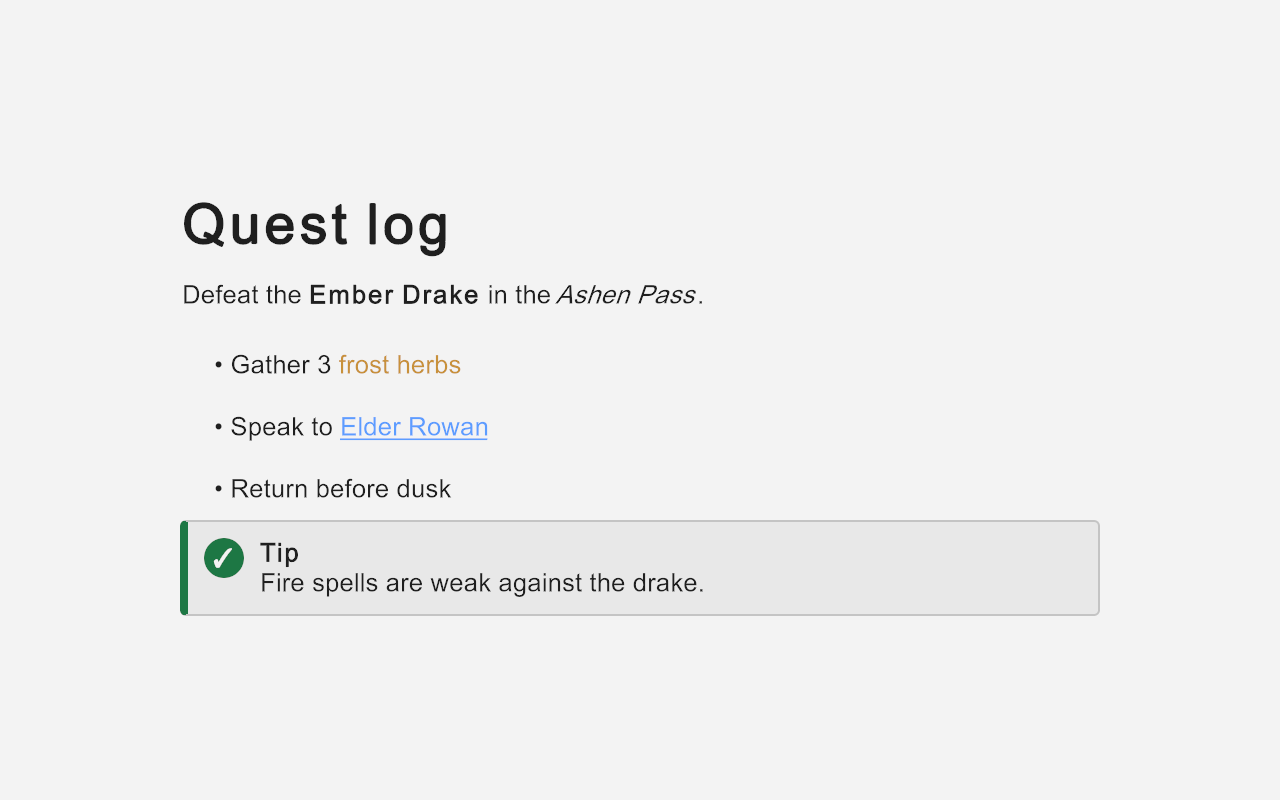
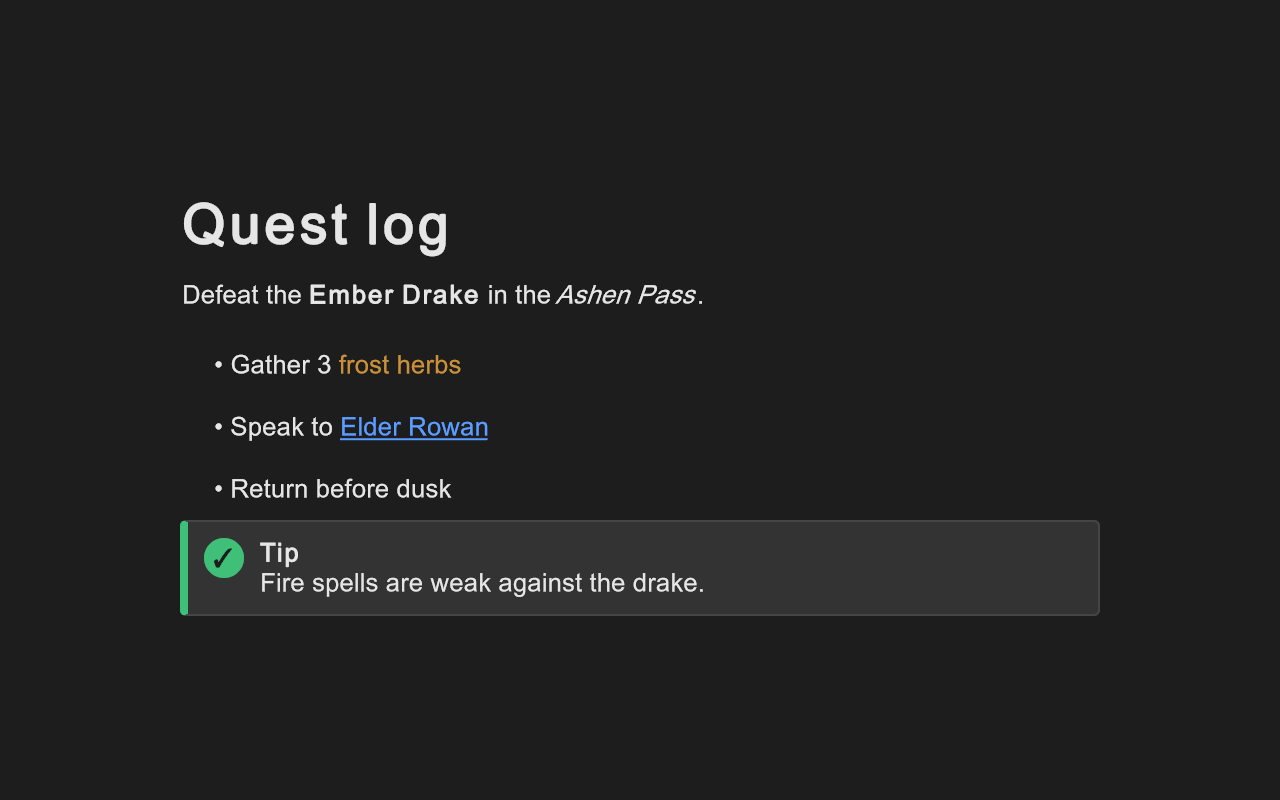
<ui:ScrollView>
<tb:MarkdownView
markdown="# Patch 1.2 - A new **map** - Press `F5`" />
</ui:ScrollView>
var view = new MarkdownView
{
    Markdown =
        "# Patch 1.2\n\n- Faster **loading**\n- A new [map](#maps)"
};
view.LinkClicked += target => Debug.Log(target);
scrollView.Add(view);

view.Source = patchNotesAsset;      // a TextAsset wins over Markdown
view.ScrollToAnchor("maps");        // the heading "Maps"
| Member | Description |
|---|---|
Markdown (markdown) |
The Markdown text. Setting it builds the blocks again. In UXML, write a line end as . |
Source (source) |
A text file with the Markdown. It wins over Markdown when both are set. |
Selectable (selectable) |
The user can select the text of a block with the pointer and copy it with Ctrl+C. On by default. |
HandleLinks (handle-links) |
A click on a web link opens the browser, and a click on a #anchor link scrolls to its heading. On by default. |
ImageLoader |
A Func<string, Texture?> that gives the texture of the path in an image line. See Images. |
BlockCount |
The number of blocks. |
LinkClicked |
The event after a click on a link. The argument is the target of the link. It is raised with HandleLinks on and off. |
Rebuild() |
Builds the blocks again, for example after ImageLoader changed. |
FindAnchor(anchor) |
The heading element with this anchor, or null. |
ScrollToAnchor(anchor) |
Scrolls the ScrollView above the view so the heading is at its top. False when there is no such heading or no ScrollView. |
FollowLink(target) |
Does what a click on a link with this target does. Use it for your own links, such as a button. |
ColumnWidths(count), Slug(title), Plain(text), Inline(text) |
Static helpers: the column widths of a table, the anchor of a heading, a line without its marks, and a line as rich text. |
The view does not scroll by itself. Put it in a ScrollView for a long text.
What it reads
| Markdown | Result |
|---|---|
# Title to ###### Title |
A heading. Its name is its anchor. |
| A paragraph | One label. The lines of a paragraph join with a space. |
-, *, + or 1. items |
A label for each item, with a bullet or the number. Two spaces of indent move an item to the right. |
- [ ] task and - [x] done |
An item that starts with [ ] or [x]. |
> quote |
A quote, with an accent line. |
> [!NOTE], [!TIP], [!IMPORTANT], [!WARNING], [!CAUTION] |
An Alert. See Tips and warnings. |
| A fence of three backticks | A CodeBlock. See Code. |
A table with | |
Rows and cells. See Tables. |
---, *** or ___ |
A Separator. |
 alone on a line |
An image. |
**bold**, *italic*, [text](target) and code between backticks |
Rich text in a line. Code has its own color and is not parsed. |
It is not a full Markdown parser. There are no nested lists with paragraphs, no HTML (a line that starts with < shows nothing), no reference links, and a table cell holds one line. Use a parser library when a document needs more.
Links
A link is a rich text link tag. A click raises LinkClicked with the target, then the view does the rest when HandleLinks is on:
https://...andhttp://...open the browser.#anchorscrolls to the heading with this anchor.
Any other target, such as Other.md#part, only raises the event. Set HandleLinks to false and handle every link yourself, as the demo menu does to open another document.
view.HandleLinks = false;
view.LinkClicked += target =>
{
    if (target.StartsWith("#")) view.ScrollToAnchor(target.Substring(1));
    else OpenPage(target);
};
The anchor of a heading is its text in lower case, with hyphens for spaces and no punctuation, as GitHub makes it: ## Sounds & window events is sounds--window-events. A second heading with the same text gets -1, a third -2.
Tips and warnings
A quote whose first line is a kind in brackets becomes an Alert with a title:
> [!TIP]
> Hold **Shift** to run.
| Kind | Severity |
|---|---|
NOTE, IMPORTANT |
Info |
TIP |
Success |
WARNING |
Warning |
CAUTION |
Error |
The titles are the ToolboxText keys tb.markdown-note, tb.markdown-tip, tb.markdown-important, tb.markdown-warning and tb.markdown-caution. See Localization. A quote with no kind stays a quote.
Code
The text after the three backticks is the title of the CodeBlock. These names also set its Language:
| Name | Language |
|---|---|
csharp, cs, c# |
CSharp |
xml, uxml, html |
Uxml |
uss, css |
Uss |
json |
Json |
Any other name shows the code in one color. A # line in a fence is code, not a heading.
Tables
The first row is the head row. The row of --- under it is not a row, but its colons set the alignment: :-- left, :-: center, --: right. A short row gets empty cells, and \| is a | in the text.
Each table with the same column count has the same column widths, so the tables of a page line up: 28 percent for the first column, 18 for each middle column, and the rest for the last. With more columns than that fits, the columns have equal widths.
Images
An image line gives the path to ImageLoader. The loader returns the texture, or null. A null shows the alt text in italic. Without a loader, the path without its extension is a path in a Resources folder.
view.ImageLoader = path => atlas.Find(path);
view.Markdown = "";
A file name that ends in @2x before its extension, such as coast@2x.png, marks a picture with 2 pixels per point. The image is then at most half as many points wide as the texture has pixels, so a capture for a screen with a high DPI stays sharp. @3x and @4x work the same way, and any other name has 1 pixel per point. The path in the image line decides this, with ImageLoader and without.
The view never destroys a texture. The caller owns them: destroy a texture only after the view stopped showing it, for example after you set Markdown to another text. The image takes the width of the view, up to the width of the picture, and keeps its aspect.
Styling
| Class | Element |
|---|---|
tb-markdown |
The view. |
tb-markdown__heading |
A heading. tb-markdown__heading--1 to --6 set the level. |
tb-markdown__text |
A paragraph. |
tb-markdown__item |
A list item. |
tb-markdown__quote |
A paragraph of a quote. |
tb-markdown__code |
A CodeBlock. |
tb-markdown__alert |
An Alert of a tip, a note or a warning. |
tb-markdown__image |
An image. |
tb-markdown__rule |
A Separator. |
tb-markdown__table |
A table. |
tb-markdown__row |
A row. The first row also has tb-markdown__row--head. |
tb-markdown__cell |
A cell. |
The colors of links and code in a line are custom properties of the view. Rich text takes a literal color, so the view reads them from its resolved style and builds its text again when they change.
.my-view {
    --tb-markdown-link-color: #FFB347;
    --tb-markdown-code-color: #8BE9A8;
}
.my-view .tb-markdown__text { font-size: 18px; max-width: 900px; }
.my-view .tb-markdown__heading--1 { font-size: 36px; }
The rules of the toolbox have three parts (.tb-markdown .tb-markdown__text), so put your class in front of the element class, as above.
Performance
The view builds its elements when the text changes, not each frame. It makes a label for each block, so a very long text is a long page of labels: split a book into chapters and show one chapter at a time. A line of text with a link keeps one event callback for the whole view. Nothing allocates while the view is idle.