

 Minimap
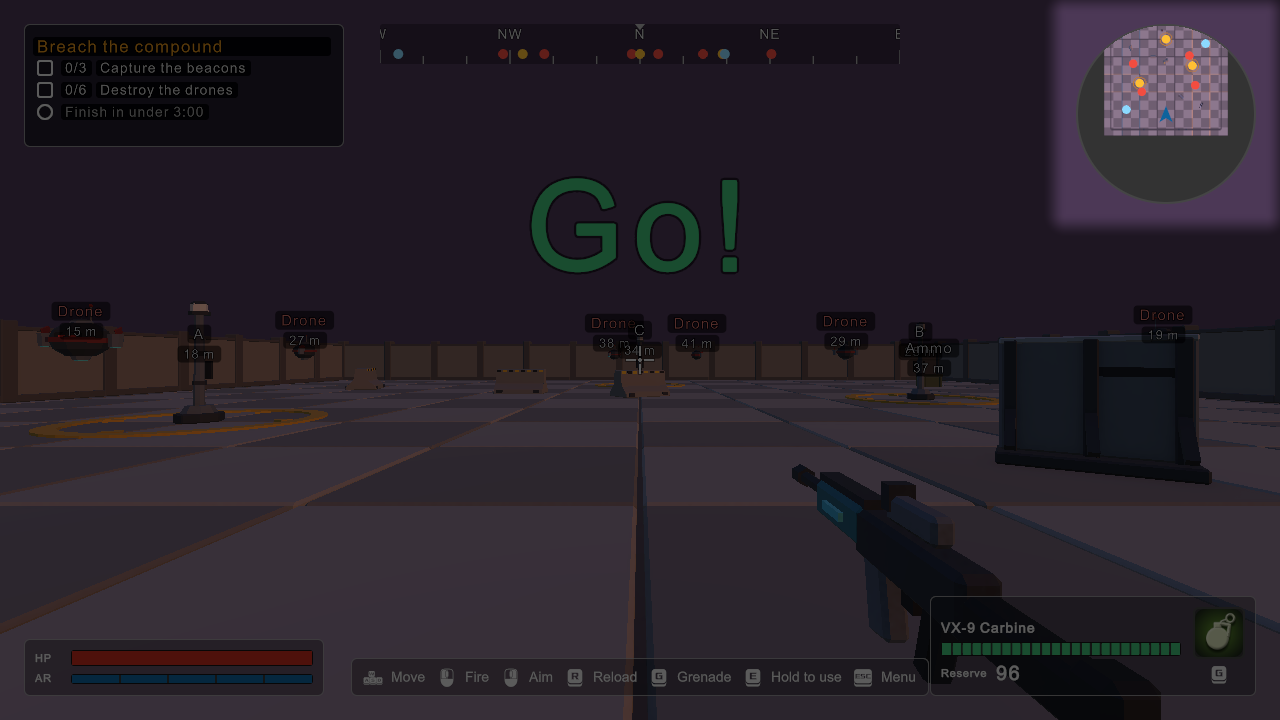
A Minimap shows the world around the player from above, with an icon for each HudTarget. The picture comes from a painted map, from your own top-down camera, or from a camera that the minimap makes. Optional extras: a fog of war, map pins that the player places, and a path line.
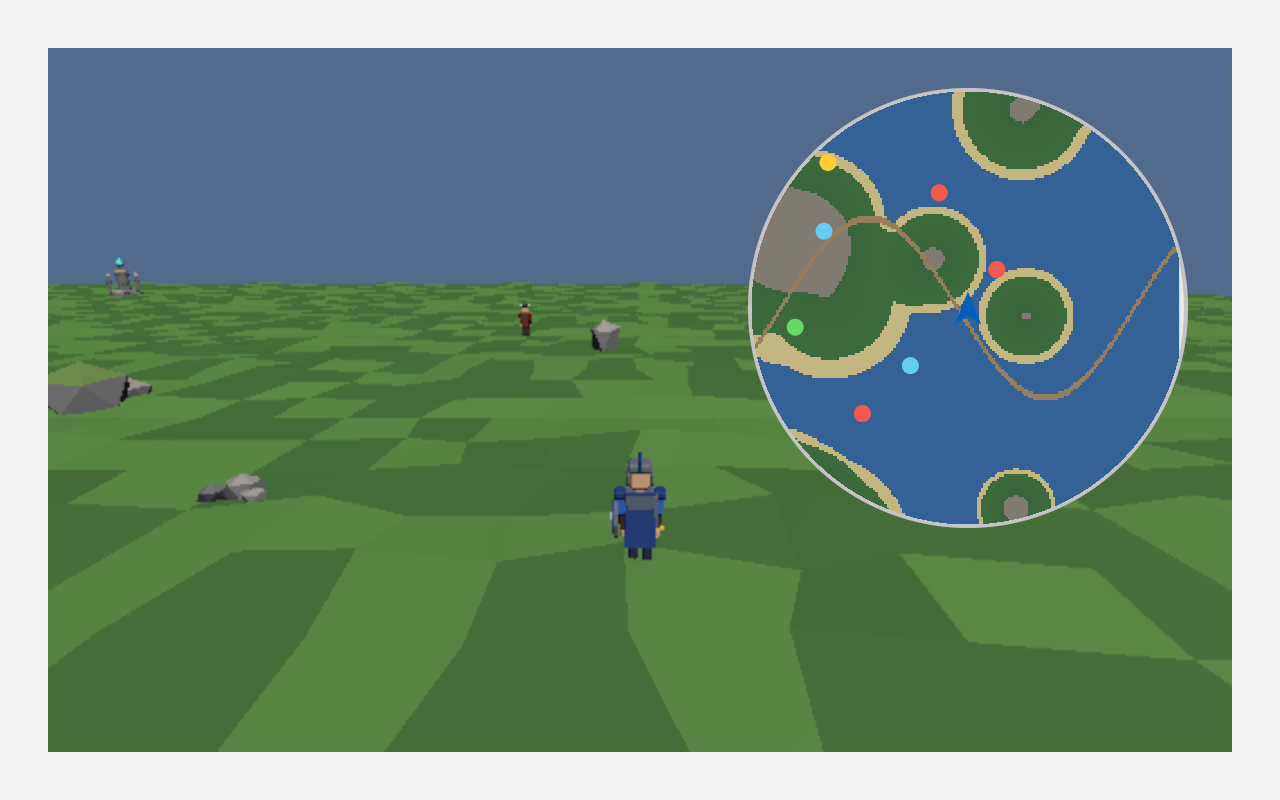
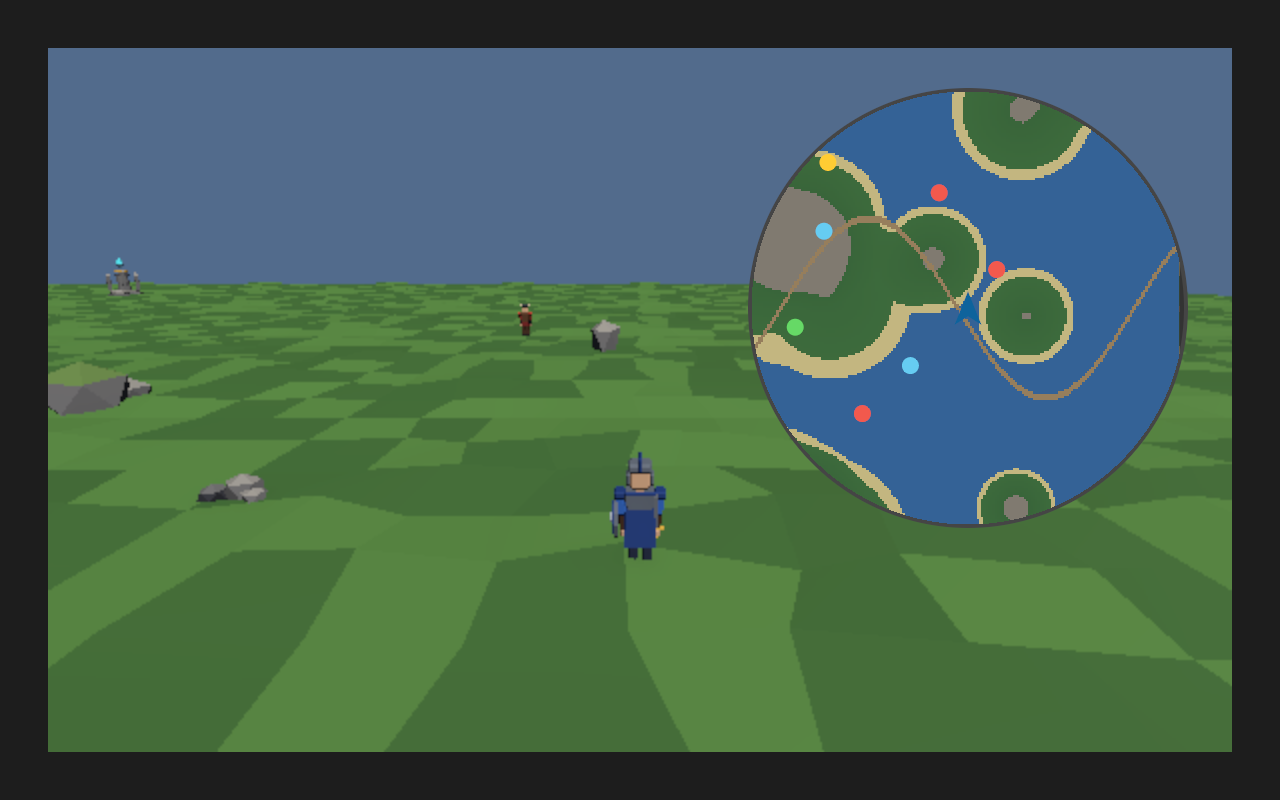
Video tutorial: World-space HUD. All videos: Video tutorials. Demo scene: MinimapDemo.unity.
How to add a minimap with no setup:
<tb:Minimap style="position: absolute; right: 16px; top: 16px;" />
With no picture set, the minimap makes a hidden top-down camera over the player and renders it 15 times a second.
How to use a painted map:
<tb:Minimap
    name="minimap"
    range="60"
    rotation="PlayerUp"
    map-texture="project://database/Assets/Game/UI/LevelMap.png" />
// The world rectangle of the picture: x and y are world x and z
root.Q<Minimap>("minimap").WorldBounds = new Rect(-128, -128, 256, 256);
A painted map costs nothing per frame. The GridDemo example uses one in its HUD tab.
How to use your own camera:
// An orthographic camera that looks straight down, north up
minimap.MapCamera = mapCamera;
How to add a fog of war and save it:
<tb:Minimap fog-of-war="true" reveal-radius="25" />
save.Fog = minimap.SaveFog();
// After a load
minimap.LoadFog(save.Fog);
// A scroll that opens a region
minimap.RevealArea(regionCollider.bounds);
How to let the player place a waypoint, with a path to it:
<tb:Minimap allow-pins="true" path-to-pin="true" />
The pin is a HudTarget, so the markers and the compass show it too. With path-to-pin, the minimap finds a NavMesh path from the player to the pin.
How to give the pins a look and keep them on the ground:
minimap.PinIcon = waypointSprite;
// The raycast that gives a pin its height: leave out the player and the
// roofs
minimap.PinRaycastMask =
    ~(LayerMask.GetMask("Player") | LayerMask.GetMask("Roof"));
How to show a path of your own:
minimap.SetPath(questRoute);   // every minimap and compass shows it
minimap.ClearPath();
How to make a big map that the player opens:
var bigMap = new Minimap
{
    Shape = MinimapShape.Square,
    Range = 300,
    ZoomWithWheel = true,
    AllowPins = true
};
// the big map shows the fog of the small map
bigMap.FogSource = smallMap;
bigMap.Clicked += point => Debug.Log($"Clicked {point}");
How to let the player look around a big map:
<tb:Minimap
    free-pan="true"
    shape="Square"
    range="300"
    zoom-with-wheel="true" />
bigMap.CenterOn(questGiver.position);   // shows the quest giver
// the world point at the middle of the map
var middle = bigMap.Center;
With free-pan, the map stays where it is put: a drag pans it, the wheel zooms around the pointer and CenterOn moves it. A press that does not move is still a click, so pins and Clicked work as before. The arrow of the player shows where the player is, on the rim when the player is out of view.
| Member | Description |
|---|---|
Camera |
Gives the player when Player is null and no target is the player. Null (the default) uses Camera.main. |
Player |
The object at the center of the map. Null (the default) uses the HudTarget with IsPlayer, else the camera. |
MapTexture (map-texture) |
A painted map of the level. It needs WorldBounds. |
WorldBounds (world-bounds) |
The area of the world that MapTexture shows: x and y of the rectangle are world x and z. |
MapCamera |
An orthographic camera that looks straight down with north up. The minimap shows what it renders and does not move it. With no target texture, the minimap gives it one. |
RefreshRate (refresh-rate) |
The pictures per second of the camera that the minimap makes. 15 by default. |
Resolution (resolution) |
The size in pixels of the render texture that the minimap makes, from 16 to 4096. 256 by default. |
CullingMask (culling-mask) |
The layers that the camera that the minimap makes renders. All by default. |
Range (range) |
The meters from the player to the nearest rim at a zoom of 1, at least 1. 50 by default. |
Zoom (zoom) |
The magnification, from 0.1 to 10: 2 shows half the meters at twice the size. 1 by default. |
ZoomWithWheel (zoom-with-wheel) |
The mouse wheel zooms the map. Off by default. |
ZoomStep (zoom-step) |
The factor of one step of the wheel, at least 1.01. 1.25 by default. |
Shape (shape) |
Round (the default) or Square. |
Rotation (rotation) |
A MinimapRotation: NorthUp (the default): north is up and the arrow of the player turns. PlayerUp: the direction of the player is up and the map turns. |
FreePan (free-pan) |
The map stays where it is put instead of following the player: a drag pans it, the arrow keys pan it when it has the focus, the wheel zooms around the pointer and CenterOn moves it. North is up, also with PlayerUp. It starts at the player. Off by default: the player is at the center. |
Center |
The world point at the center of the map. It is the player unless FreePan is on. |
CenterOn(point) |
Puts a world point at the center of the map when FreePan is on, also when it turns on later. |
Clicked |
After a click on the map, with the world point under the pointer at the height of the player. |
FogOfWar (fog-of-war) |
A fog covers the parts of the map that the player has not seen. Off by default. |
FogMode (fog-mode) |
A MinimapFogMode: Explored (the default): a place stays open after a revealer was there. Visible: only the places near a revealer are open, and the explored places show dimmed. |
FogResolution (fog-resolution) |
The pixels of each side of the fog texture, from 16 to 2048. 256 by default. A change clears the fog. Each change of the fog uploads the whole texture to the GPU, so a high value costs more. |
RevealRadius (reveal-radius) |
The meters around a revealer that open. 20 by default. |
FogSoftness (fog-softness) |
The width in meters of the soft edge of an open area, at least 0. 4 by default. |
RevealFade (reveal-fade) |
The milliseconds that an area from RevealArea takes to open, at least 0. 500 by default. |
HideIconsInFog (hide-icons-in-fog) |
The icons of targets in the fog do not show. A place that is only explored counts as fog in Visible mode. The targets of kind Ally always show. On by default. |
FogSource |
Another minimap whose fog this one shows, such as the small map for a big map. The fog of the source paints only while the source is in a panel. A source that leads back to this minimap throws an ArgumentException. |
RevealArea(center, radius), RevealArea(bounds) |
Opens the fog in a circle, or over the ground rectangle of the bounds. It stays open in both modes. |
HideArea(center, radius), HideArea(bounds) |
Puts the fog back in a circle, or over the ground rectangle of the bounds. The soft edge lies outside the area. |
SaveFog(), LoadFog(data) |
The fog for a save game, and the restore. SaveFog returns empty data when the fog has no area yet. Empty data clears the fog. Null data throws an ArgumentNullException. Data with an empty or not finite area throws an ArgumentException. Data from a fog of another FogResolution throws an ArgumentException. |
ClearFog(), RevealAll() |
Covers the whole map with fog again, or opens it. |
ReleaseFog() |
Destroys the fog texture and forgets the fog. Call it when you discard the minimap for good. |
AllowPins (allow-pins) |
A click on the map puts a pin there, and a click on a pin removes it. Off by default. |
MaxPins (max-pins) |
The most pins at one time, at least 1. A new pin then replaces the oldest. A lower value removes the oldest pins at once. 1 (one waypoint) by default. |
PinVectorIcon (pin-vector-icon) |
A VectorImage: an SVG icon of a pin, in place of PinIcon. The SVG keeps its own colors. |
PinIcon (pin-icon) |
A Sprite: the icon of a pin on the map, the markers and the compass. Null (the default) draws a dot. A new icon applies to new pins only. |
PinRaycastMask (pin-raycast-mask) |
The layers that give a pin its height. All by default, so the raycast hits the player and the roofs too: leave out those layers in a game. |
Pins |
The pins, oldest first. Each one is a HudTarget. |
PinAdded, PinRemoved |
After a click adds a pin, and before a pin is destroyed. A lower MaxPins, ClearPins() and a click on a pin raise PinRemoved too. |
ClearPins() |
Removes every pin. |
ShowPath (show-path) |
Draws the path of the game on the map. SetPath and PathToPin turn it on. Off by default. |
SetPath(points) |
Sets the path of every minimap and compass, and shows it on this minimap. |
ClearPath() |
Removes the path from every minimap and compass. |
PathToPin (path-to-pin) |
Shows the NavMesh path from the player to the first pin of this minimap. Off by default. It exists only when the define UITOOLBOX_AI is set. The package sets it by itself when the AI module (com.unity.modules.ai) is enabled in the project (versionDefines of UIToolbox.Runtime.asmdef). Without it, the property and the UXML attribute do not exist. The scene needs a baked NavMesh. |
PathRefreshDistance (path-refresh-distance) |
The path to the pin is found again when the player moves this far, in meters. 2 by default. Like PathToPin, it exists only with UITOOLBOX_AI. |
- The icons draw in one mesh, with no element per icon. A target beyond the rim stays on the rim when its
ClampToEdgeis on, and hides when it is off. - The player is an arrow in
--tb-minimap-player-colorat the center. WithNorthUp, it turns with the player. WithFreePan, it is at the place of the player, on the rim when the player is out of view, and it turns with the player. - With
FreePan, a press that moves a few pixels pans, and a press that does not move clicks when it ends. The fog still opens around the player, and the camera that the minimap makes follows the center of the map. - The camera that the minimap makes is off between its pictures, and is 1.5 times the range, so the turned picture of
PlayerUphas no empty corners. The minimap removes it when it leaves the panel. - The fog area is
WorldBoundswith a painted map, the rectangle ofMapCamera, or else a square of 8 timesRangearound the first position of the player. Outside the area there is no fog. - The revealers are the player and each target with
RevealsFog. The fog texture uploads only after a change. - The fog and the pins stay when the minimap leaves the panel, so a map that closes and opens keeps them. The fog texture lives until you call
ReleaseFog, play mode ends or the scripts reload. A scene unload does not free it. - A pin is a GameObject named
Map Pinwith aHudTargetof kindObjective. A raycast down at the click, from 1000 m above it, gives its height; with no hit, it is at the height of the player. - The path is one route for the whole game. The line is dashed and clipped to the map, and the compass marks the bearing of its next corner.
- Use one
PathToPinminimap per scene. Two minimaps withPathToPincompete for the one shared path. - The path to the pin has at most 64 corners. The minimap looks for the NavMesh within 4 m of the player and of the pin. When the pin is not reachable, the path ends at the nearest point that is. With no NavMesh near the player or the pin, there is no path.
- The code of the minimap allocates no memory per frame. It has no text that changes. Its icons, path and fog use no new objects in a steady frame.
Tips:
- Use a painted map when you can. It is the cheapest picture and it looks the way you want.
- Give the camera that the minimap makes a
CullingMaskwithout the UI, the effects and the small props. - Use
PlayerUpfor a small corner map, andNorthUpwithSquarefor a big map. - Use one fog for the game: set
FogSourceof the big map to the small map. - Store
SaveFog()with the save game. The data is 16 bytes for the area and two bytes per fog pixel. - Give
PinRaycastMaskthe ground layers, so a pin lands on the ground and not on the player or on a roof.
In the examples
Styling
| Class | Element |
|---|---|
tb-minimap |
The minimap: 200 x 200 px, on --tb-color-surface-alt, with a 2 px border in --tb-color-border. It clips the picture. |
tb-minimap--round, tb-minimap--square |
The shape: a full radius, or --tb-radius-sm. |
tb-minimap__rotor |
The element that turns with PlayerUp. It holds the picture and the fog. |
tb-minimap__map |
The picture. |
tb-minimap__fog |
The fog, over the picture. |
tb-minimap__icons |
The layer of the icons, the player arrow and the path. |
| Variable | Description |
|---|---|
--tb-minimap-icon-size |
The size of the target icons, in pixels. 14 by default. |
--tb-minimap-player-color |
The color of the player arrow. --tb-color-accent by default. |
--tb-minimap-fog-color |
The color of the fog. rgba(0, 0, 0, 0.85) by default. |
--tb-minimap-path-color |
The color of the path line. --tb-color-warning by default. |
--tb-minimap-path-width |
The width of the path line, in pixels. 3 by default. |
--tb-minimap-path-dash |
The length of a dash and of a gap, in pixels. 6 by default. 0 draws a full line. |
/* A larger minimap with a gold frame and a blue fog */
.hud-root .tb-minimap {
    width: 260px;
    height: 260px;
    border-color: rgb(200, 160, 60);
    --tb-minimap-fog-color: rgba(10, 20, 40, 0.9);
}
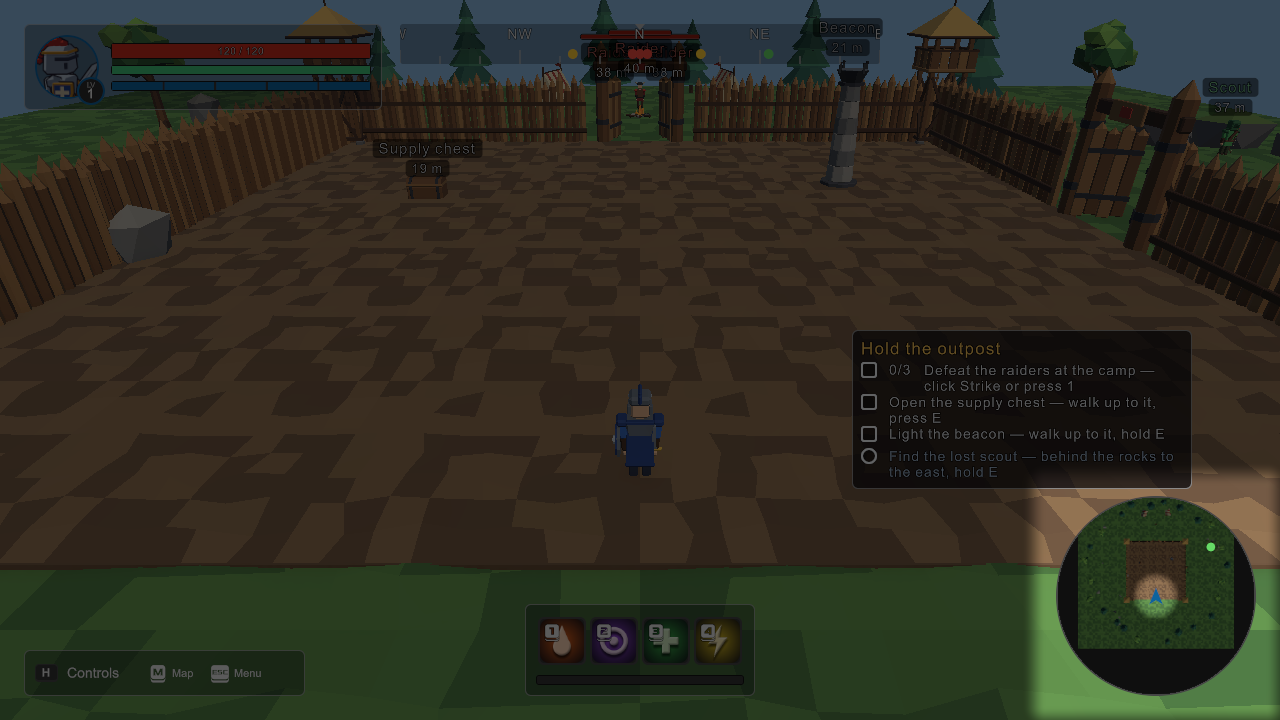
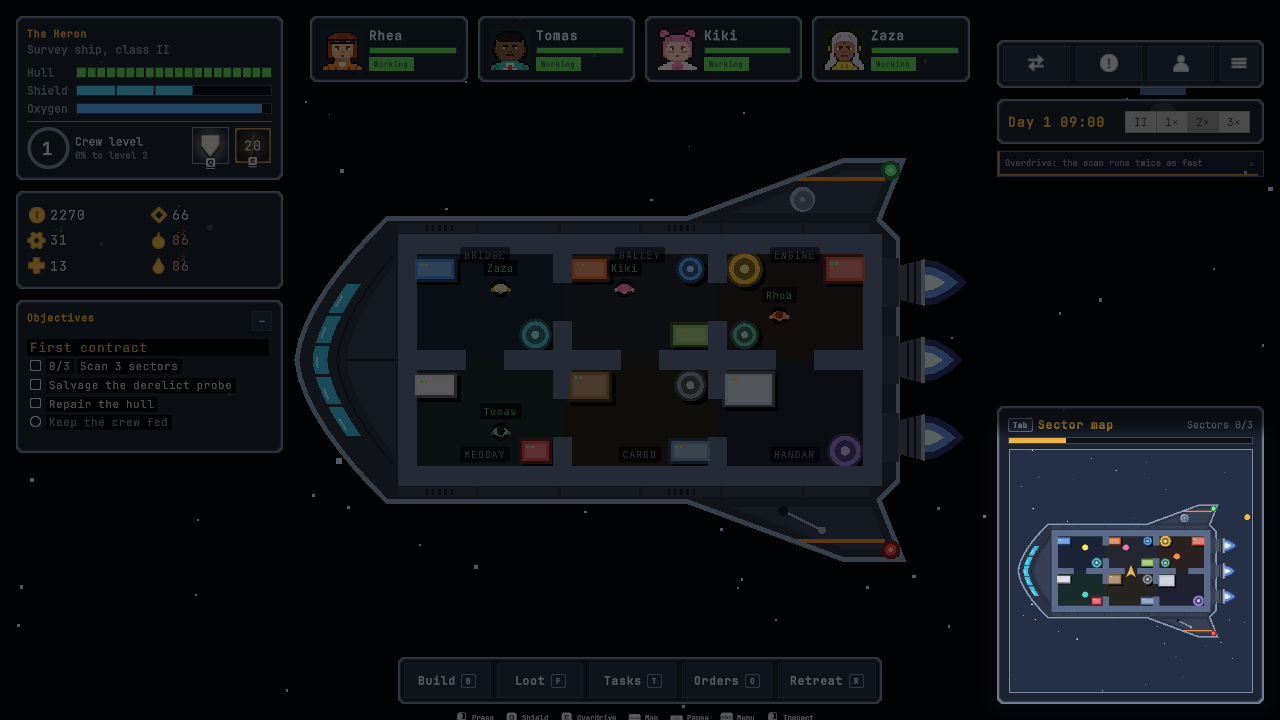
The MinimapDemo scene shows a corner map, a fog of war that saves and loads, waypoints and a route, a big map that pans with a drag, the keys and the wheel, and three looks.