

 Radar
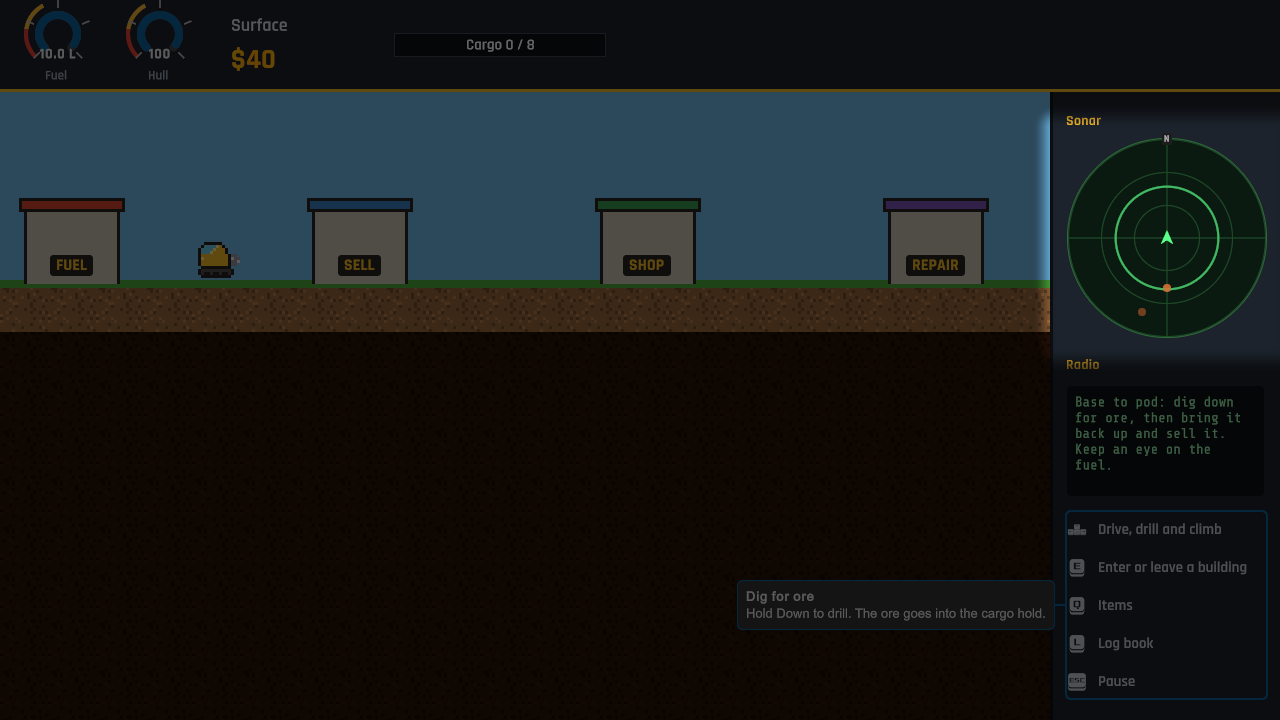
Radar in UIToolbox is a round radar or minimap for a game HUD. The player is at the center. Each RadarContact shows as a blip at its position relative to the player. A contact out of range sits on the rim. A view angle and a view range limit the part that the player sees, and a pulse sends a sonar ring from the center. With PulseReveal a contact shows only when a ring reaches it, as on a sonar. With SweepReveal the sweep line shows each contact as it passes it, as on the scope of a real radar, and with SweepHold each blip stays at the last known place of its contact until the next pass. The Firefight example shows the other players on a radar that turns with the player, and the Driller example finds ore with a sonar.
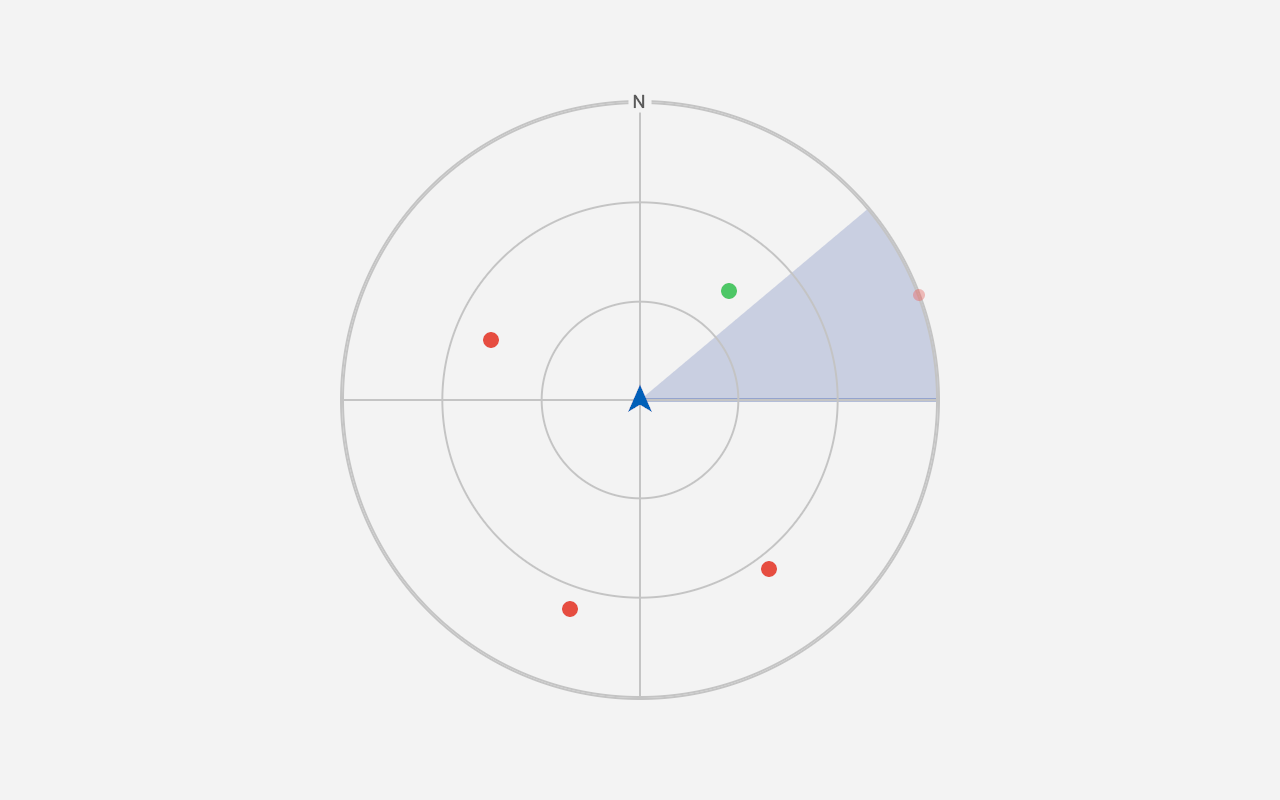
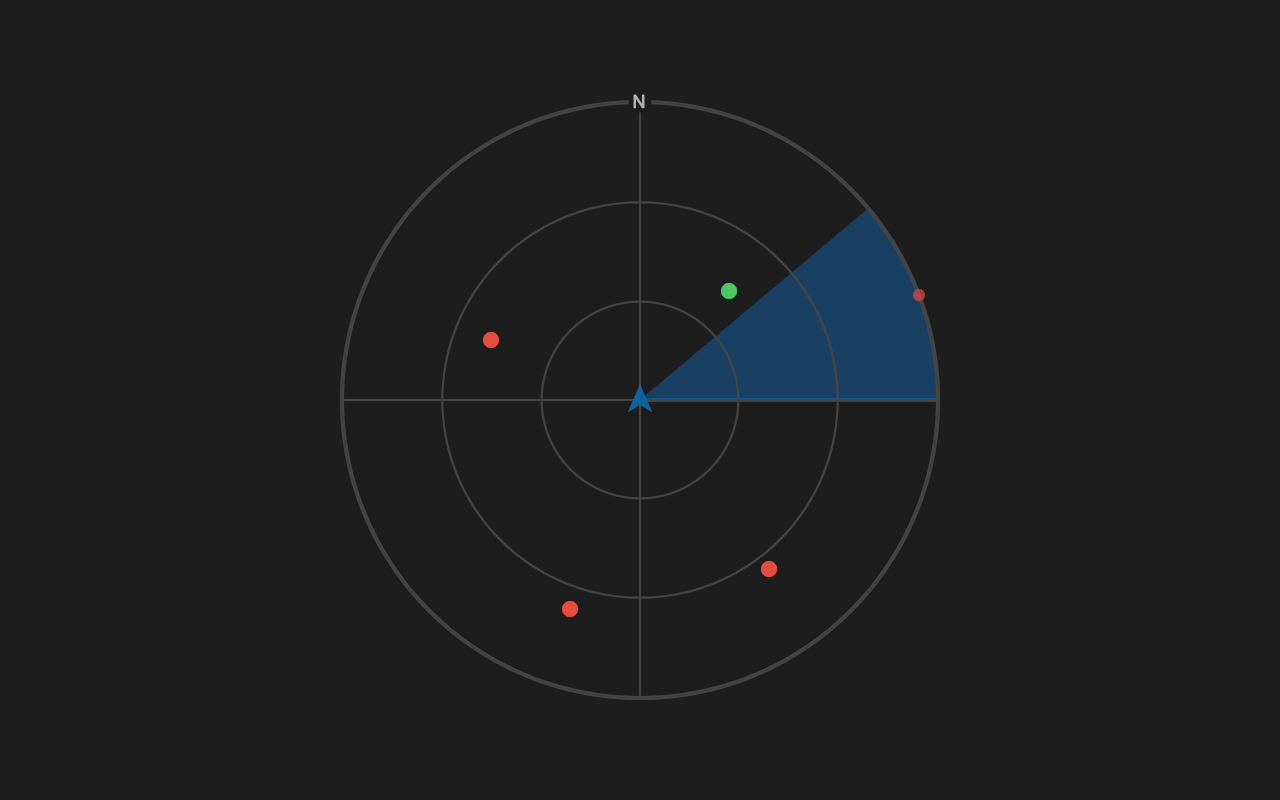
<tb:Radar
    name="radar"
    range="60"
    rotate-with-heading="true"
    sweep="true" />
var enemy = new RadarContact(enemyPosition, "enemy");
radar.AddContact(enemy);
// Each frame
radar.Center = new Vector2(player.position.x, player.position.z);
radar.Heading = player.eulerAngles.y;
enemy.Position =
    new Vector2(enemyTransform.position.x, enemyTransform.position.z);
| Member | Description |
|---|---|
Range |
The world distance at the rim. Default 50. |
Center |
The world position of the player. North is +Y. For a 3D game, pass the X and Z of a position. |
Heading |
The direction of the player in degrees, clockwise from north. |
RotateWithHeading |
True turns the map so the heading points up, and the N marker shows north. False keeps north up and turns the player arrow. |
Rings |
The number of range rings. Default 3. |
Sweep, SweepDuration, SweepAngle |
A sweep line that turns once in SweepDuration (default 2000 milliseconds). |
Paused (paused) |
True stops the sweep, the pulse and the fade of the blips; they keep their place. Set it while a game is paused. The radar runs on real time, so Time.timeScale 0 does not stop it. Default false. |
SweepReveal (sweep-reveal) |
True shows a contact only when the sweep line passes it. The contact then fades out. It needs Sweep. Default false. |
SweepHold (sweep-hold) |
True keeps each blip at the place where the sweep last passed its contact. The blip moves only at the next pass: no live update. It needs Sweep. Default false. |
SweepFadeDuration (sweep-fade-duration) |
The milliseconds that a contact takes to fade out after the sweep passes it. Default 0: one turn of the sweep, so the contact fades until the next pass. |
ViewAngle |
The angle that the player sees, in degrees around the heading. Below 360 the radar draws the view as a cone. Default 360: no limit. |
ViewRange |
The world distance that the player sees. Default 0: the view goes to Range. |
IsInView(contact) |
True when the contact is in the view angle and the view range. |
Pulse, PulseDuration |
True sends a ring from the center to the rim again and again. A ring takes PulseDuration (default 2000 milliseconds). |
PulseReveal (pulse-reveal) |
True shows a contact only when a ring reaches it. The contact then fades out. It works with Pulse and with Ping(). Default false. |
PulseFadeDuration (pulse-fade-duration) |
The milliseconds that a contact takes to fade out after a ring reaches it. Default 0: PulseDuration, so with Pulse the contact fades until the next ring. |
Ping() |
Sends one ring now, for example when the player uses a scanner. |
PulseProgress |
The place of the ring: 0 at the center, 1 at the rim, Radar.NO_PULSE without a ring. |
ContactPinged |
Fired when the ring reaches a contact in range, and with SweepReveal or SweepHold when the sweep passes a contact. |
Advance(seconds) |
Moves the sweep and the ring by a time. The radar calls it on each tick. |
ClampToEdge |
True (default) keeps a contact out of range on the rim with the edge class. False hides it. |
AddContact, RemoveContact, ClearContacts, Contacts |
The contacts. A contact is on one radar at a time. |
WorldToRadar(world, out inRange) |
The local point of a world position, before the clamp to the rim. |
RadarContact.Position |
The world position. A change moves the blip at once. |
RadarContact.ShownPosition |
The world position where the blip shows: Position, or with SweepHold the position at the last pass of the sweep. Use it for hit tests. |
RadarContact.Blip |
The blip element. The class name of the constructor (new RadarContact(position, className)) goes on it, so USS gives each kind of contact its look. |
- The radar is square: the smaller side of the content sets the radius.
- The blips ignore the pointer. Put a click handler on the radar and use
WorldToRadarfor hit tests. - The radar draws with
Painter2Dand moves the blips withleftandtop. It does not rebuild elements each frame. - In the UI Builder, a radar without contacts shows three sample blips in a dashed outline. The sample does not show in Play mode or in a build, and the UI Builder does not save it to the UXML file.
View and pulse
<tb:Radar
    name="radar"
    range="60"
    view-angle="90"
    view-range="40"
    pulse="true"
    pulse-duration="3000" />
// a cone of 120 degrees around the heading
radar.ViewAngle = 120;
radar.ContactPinged += contact => beep.Play();
scanButton.clicked += radar.Ping;            // one ring for each click
- A contact out of the view keeps its place and gets the class
tb-radar__blip--out-of-view. The default look is 30% opacity. - A contact that the ring reaches gets the class
tb-radar__blip--pingfor 300 ms. The default look is a larger blip with full opacity.
Sonar
<tb:Radar
    name="sonar"
    pulse="true"
    pulse-duration="2500"
    pulse-reveal="true" />
- A contact is hidden until a ring reaches it. Then it shows at full strength, gets
tb-radar__blip--pingfor 300 ms, and fades out overPulseFadeDuration. - A new contact is hidden until a ring reaches it. A contact out of range gets no ring, so it stays hidden.
- Without
Pulse, eachPing()sends one ring, for example when the player uses a scanner. The blips fade out after the ring. - The radar sets the
opacityof each blip in the inline style, asSweepRevealdoes. WhenPulseRevealgoes off, the radar removes the inline opacity. - With
SweepRevealand a sweep too, both the sweep and the ring show a contact, andSweepFadeDurationsets the fade.
Sweep reveal
<tb:Radar
    name="scope"
    range="60"
    sweep="true"
    sweep-duration="3000"
    sweep-reveal="true"
    sweep-fade-duration="2000" />
radar.SweepReveal = true;
radar.SweepFadeDuration = 0;                  // fade until the next pass
radar.ContactPinged += contact => beep.Play();
- A contact is hidden until the sweep line passes its angle. Then it shows at full strength, gets
tb-radar__blip--pingfor 300 ms, and fades out overSweepFadeDuration. - A new contact is hidden until the sweep passes it.
- The radar sets the
opacityof each blip in the inline style. It is stronger than the USS opacity of the edge and out-of-view classes. WhenSweepRevealorSweepgoes off, the radar removes the inline opacity. - With
RotateWithHeadingthe sweep passes the angle of the blip on the radar, not the angle in the world.
Last known place
<tb:Radar
    name="scope"
    sweep="true"
    sweep-reveal="true"
    sweep-hold="true" />
- With
SweepHoldthe radar shows where each contact was when the sweep last passed it, not where it is now. The blip jumps to the new place at each pass. - A change of
Positiondoes not move the blip until the next pass. A change ofCenterorHeadingmoves all blips at once, because the old place is a world position. - It works with or without
SweepReveal. With both, a blip fades out at its last known place. - A new contact shows at its place when you add it.
In the examples
Styling
| Class | Element |
|---|---|
tb-radar |
The radar: 160 px, round, --tb-color-background with a --tb-color-border border. The USS color is the player arrow (--tb-color-accent). The variable --tb-radar-ring is the ring and cross color (--tb-color-border), and --tb-radar-sweep the sweep color (--tb-color-accent). --tb-radar-view is the color of the view cone and --tb-radar-pulse the color of the ring (both --tb-color-accent); a transparent color hides the drawing. |
tb-radar__blip |
A contact: an 8 px dot in --tb-color-text, centered on its point. Add a class to a contact (for example enemy) and style .tb-radar__blip.enemy. |
tb-radar__blip--edge |
A contact out of range on the rim: 6 px and half transparent. |
tb-radar__blip--out-of-view |
A contact out of the view angle or the view range: 30% opacity. |
tb-radar__blip--ping |
A contact that the pulse ring reached, for 300 ms: scale 1.8, full opacity. |
tb-radar__north |
The N marker at the rim, in --tb-color-text-muted. |