

 StatDelta and ItemCompare
A StatDelta shows the change of a stat, as in the item compare of a game. It shows one arrow for a small change, and two or three arrows stacked on top of each other for a medium or large change. Green is better, red is worse, and gray is no change.
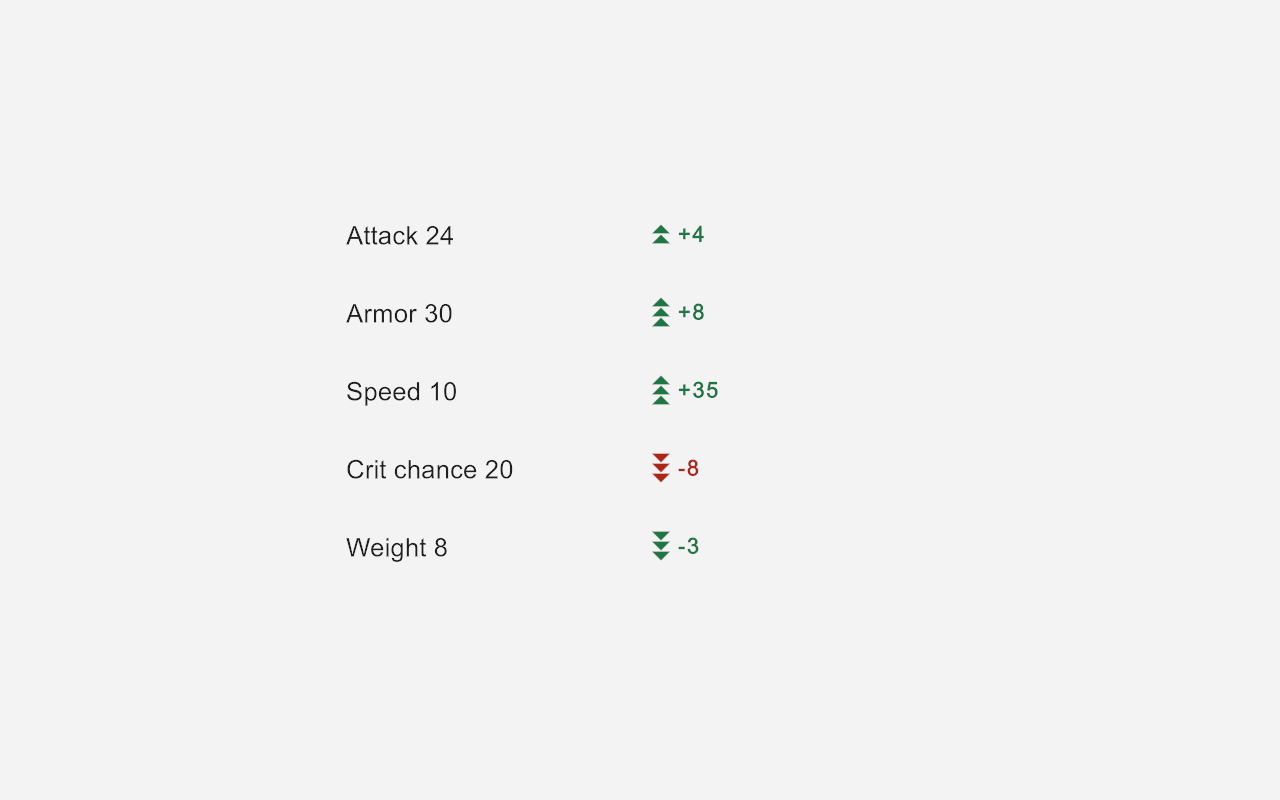
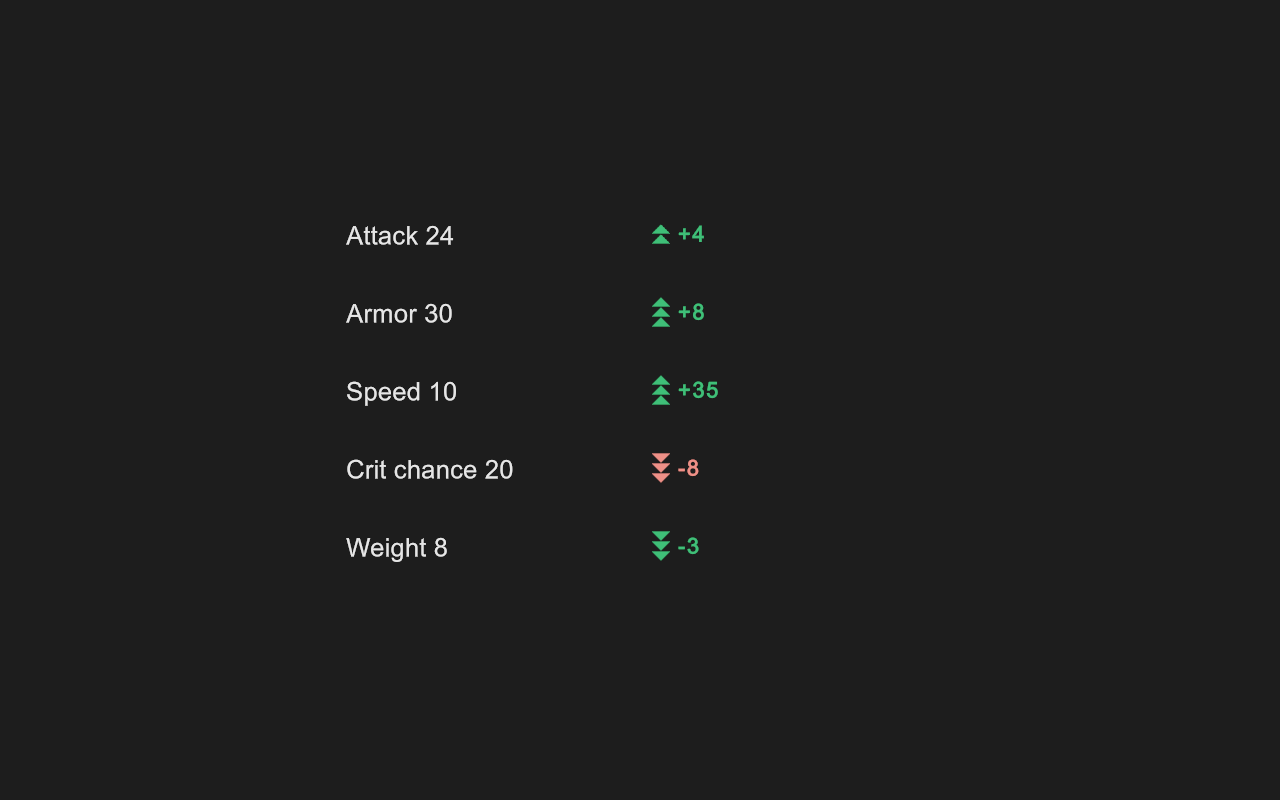
A change can also show as a percent of the start value ("+12.5%"), and one slanted arrow can take the place of the stack, for the tiles of a dashboard such as the StatTile.
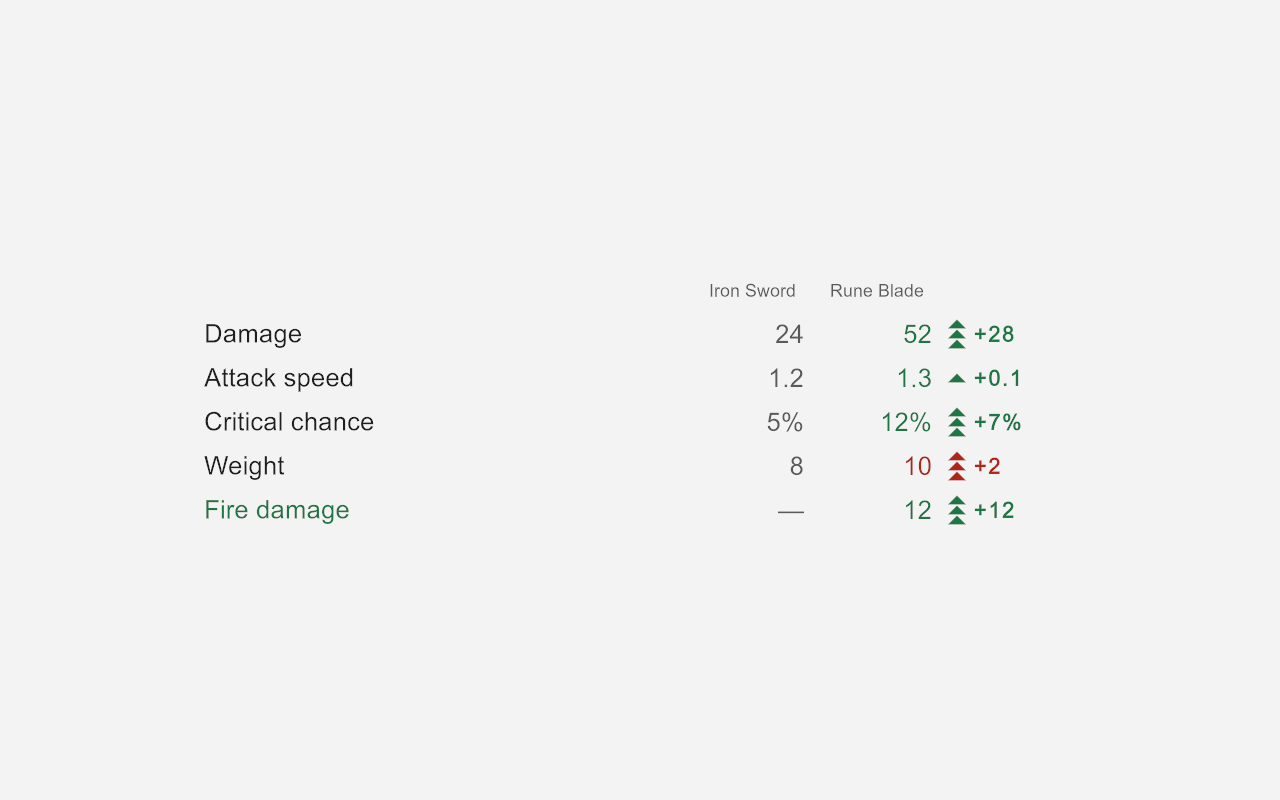
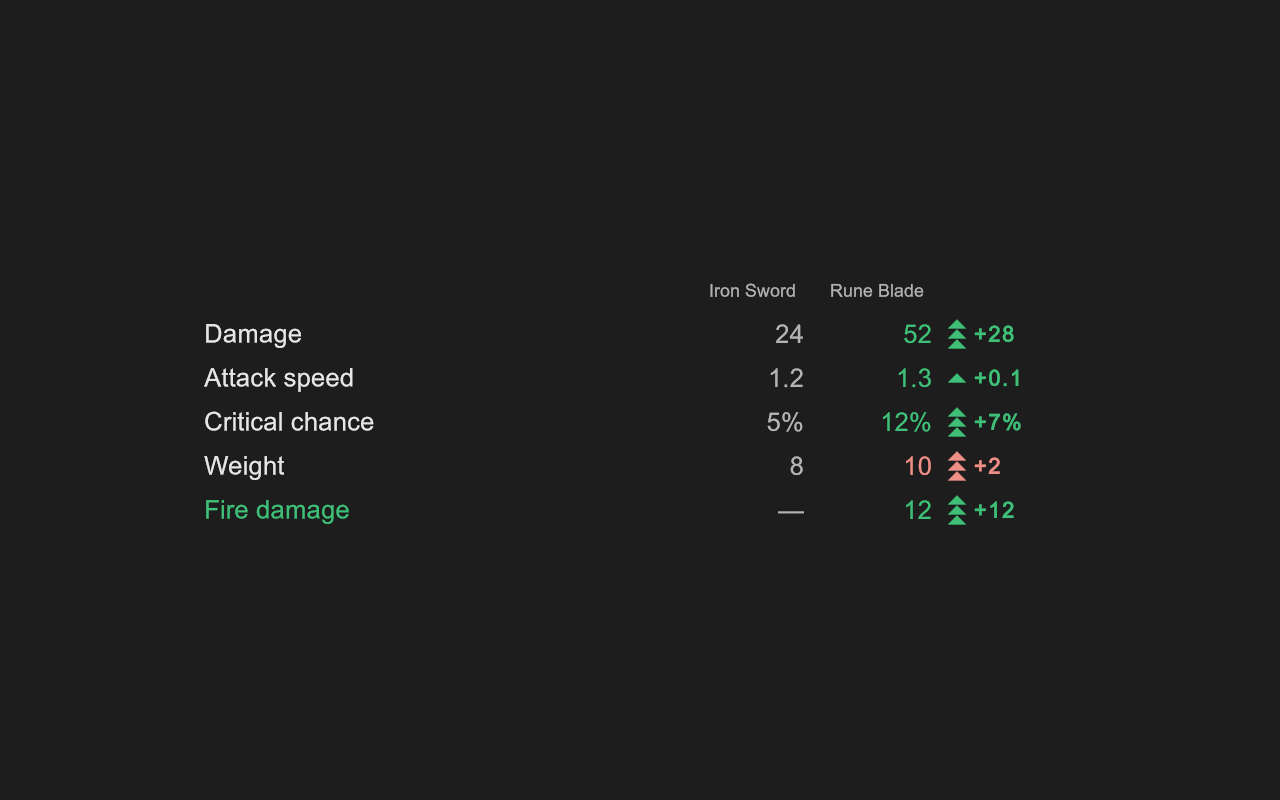
An ItemCompare is a table that compares the stats of the equipped item with the stats of a new item. Each row has a StatDelta.
How to add them:
<tb:StatDelta from="24" to="31" />
<tb:StatDelta from="12" to="6" higher-is-better="false" display="Both" />
<tb:StatDelta from="2600" to="2925" display="ArrowsAndPercent"
    arrow-style="Slanted" format-string="0.#" />
<tb:ItemCompare
    name="compare"
    show-total="true"
    total-title="Sum of stats" />
var compare = root.Q<ItemCompare>("compare");
var iron = new[]
{
    new ItemStat("Damage", 24),
    new ItemStat("Weight", 6, higherIsBetter: false)
};
var rune =
    new[] { new ItemStat("Damage", 52),
        new ItemStat("Weight", 5, higherIsBetter: false),
    // a row that only the new item has
    new ItemStat("Fire damage", 12) };
compare.SetStats(iron, rune);

// Compare the item under the pointer
slot.RegisterCallback<PointerEnterEvent>(_ =>
    compare.SetStats(equipped.Stats, item.Stats));
StatDelta
| Member | Description |
|---|---|
From (from), To (to) |
The value before and after the change. SetValues(from, to) sets both. |
Delta |
To minus From. |
HigherIsBetter (higher-is-better) |
True (the default) makes a larger value green. False makes a smaller value green, as for a weight or a cooldown. The arrows always point the way the value goes. |
DoubleAt (double-at) |
The change that shows two arrows (default 10). A smaller change shows one arrow. |
TripleAt (triple-at) |
The change that shows three arrows (default 25). |
Percent (percent) |
True (the default): DoubleAt and TripleAt are percents of From. False: they are values. |
Display (display) |
A StatDeltaDisplay: Arrows (the default), Number ("+7"), Both (the arrows, then "+7"), Percent (the change as a percent of From, "+12.5%") or ArrowsAndPercent (the arrows, then the percent without a sign, "12.5%", as the arrows show the direction). The text has the color of the arrows. |
ArrowStyle (arrow-style) |
A StatDeltaArrowStyle: Stacked (the default) is one, two or three arrows on top of each other. Slanted is one small arrow that points up and to the right, or down and to the right, for a change of any size. |
FormatString (format-string) |
The .NET number format of the number and of the percent (default "0.##"). |
ChangePercent |
The change as a percent of From: 100 for a doubling, -50 for a halving. NaN when there is none (see below). |
StatDelta.TryGetPercent(from, to, out percent) |
The same, with no element. False, and 0, when From is 0 or a value is not finite. |
Arrows |
The number of arrows: 0 for no change, else 1, 2 or 3. |
ShowsArrows |
True while the delta draws arrows: the display is not Number or Percent, and the value changes. |
IsBetter, IsWorse |
True when the change is good or bad. Both are false for no change. |
StatDelta.ArrowCount(from, to, doubleAt, tripleAt, percent) |
The number of arrows, with no element. |
- The delta draws the arrows with
Painter2Din its left padding, in the USScolor. The text of the label is the number only. No change shows=in the arrows display. - In percent mode, a change from 0 shows three arrows.
- The percent is the change divided by the size of
From. AFromof 0 has no percent, so the delta shows the number instead ("+7"), never NaN or Infinity. A value that is not finite shows a dash. - The percent follows the current language: the decimal mark, and the percent sign with a no-break space before it in the languages that write one ("12,5 %" in German and French, "12.5%" in English and Japanese). The text is cached, so a delta that changes in each frame makes no garbage once each text has shown.
Slanteddraws one arrow withPainter2D, in the USScolor, for a small change as well as a large one.- A
StatDeltais aLabel. It takes no pointer events.
ItemCompare
| Member | Description |
|---|---|
SetStats(current, candidate) |
Compares two lists of ItemStat. Null or empty candidate shows the current values with no change. |
ItemStat(name, value, higherIsBetter, format) |
One stat of an item. Set higherIsBetter to false for a stat where less is better. |
Rows |
The rows, each an ItemCompareRow: the stats of the current item, then the stats that only the candidate has. |
GetRow(name) |
The row of a stat, or null. A row has StatName, Current, Candidate (null when the item does not have the stat), CandidateCell and Delta. |
ShowTotal (show-total) |
Adds a total row. The total adds the values, and subtracts the values of a stat where less is better. TotalRow is the row. |
TotalTitle (total-title) |
The name of the total row. Null (the default) shows "Total", the ToolboxText.TOTAL text. |
CurrentTitle (current-title), CandidateTitle (candidate-title) |
The column headers. Null (the default) shows "Equipped" and "New", the ToolboxText keys EQUIPPED and NEW, which follow a language change. A title that you set stays. |
ShowCurrent (show-current) |
Shows the column of the current values (default true). |
Display, DoubleAt, TripleAt, Percent |
The settings of the StatDelta of every row. |
Layout (layout) |
An ItemCompareLayout: Auto (the default) is a table while the values and a name column of MIN_NAME_WIDTH (80 px, or the longest name when it is shorter) fit in the width. A narrower compare stacks each name above its values. Table and Stacked keep one layout at any width. |
- A stat that only the new item has gets a row with a dash for the current value. The change is from 0, so it is better.
- A stat that only the current item has gets a row with a dash for the new value. The change is to 0, so it is worse.
- The new value has the color of its arrows: green when it is better, red when it is worse.
SetStatsmakes the rows again. Call it when the pointer enters a slot, or when the focus goes to it.- A long name shortens with an ellipsis, so it never covers the values. The values and the change keep their width (64 px).
- In the
Autolayout, the compare checks its width when its size changes and whenSetStatsmakes new rows. It measures the names only for new stats, so a resize allocates nothing. - In the UI Builder, an
ItemComparewithout stats shows three sample stats in a dashed outline. The sample does not show in Play mode or in a build, and the UI Builder does not save it to the UXML file.
Tips:
- Use the numbers display for players who want the exact change, and the arrows for a quick look. The
ItemCompareDemoscene has a field for this. - Put the
ItemComparein aCardor aHoverCard, next to the card of the equipped item.
Styling
| Class | Element |
|---|---|
tb-stat-delta |
The StatDelta: bold small text in --tb-color-text-muted. |
tb-stat-delta--better |
A good change, in --tb-color-success. |
tb-stat-delta--worse |
A bad change, in --tb-color-danger. |
tb-stat-delta--neutral |
No change. |
tb-stat-delta--slanted |
The delta while ArrowStyle is Slanted. |
tb-stat-delta--arrows |
The delta while it draws arrows. Its padding-left (13 px) is the room for the arrows: 9 px for the arrows and 4 px before the number. |
tb-item-compare |
The table. |
tb-item-compare__header |
The header row with the column titles. |
tb-item-compare__row |
A row. |
tb-item-compare__name, __value, __current, __delta |
The cells: the name, a value, the current value and the change. |
tb-item-compare__value--better, --worse |
A new value that is better (--tb-color-success) or worse (--tb-color-text-danger) than the current value. |
tb-item-compare__row--added, --removed |
A stat that only the new item has (a green name), or that only the current item has (a gray italic name). |
tb-item-compare__total |
The total row, with a line above it. |
tb-item-compare--no-current |
The table with ShowCurrent off. It hides the current column. |
tb-item-compare--stacked |
The compare in the stacked layout: each name on a line of its own, with the values and the change under it at the right. The header shows only the column titles. |
To show a good change in the accent color:
.tb-stat-delta--better { color: var(--tb-color-accent); }
The StatDeltaDemo scene shows one stat of a new sword with a delta that has only from and to, the stats of a level-up screen with the arrows, the number or both, a shop that compares each item with the equipped sword where less weight is better, the preview of a spell on an enemy with its mana and its cooldown, and four looks of a loot card, one of them for color blindness.