

 WaveformBar
A WaveformBar is a seek bar that draws the peaks of an AudioClip as bars or a line, with the played part in the accent color. A click or a drag seeks, the pointer shows the time under it, and markers point at cue points, such as the verse and the chorus of a song or the lines of a voice clip. Set Source and the bar follows an AudioSource and seeks it, with no code of your own. Use it for a music player, a sound test menu, a voice log, a replay or the seek bar of a VideoView.
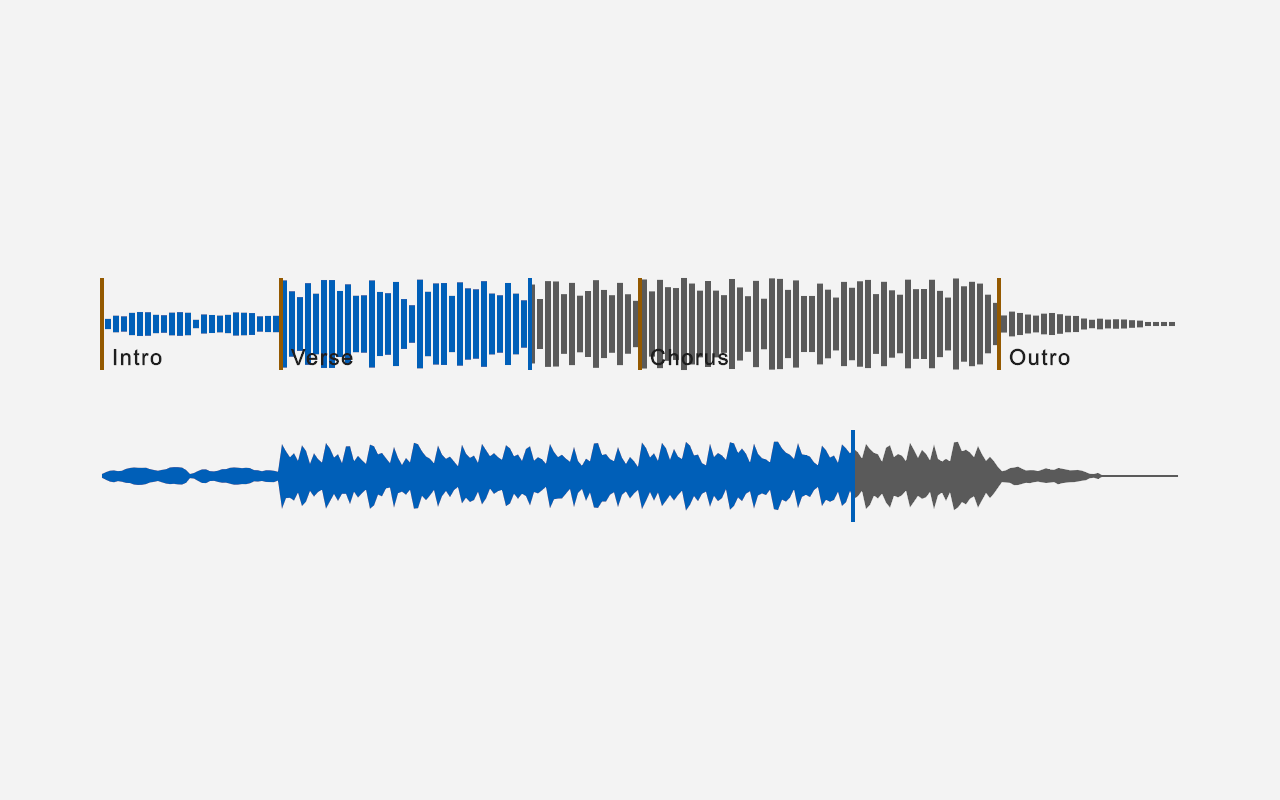
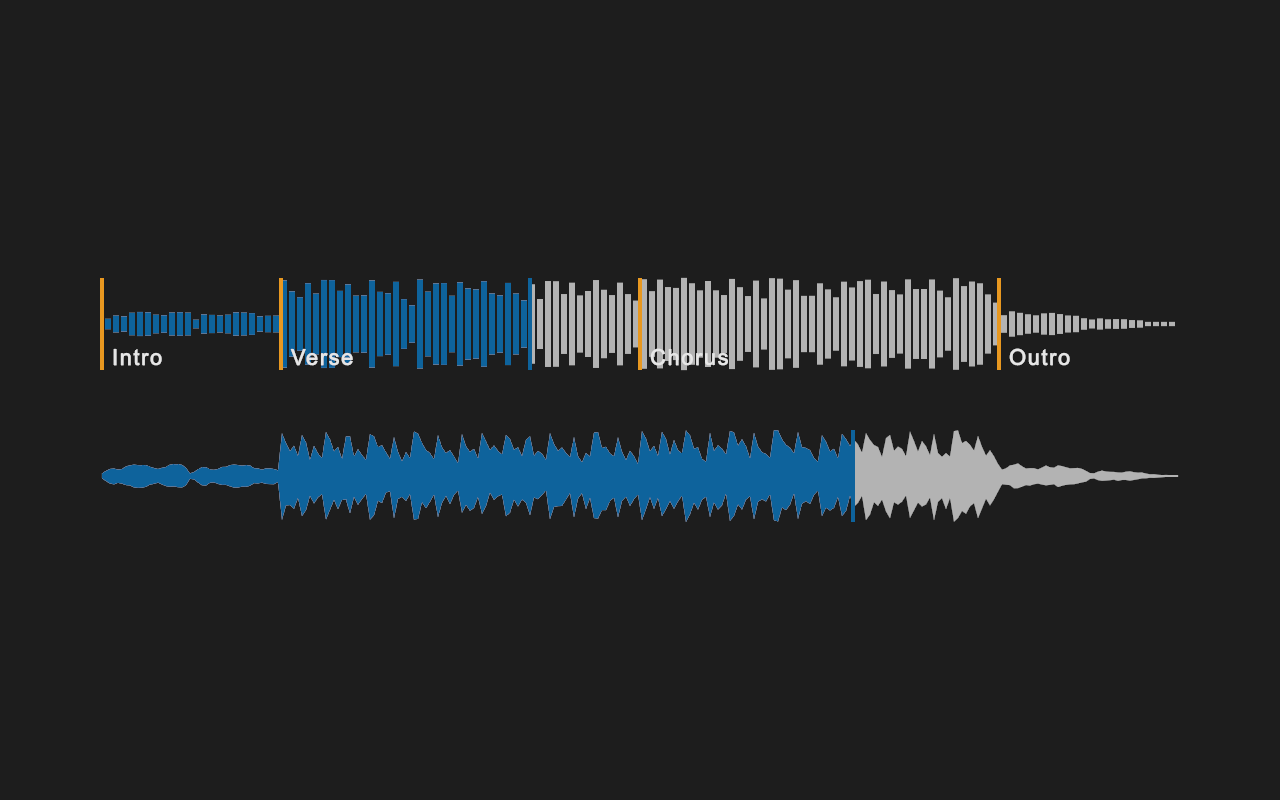
<tb:WaveformBar
    clip="project://database/Assets/Audio/Theme.ogg?..."
    markers="0 Intro, 12.5 Verse, 30 Chorus" />
<tb:WaveformBar
    wave-style="Line"
    bar-width="2"
    bar-gap="0"
    style="height: 32px;" />
In UI Builder, pick the clip in the Clip field of the inspector; it writes the project://database address. With no clip, UI Builder shows a sample waveform.
var bar = new WaveformBar { Source = music };
bar.AddMarker(12.5, "Verse");
bar.AddMarker(30, "Chorus", Color.magenta);
bar.Seek += time => Debug.Log($"Seek to {time:0.0} s");
panel.Add(bar);
With Source set, the bar draws the clip of the source, shows its time and sets its time on a seek. Without a source, set Clip, set Time as the play goes on, and seek in the Seek event.
| Member | Description |
|---|---|
Clip (clip) |
The clip whose peaks the bar draws. Null draws the clip of Source. |
Source |
An AudioSource that the bar follows: the bar shows its time, and a seek sets its time. A new clip on the source draws again. C# only. |
Duration |
The length in seconds that the width of the bar shows. 0 (the default) takes the length of the clip. A VideoView sets it to the length of its video. |
Time |
The time in seconds of the end of the played part, from 0 to Duration. Setting it raises no Seek. |
Progress |
The played share of the bar, from 0 to 1. |
WaveStyle (wave-style) |
Bars (the default) draws a bar for each slice of the clip, around the middle line. Line draws one filled shape from the highs to the lows. |
BarWidth (bar-width) |
The width of each bar in pixels. 3 by default. |
BarGap (bar-gap) |
The space between two bars in pixels. 1 by default. |
Normalize (normalize) |
Scales the peaks so the loudest one fills the height. On by default. Off, full scale fills the height, so a quiet clip looks quiet. |
Color (color) |
The color of the waveform. Clear (the default) takes --tb-waveform-color. |
PlayedColor (played-color) |
The color of the played part and its play head. Clear (the default) takes --tb-waveform-played-color. |
DisplayColor, DisplayPlayedColor |
The colors that the bar draws in: Color and PlayedColor, or the USS colors when they are clear. |
ShowHoverTime (show-hover-time) |
Shows a line and the time under the pointer. On by default. |
KeyStep (key-step) |
The seconds that Left and Right seek. 5 by default. |
Markers (markers) |
The markers as text: a time in seconds and a label for each, with commas between them, such as 0 Intro, 12.5 Verse, 30 Chorus. |
AddMarker(time, label, color) |
Adds a marker. A clear color takes --tb-waveform-marker-color. The markers stay in time order. |
ClearMarkers() |
Removes all the markers. |
MarkerCount, GetMarker(index) |
The markers, in time order. A marker is a WaveformMarker: its Time in seconds, its Label and its Color (clear takes --tb-waveform-marker-color). |
GetMarkerElement(index) |
The element of a marker, to style it or to point a TourOverlay step at it. |
TimeAt(x) |
The time at x pixels from the left edge of the waveform. |
IsDragging |
True while the pointer drags on the bar. |
IsLoading |
True while the peaks of a long clip are read. |
Seek |
The user seeks with a click, a drag, a key or a marker. The argument is the new time in seconds. |
Keys and pointer
| Input | Action |
|---|---|
| A click or a drag | Seeks to the time under the pointer. |
| A click on a marker | Seeks to the marker. |
| Left, Right | Seek KeyStep seconds back or forward. A gamepad stick or D-pad does the same; at an end, the focus moves on. |
| Home, End | Seek to the start or the end. |
| Page Up, Page Down | Seek to the marker before or after the time. Page Up just after a marker goes on to the marker before it. |
The peaks
The bar reads the samples of the clip once and keeps the lowest and the highest sample of up to 2048 slices of it. The peaks of a clip are kept while the clip lives, so ten bars of one clip read it once. A clip of up to a million samples (about 12 seconds of stereo music at 44.1 kHz) is read at once. A longer clip is read a chunk at a time, about 2 ms in each frame, and the read part shows as it comes in. A job finds the peaks of each chunk, compiled with Burst when the Burst package is in the project.
The bars draw once for each size of the bar. While the clip plays, the played part is a window over a second copy of the waveform in the played color: a new time moves the edge of the window, so playing draws nothing again and makes no garbage.
AudioClip.GetData gives the samples, so the import settings of the clip matter:
- Load Type Decompress On Load works for every format. A compressed clip (Vorbis, ADPCM or MP3) with Compressed In Memory gives zeros, and the bar shows a flat line.
- Load Type Streaming gives no samples. The bar shows a flat line.
- A clip with Preload Audio Data off loads when the bar first reads it.
A clip made in code with AudioClip.Create and SetData works as it is.
As the seek bar of a VideoView
Set waveform-clip on a VideoView to a clip of the sound of the video, and a WaveformBar takes the place of the seek slider. A drag on it pauses the video as the slider does, and its played part follows the video. VideoView.Waveform is the bar, to add markers or change its style.
<tb:VideoView clip="..." waveform-clip="..." />
video.WaveformClip = soundtrack;
video.Waveform.AddMarker(42, "Boss");
Styling
| Class | Element |
|---|---|
tb-waveform-bar |
The bar: 48 px high, with an accent border when it has the focus. |
tb-waveform-bar--dragging |
The bar while the pointer drags on it. |
tb-waveform-bar--loading |
The bar while the peaks of a long clip are read. |
tb-waveform-bar__played |
The played part, with its play head as a 2 px right border. |
tb-waveform-bar__hover |
The line under the pointer. |
tb-waveform-bar__hover-time |
The time under the pointer, over the line. |
tb-waveform-bar__marker |
The hit area of a marker, 10 px wide. |
tb-waveform-bar__marker-line |
The line of a marker. |
tb-waveform-bar__marker-label |
The label of a marker, to the right of its line. |
| Variable | Default |
|---|---|
--tb-waveform-color |
--tb-color-text-muted |
--tb-waveform-played-color |
--tb-color-accent |
--tb-waveform-marker-color |
--tb-color-warning |
.my-player .tb-waveform-bar {
    height: 72px;
    --tb-waveform-played-color: #ff7a00;
}
The WaveformBarDemo example scene plays music loops made in code: a sound test with a marker for each part of a song, the two styles at three sizes with colors of your own, the radio log of a crew with a bar for each line, and a VideoView whose seek bar shows a score made in code.